Page 32
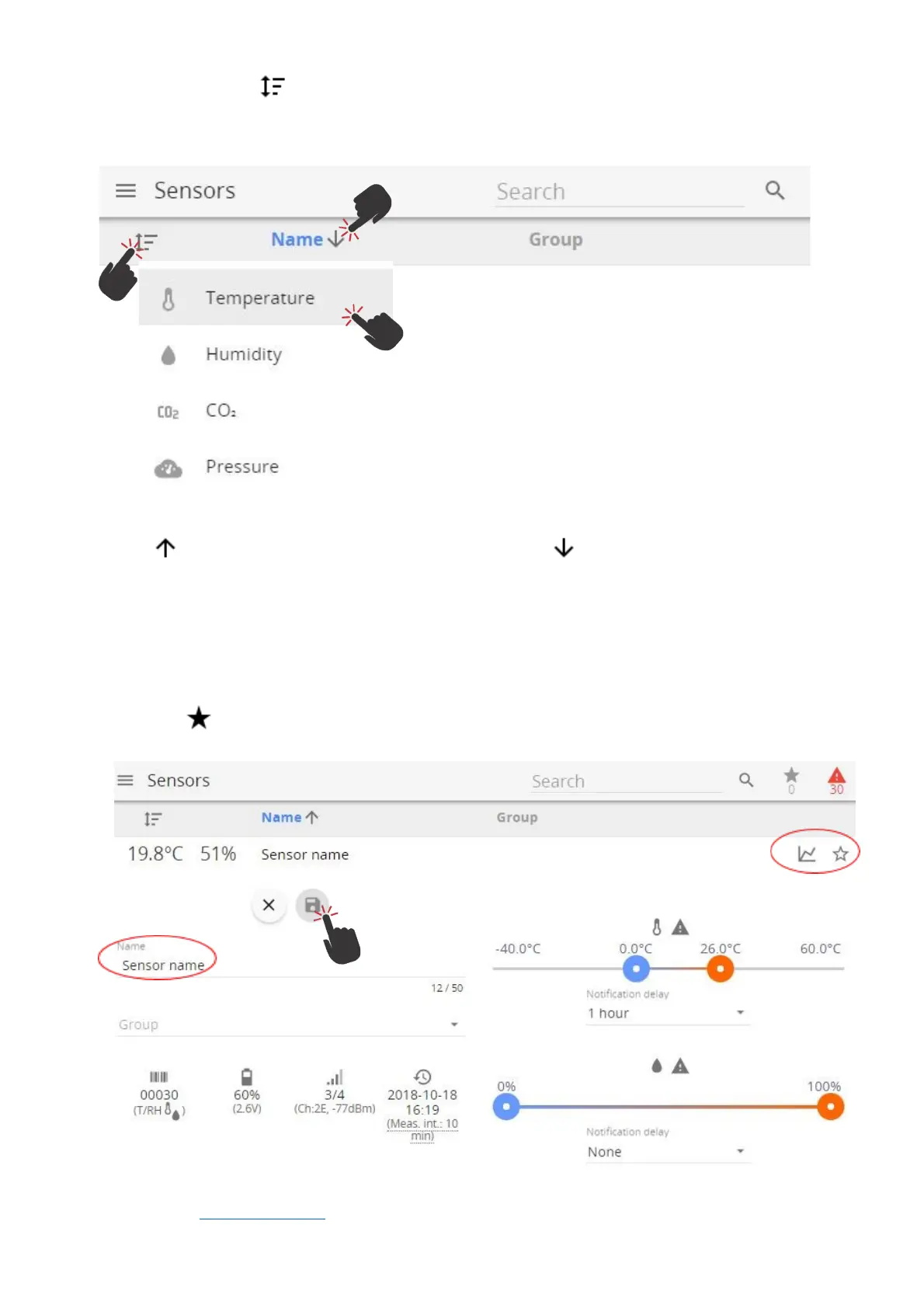
Click on the Sort button to open a sub-menu of measurement types. Click on a measurement type to
sort by this measurement and hide sensors which do not provide it. Clicking on "Name" or "Group" will list
all sensors.
Click on to sort by name or value in descending order. Click on to sort by name or value in
ascending order.
By selecting respective sensor, a submenu opens with sensor information (sensor serial number, type,
name, group, thresholds, last time data was received, battery level, signal strength).
All changes for sensor settings can be adjusted here. Selecting Graph icon will open Graph screen for
respective sensor.
Favorite icon enables a user to add/remove the sensor as a favorite.
Notification delay allows the user to define a delay for the sending of the exceeded threshold alarm notifications.
Please refer to 3.6.9 Notifications for further information.



 To Next Page