LS-200 User Manual
27www.arec.com
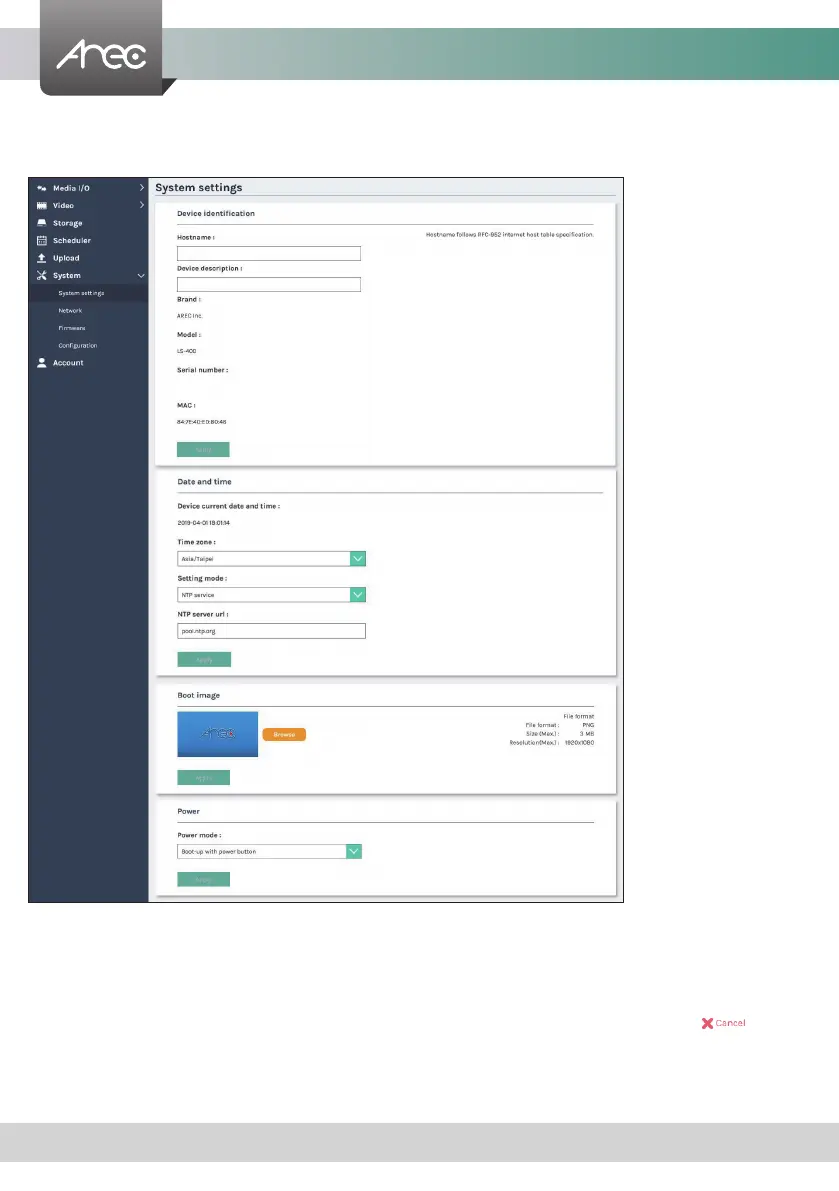
1.6.1 System settings
The basic information and initial date/time of this device are congured here.
Device identication – Set the name (device description) for this device.
Date and Time – Set the device date, time, and time zone manually/ be synchronized to PC, or with an external NTP (network
time protocol) server.
Boot image – Change the boot screen image. The boot screen is the image you will see when you boot up the device.
Click Browse button and select the desired le in the Open dialog box. The le name would appears with the
newly uploaded image. Click Apply button at the bottom corner to apply the settings, or click
Cancel
to give
it up.
Power – Choose how to turn on the device.
Note: The boot screen le must be in PNG format, maximum size 1920x1080px.
LS-200
LS-200



 To Next Page