LS-200 User Manual
47www.arec.com
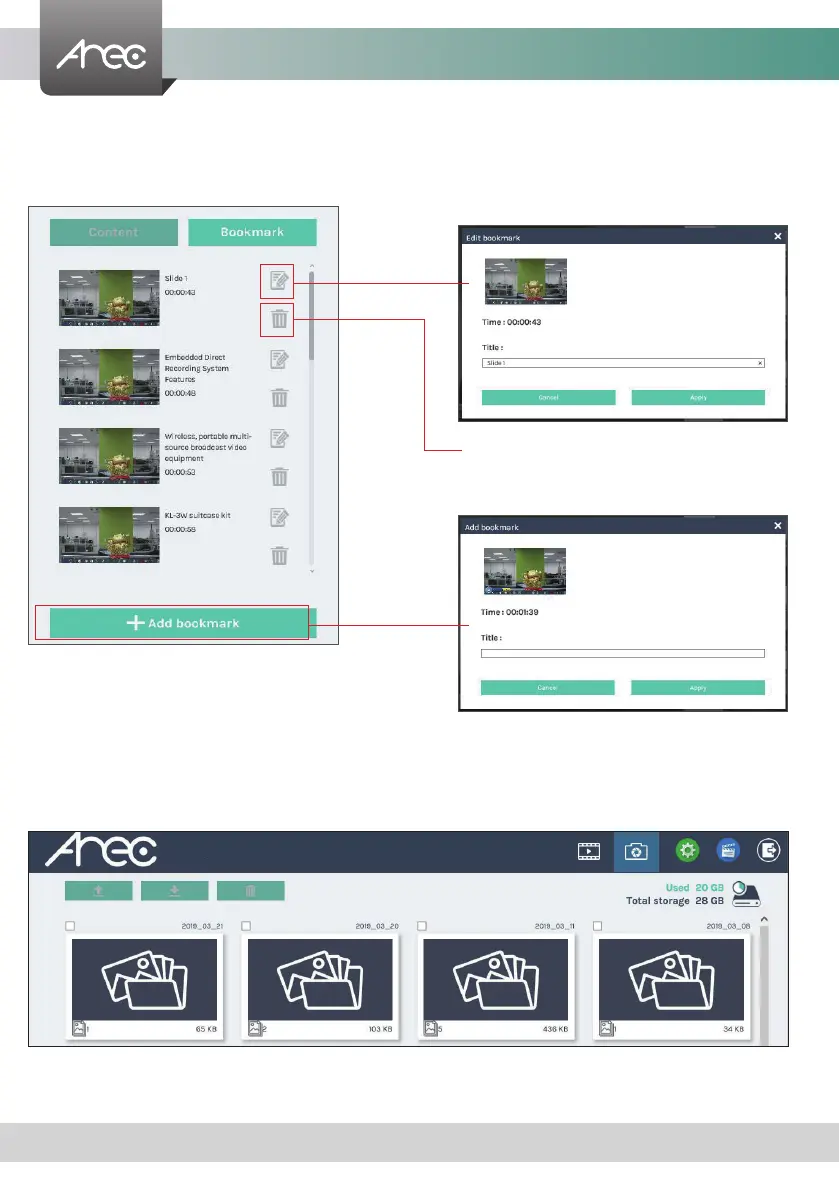
3.1.6 Edit the bookmark information
If you require to edit the bookmark of a recording, click on the desired recording and you will be directed to the Bookmark
page.
The Snapshot Manager includes the following features:upload, download, delete, preview.
1. Edit the bookmark title.
2. Delete the bookmark
3. Add new bookmark with title.
3.2 Snapshot Management
LS-200



 To Next Page