Subject to change · V 2.02.20 · EN
Page 20
www.argo-hytos.com
10. Start screen
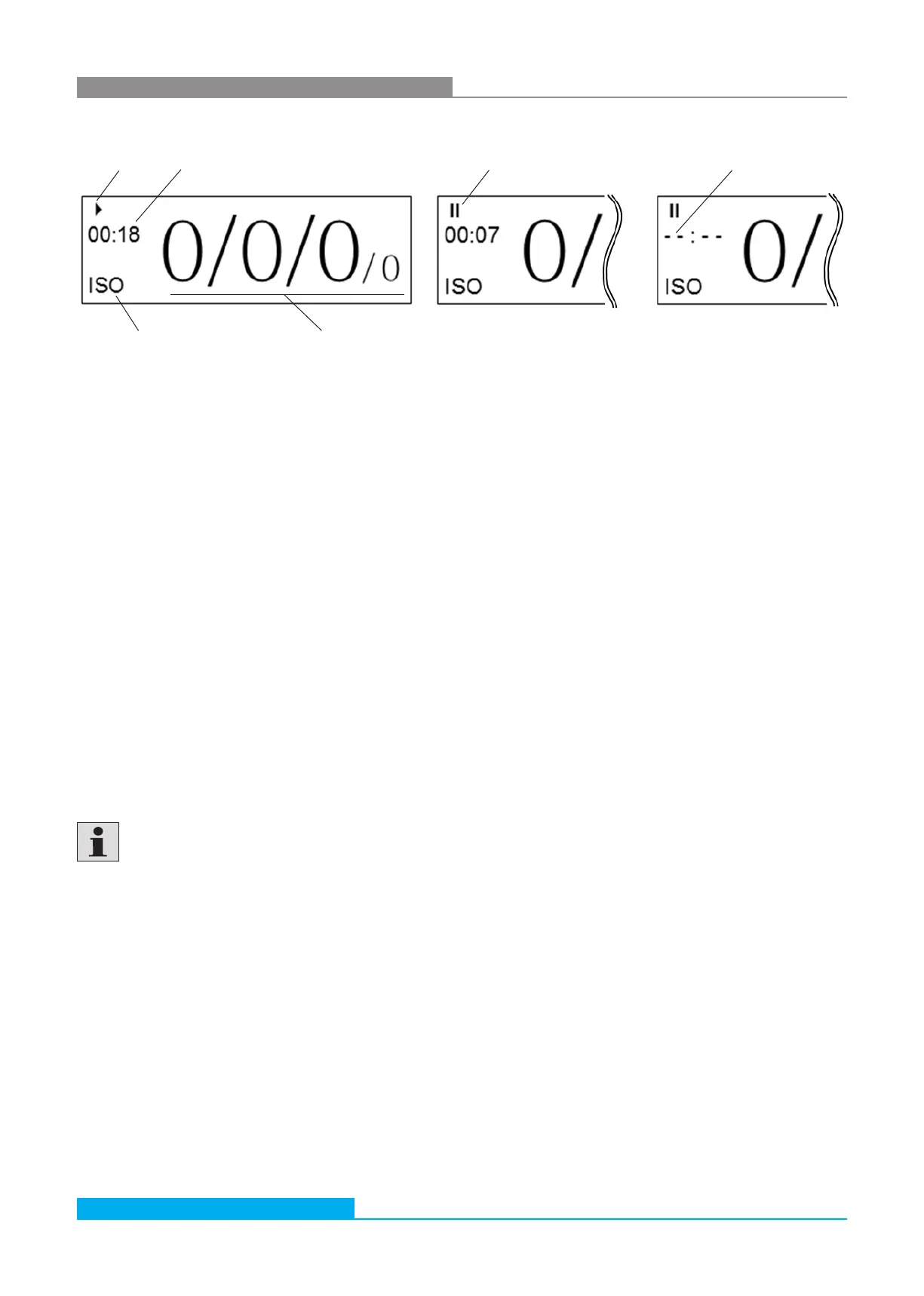
10.1 Status display
› Running measurement
› Regulating laser (flashing) at the start of each measurement for 2 to 3 seconds
› Device in pause mode II
10.2 Time display
› Running measurement:
Displays - depending on the operating mode - the elapsed or remaining time for the present measurement.
Specified in [minutes: seconds]
› Pause mode:
Indicates the remaining time to the next measurement in [minutes: seconds]
› If the pause time is changed within the pause mode and it is less than the already elapsed time, the display shows „- - : - -“.
The information will remain in place until the original remaining time runs out. Thereafter, the new pause time is active.
10.3 Displayed standard
Indication of the currently displayed standard: ISO, SAE, NAS or GOST. The selection is made via the menu.
10.4 Ordinal numbers
Display of the ordinal numbers of the last done measurement. The amount of ordinal numbers may differ according to the selected
standard. For the standards GOST and NAS only one ordinal number is displayed.
Ordinal numbers according to ISO 4406 between 1 and 6 are always displayed with ≤ 6.
According to ISO 4406 the ordinal number for the 21 µm measuring channel is not evaluated.
This measured value is, however, shown as additional information and indicated by a reduced size.
Status display Time display in hh:mm:ss Status display No time given
Displayed standard Ordinal numbers for 4 / 6 / 14 / 21 µm
Fig. 12: Start screen, running and paused measurement, no time given
The condition of the device is visible on the start screen.


 To Next Page