Subject to change · V 2.02.20 · EN
Page 29
www.argo-hytos.com
11.9 Configuration display
For the display, various setting options are available.
› Lighting:
Selection, whether the backlight should be permanently active or is deactivated automatically after 10 seconds.
› Contrast:
Adjusting the contrast via a bar display.
UP button [] = increase contrast
DOWN button [] = reduce contrast
Confirmation via enter key [ ]
11.10 Sensor parameter
11.10.1 Measurement results
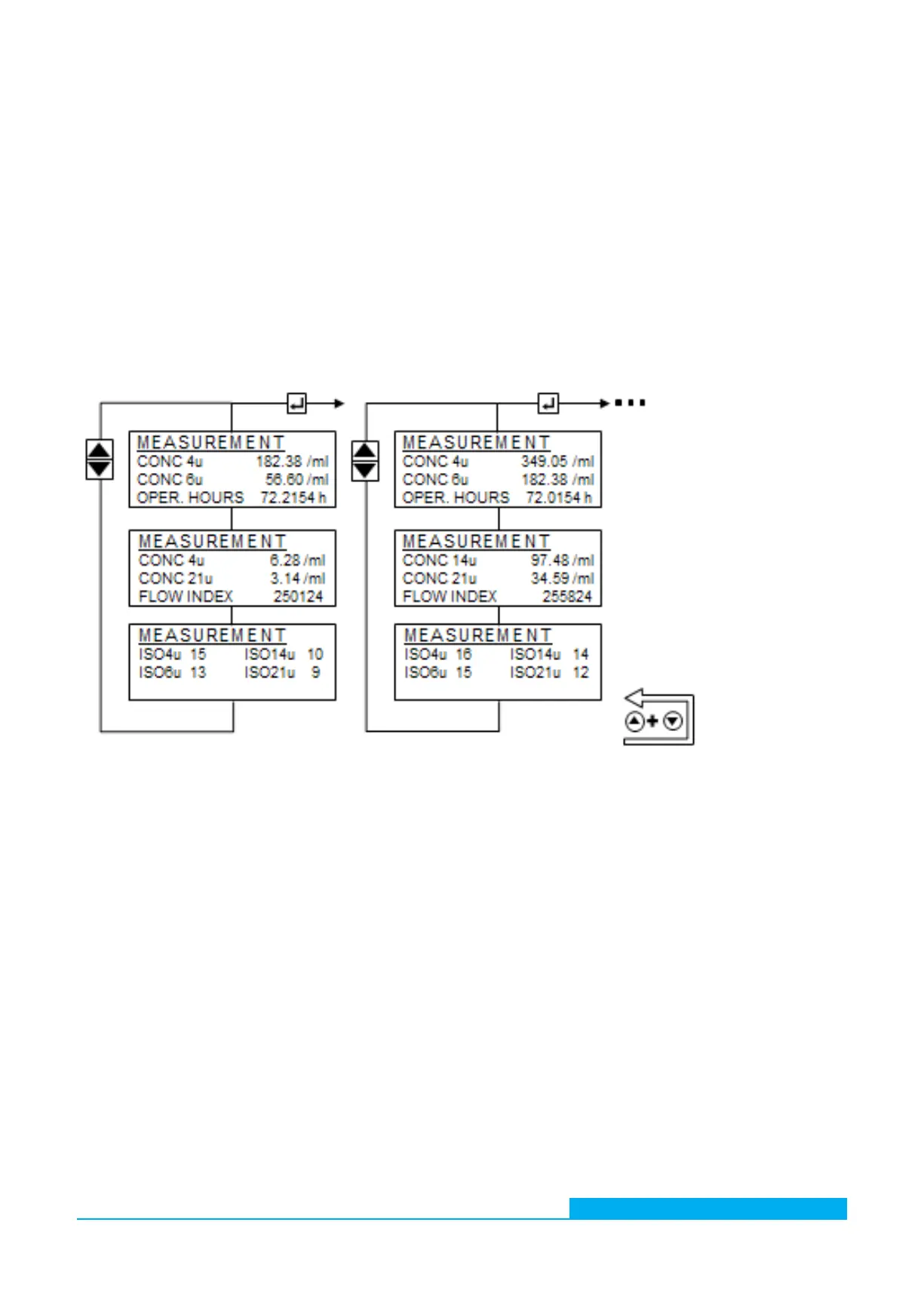
Represenation of the results of the last valid measurements. With the UP [] and DOWN [] button all results are displayed to one
measurement. With the enter key [ ] the previous measurement results can be displayed again.
The representation of the ordinal numbers varies with the selection of the standard.
Fig. 15: Measurement results and display of history
11.10.2 Electronics
Representation of internal sensor parameters. The user has no influence thereon.
› Laser current:
The current which operates the internal laser. The value should be between 1 and 2.8mA. If the value is out of range,
there is a risk of malfunction. See chapter 21.
› PD voltage:
Voltage of the internal detector. The value should be between 3.7 and 4.3 V. If the value is out of range,
there is a risk of malfunction. See chapter 21.
› Temperature:
Internal electronics temperature. The displayed value does not directly correspond to the temperature of the oil.
› Reinforcement:
Adjusted amount for the internal detector.


 To Next Page