20
Operating variables 1,1 and 1,2 and 1,3 in the first line, and operat-
ing variable 2 in the second line are selected via parameter 009,
010, 011 and 012.
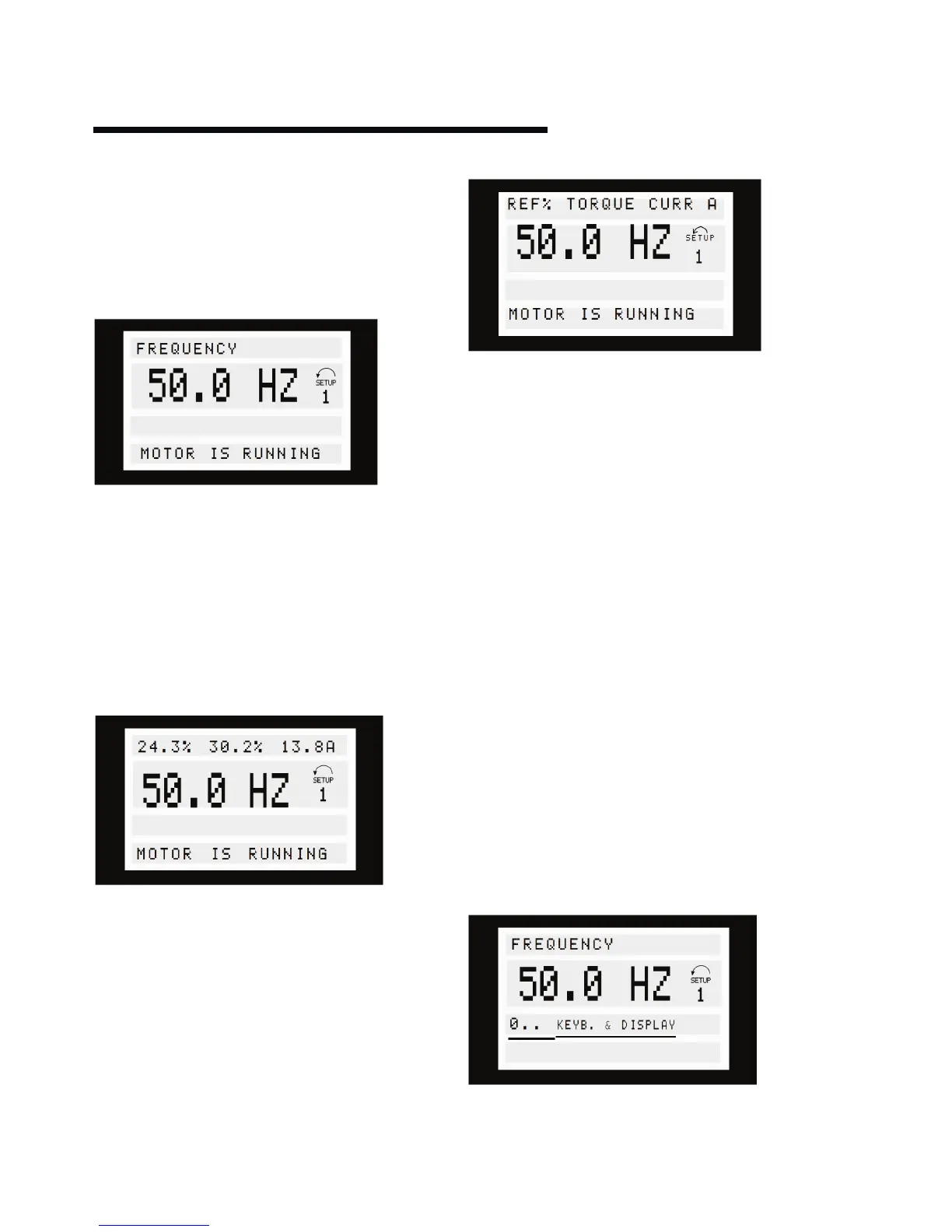
Read-out state I:
This read-out state is standard after starting up or after
initialisation.
Line 2 gives the data value of an operating variable with related
unit, and line 1 provides a text which explains line 2, cf. table.
In the example, Frequency has been selected as variable via
parameter 009.
During normal operation another variable can immediately
be read out by using the [+/-] keys.
Read-out state II:
Switching between read -out states I and II is eected by
pressing the [display / status] key.
In this state, data values for four operating values are shown at
the same time, giving the related unit, cf. table. In the example,
Reference, Torque, Current and Frequency are selected as
variables in the first and second line.
Read-out state III:
This read-out state can be held as long as the [display / status]
key is pressed. When the key is released, the system switches
back to Read-out state II, unless the key is pressed for less than
approx. 1 sec.
This is where parameter names and units for operating
variables in the first line are given - operating variable 2
remains unchanged .
6.1.5 quick menu
Quick menu gives access to a limited number of parameters
but does not include parameters that may need to be changed
when utilising sensorless control. It is therefore recommended
that parameter changes are made in the standard menu.
6.1.6 menu mode
The Menu mode makes it possible to select and change all
parameters at the user’s option.
However, some parameters will be missing, depending on the
choice of configuration (parameter 100), e.g. open loop hides all
the pid parameters.
In addition to having a name, each parameter is linked up with a
number which is the same regardless of the programming mode.
In the Menu mode, the parameters are divided into groups, with
the first digit of the parameter number (from the left) indicat-
ing the group number of the parameter in question. Regardless
of the mode of programming, a change of a parameter will take
eect and be visible both in the Menu mode and in the Quick
menu mode.
The Menu mode is started by pressing the [menu] key, which
produces the following readout on the display:
Line 3 on the display shows the parameter group number
and name.






 To Next Page