44
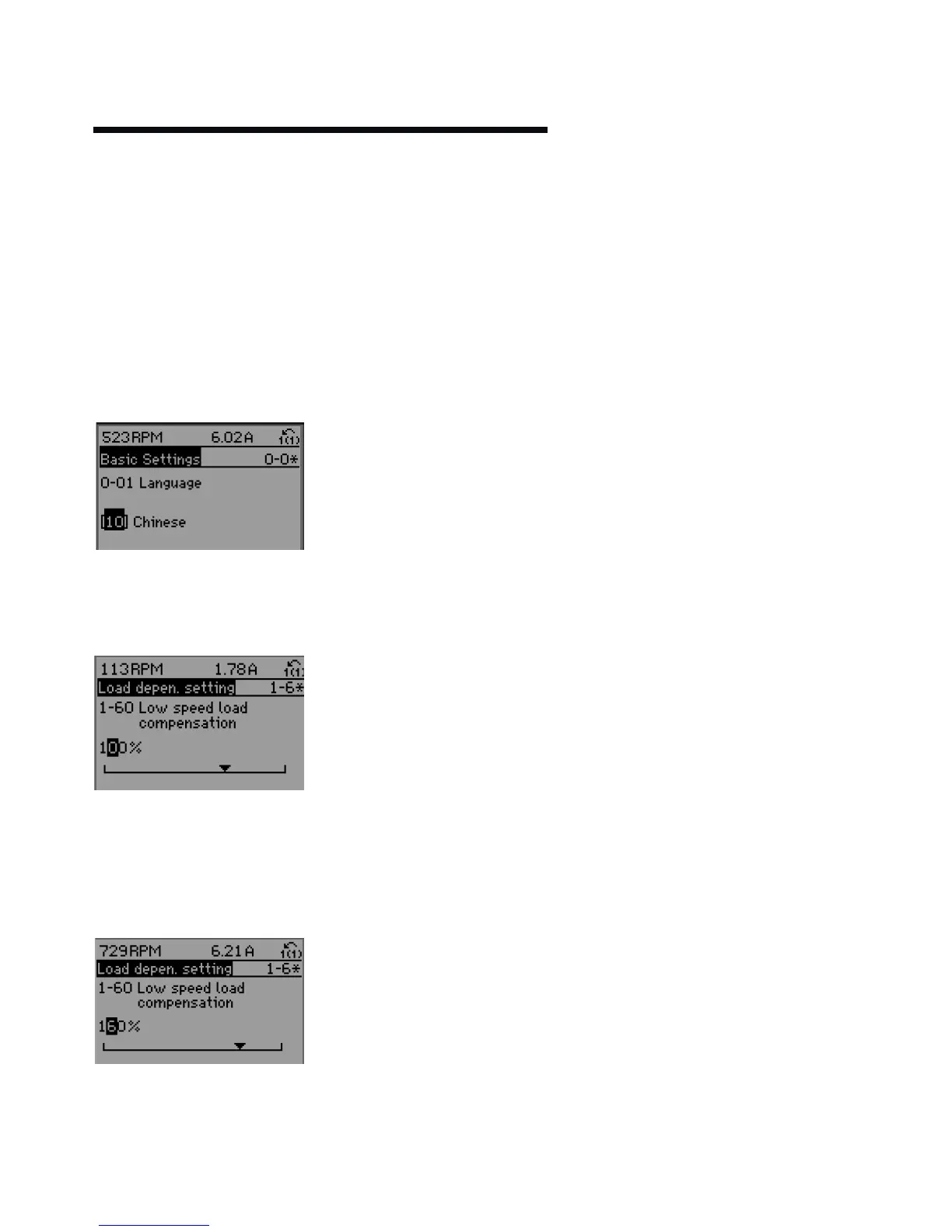
12.4.2 changing data
The procedure for changing data depends on whether the
selected parameter represents a numerical data value or a
text value.
Changing a text value
If the selected parameter is a text value, change the text
value by means of the [p] [q] navigation keys.
The up key increases the value, and the down key decreases
the value.
Place the cursor on the value you want to save and press OK.
Changing Numeric Data Values
If the chosen parameter represents a numeric data value,
change the chosen data value by means of the [] [] navi-
gation keys as well as the [p] [q] navigation keys. .
Use the [] [] navigation keys to move the
cursor horizontally.
Use the [p] [q]navigation keys to change the data value.
The up key enlarges the data value, and the down key re-
duces the data value. Place the cursor on the value you want
to save and press OK.
Readout and Programming of Indexed Parameters
Parameters are indexed when placed in a rolling stack.
Par.15-30 Alarm Log: Error code to Par.15-33 Alarm Log: Date
and time contain a fault log which can be read out. Choose a
parameter, press OK, and use the up/down navigation keys
to scroll through the value log.
Use
Par.
3-10 Preset Reference as another example:
Choose the parameter, press OK, and use the up/down navi-
gation keys to scroll through the indexed values. To change
the parameter value, select the indexed value and press OK.
Change the value by using the up/down keys. Press OK to
accept the new setting. Press Cancel to abort.
Press Back to leave the parameter.
13.0 sensorless operation
Sensorless control is an innovative concept in circulating
pumps. Pump performance and characteristic curves are
embedded in the memory of the speed controller during
manufacture. This data includes power, speed, head and flow
across the flow range of the pump. During operation, the
power and speed of the pump are monitored, enabling the
controller to establish the hydraulic performance and posi-
tion in the pumps head-flow characteristic.
These measurements enable the pump to continuously iden-
tify the head and flow at any point in time, giving accurate
pressure control without the need for external feedback
signals. Patented software technology within the controller
ensures trouble-free operation in all conditions.
Incorporating the pumps hydraulic data into the controller
and removing sensors results in true integration of all com-
ponents and removes the risk of sensor failure.
13.1 default operating mode —
quadratic pressure control
The default control mode for Design Envelope pumps is
‘Quadratic Pressure Control’ where the controller is set to
control the speed according to a ‘control curve’ between max
and min flow (see below diagram). It is widely recognised
that fitting a dierential pressure sensor at the most remote
load, across the supply piping and return piping encompass-
ing the valve & coil set, is the benchmark scheme for
energy eciency.






 To Next Page