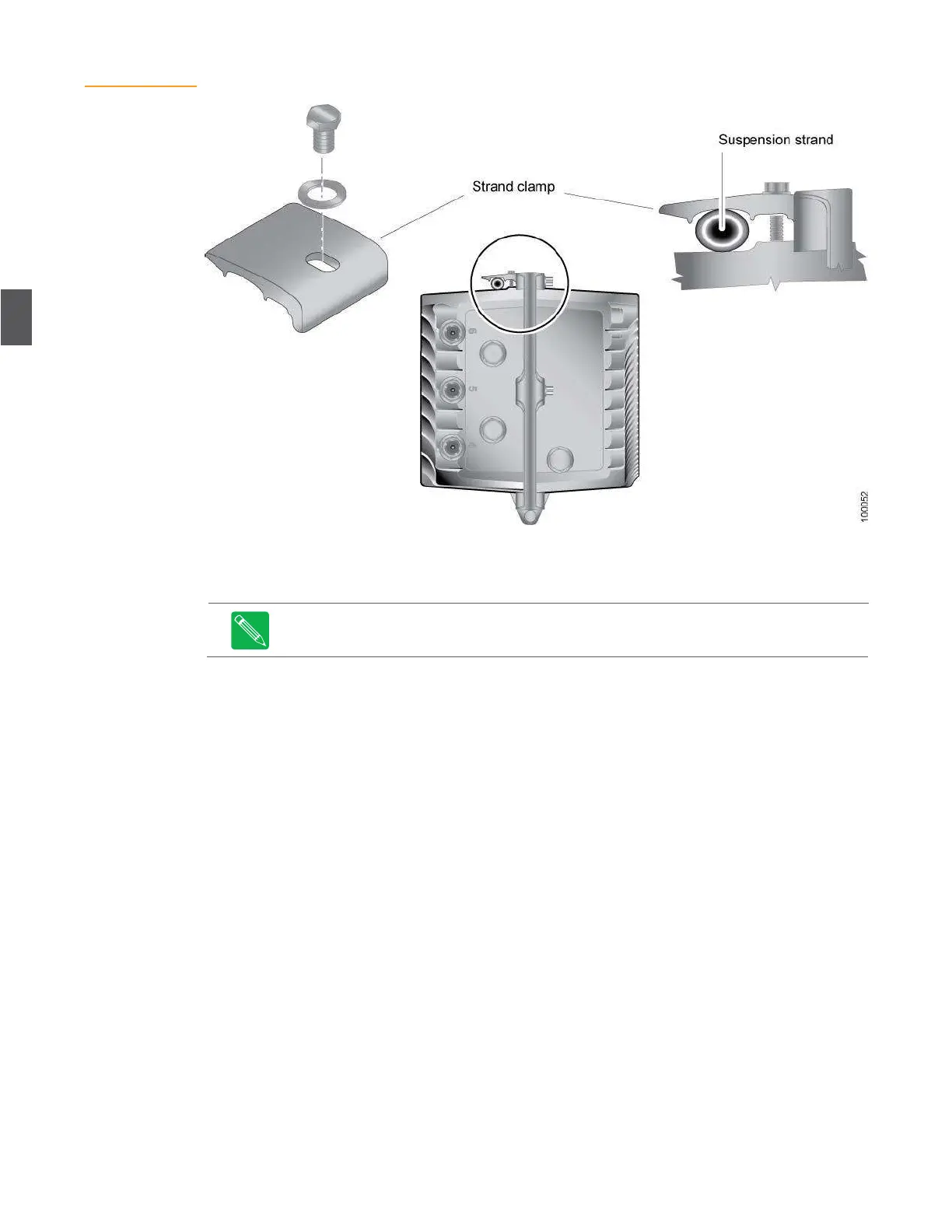
Figure 4.1
Strand-Mounting
the NC4000 Node
4.1.2
Pedestal or Surface Mounting
To mount the NC4000 to a pedestal or surface:
The NC4000 can be pedestal mounted horizontally or vertically.
1.
Two threaded holes are located on the horizontal centerline on the base of the housing.
These 5/16 x 18 x 3/4 holes are separated by 13.5 inches center-to-center and can be used
for pedestal or surface mounting.
2.
Remove the mounting plate (not part of the NC4000) from the inside of the pedestal if
possible.
3.
Remove both strand clamp bolts and strand clamps from the housing base. You will use
these bolts to fasten the base to the pedestal or surface mount fixture.
4.
Lay the NC4000 housing with the lid side facing down (for horizontal mounting).
5.
Place the mounting plate on top of the housing base and align the mounting plate holes
with the two holes on the housing base.
6.
Secure the mounting plate to the NC4000 housing with the strand clamp bolts. (The
strand clamps are not required for pedestal or surface mounting.) Torque the mounting
bolts to 10 foot-pounds (13.5 newton-meters).
7.
Re-install the pedestal mounting with the NC4000 housing attached back into the
pedestal.
8.
Ground the housing, using a split-bolt grounding stud, as described in
4.1.4 Grounding
on
page 4-4 and shown in Figure 4.4 on page 4-5.


 To Next Page