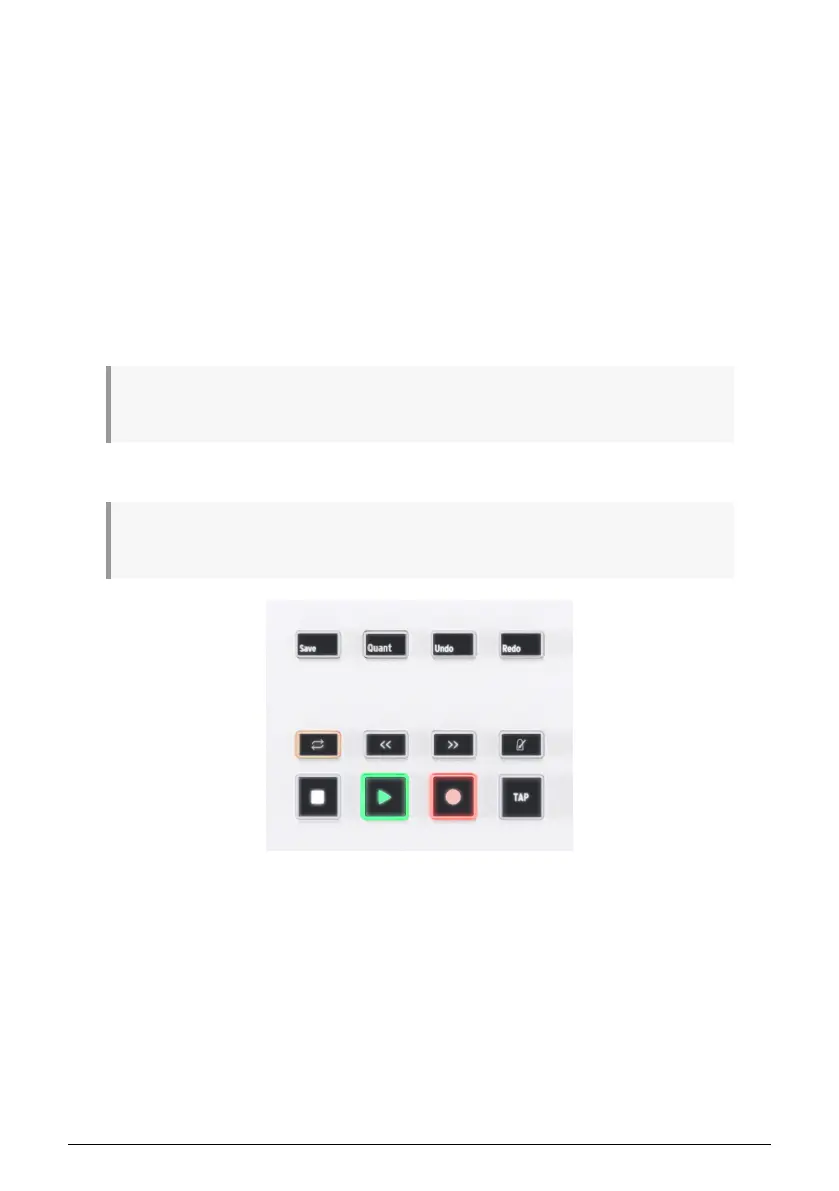
4.6. DAW Control Section
KeyLab Essential allows you to remotely control your DAW. We have created DEEP scripts
for 5 major DAWs:
• Ableton Live
• Apple Logic Pro
• Bitwig Studio
• Image-Line FL Studio
• Steinberg Cubase
KeyLab Essential automatically recognizes the above DAWs. On top of that, KeyLab Essential
can control any DAW on the market thanks to the MCU and HUI protocols.
! In order to use this sophisticated version of DAW Control, the scripts must be properly installed. To
do so, please upload the latest version of your favorite DAW.
! You can download dedicated User Guides for each DAW from the KeyLab Essential's Resources
page.
You enter DAW mode by pressing the Prog button until the display says DAWs. This mode is
required if you want a deep integration using the scripts written for the 5 above mentioned
DAWs. DAW Control works in any of the Prog modes thanks to the MCU and HUI protocol.
The twelve buttons to the left of the Display are all DAW related, although Save, Undo and
Redo can also be used in Arturia Software. These buttons send control messages to your
software, and they are designed to work conveniently with any DAW. If you want, you can
re-configure these buttons in MIDI Control Center.
Using the industry standard Mackie HUI data language, KeyLab Essential gives you direct
access to the most frequently used commands in your recording software, including:
Arturia - User Manual KeyLab Essential mk3 - KeyLab Essential operations 13



 To Next Page