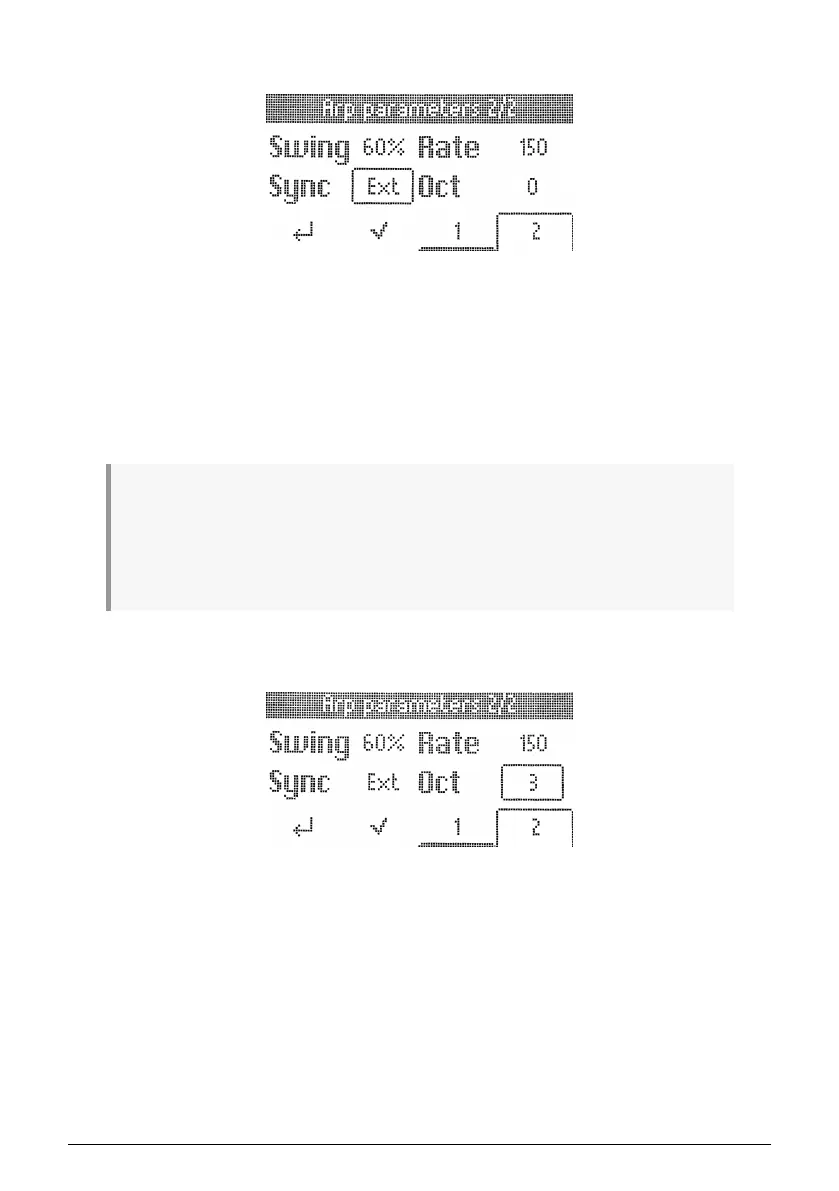
4.12.4.7. Sync
There are two options here: Internal and External.
• Rate: Arpeggiator speed is determined by KeyLab Essential’s internal clock and
Rate setting (see above).
• Ext: Arpeggiator Rate is determined by the tempo set in host software such as
a DAW. If there is no clock detected by the Arpeggiator, playing the KeyLab
Essential keyboard will trigger a popup saying "Arp Sync: Ext - No clock detected".
Also, you'll have to make sure a clock is sent to the USB port of KeyLab Essential
and don't forget to press play in your DAW.
♪ Which one to use? If you’re playing Analog Lab in as a stand-alone instrument, using KeyLab
Essential’s internal tempo lets you quickly tweak the rate across everything you’re doing. Likewise
if you’re controlling a hardware synth module from the 5-pin MIDI port. If Analog Lab or another
instrument is a plug-in within a DAW session, then of course you’ll want to set KeyLab Essential to
External and let your DAW direct tempo. ♪ A DAW can only control the Arpeggiator Rate when the DAW
is playing; KeyLab Essential can't sync to a DAW that is stopped.
4.12.4.8. Octave
The Arpeggiator can play notes in a range of zero to three octaves up. At zero, it plays only
the actual notes as held on the keyboard, at 1 it adds one octave up and so on.
30 Arturia - User Manual KeyLab Essential mk3 - KeyLab Essential operations



 To Next Page