Operation 5
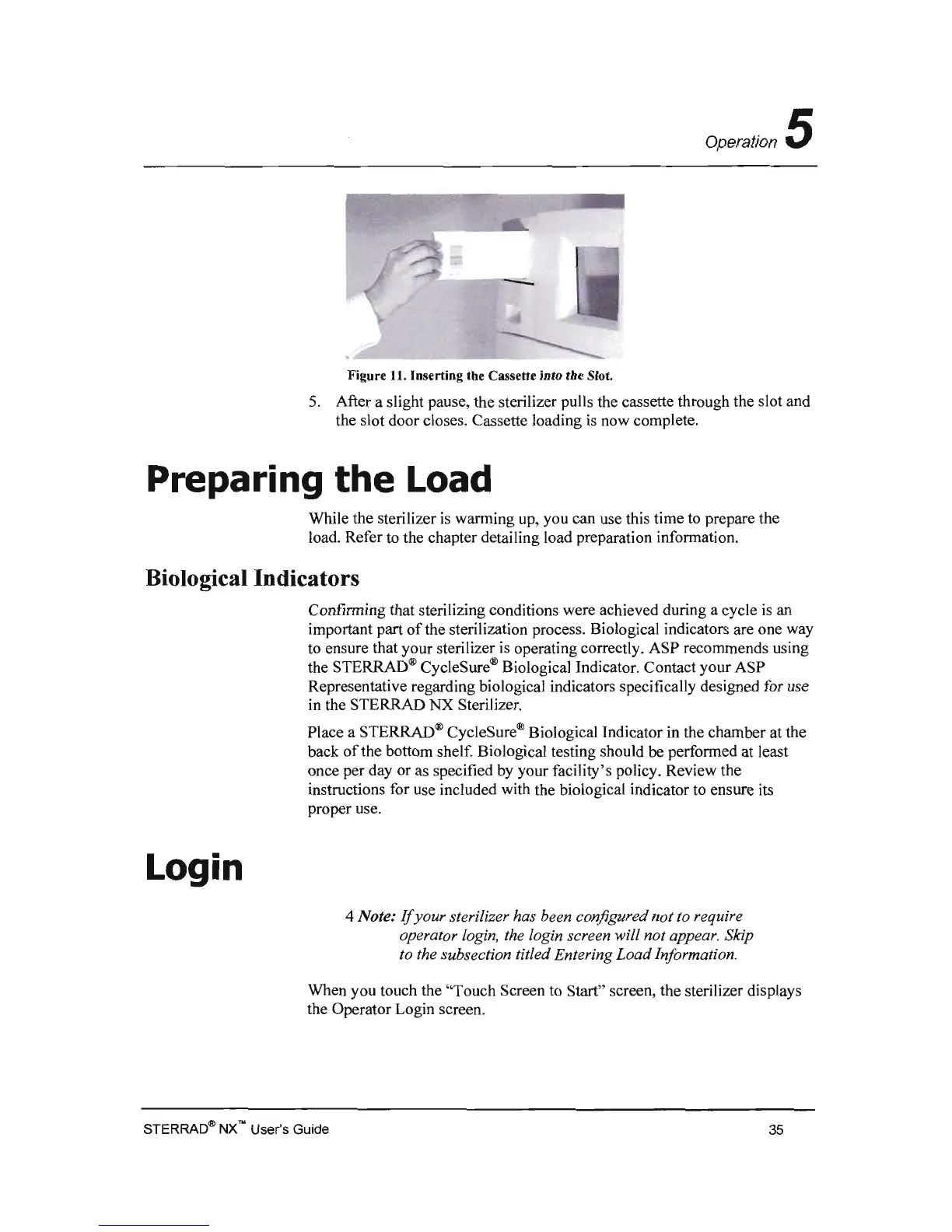
Figure 11. Inserting the Cassette into tbe Slot.
5.
After a slight pause, the sterilizer pulls the cassette through the slot and
the slot door closes. Cassette loading
is
now complete.
Preparing
the
Load
While the sterilizer
is
warming up, you can use this time to prepare the
load. Refer
to
the chapter detailing load preparation information.
Biological Indicators
Confirming that sterilizing conditions were achieved during a cycle
is
an
important part
of
the sterilization process. Biological indicators are one way
to ensure that your sterilizer
is
operating correctly. ASP recommends using
the STERRAD® CycleSure® Biological Indicator. Contact your ASP
Representative regarding biological indicators specifically designed for use
in the STERRAD NX Sterilizer.
Place a STERRAD® CycleSure® Biological Indicator in the chamber at the
back
of
the bottom shelf. Biological testing should be performed at least
once per day or as specified by your facility's policy. Review the
instructions for use included with the biological indicator to ensure its
proper use.
Login
4 Note:
If
your sterilizer has been configured not to require
operator login, the login screen will not appear. Sldp
to the subsection titled Entering
Load
Information.
When you touch the "Touch Screen to Start" screen, the sterilizer displays
the Operator Login screen.
STERRAD~
NX'" User's Guide
35



 To Next Page