Operation 5
Selecting and Starting a Cycle
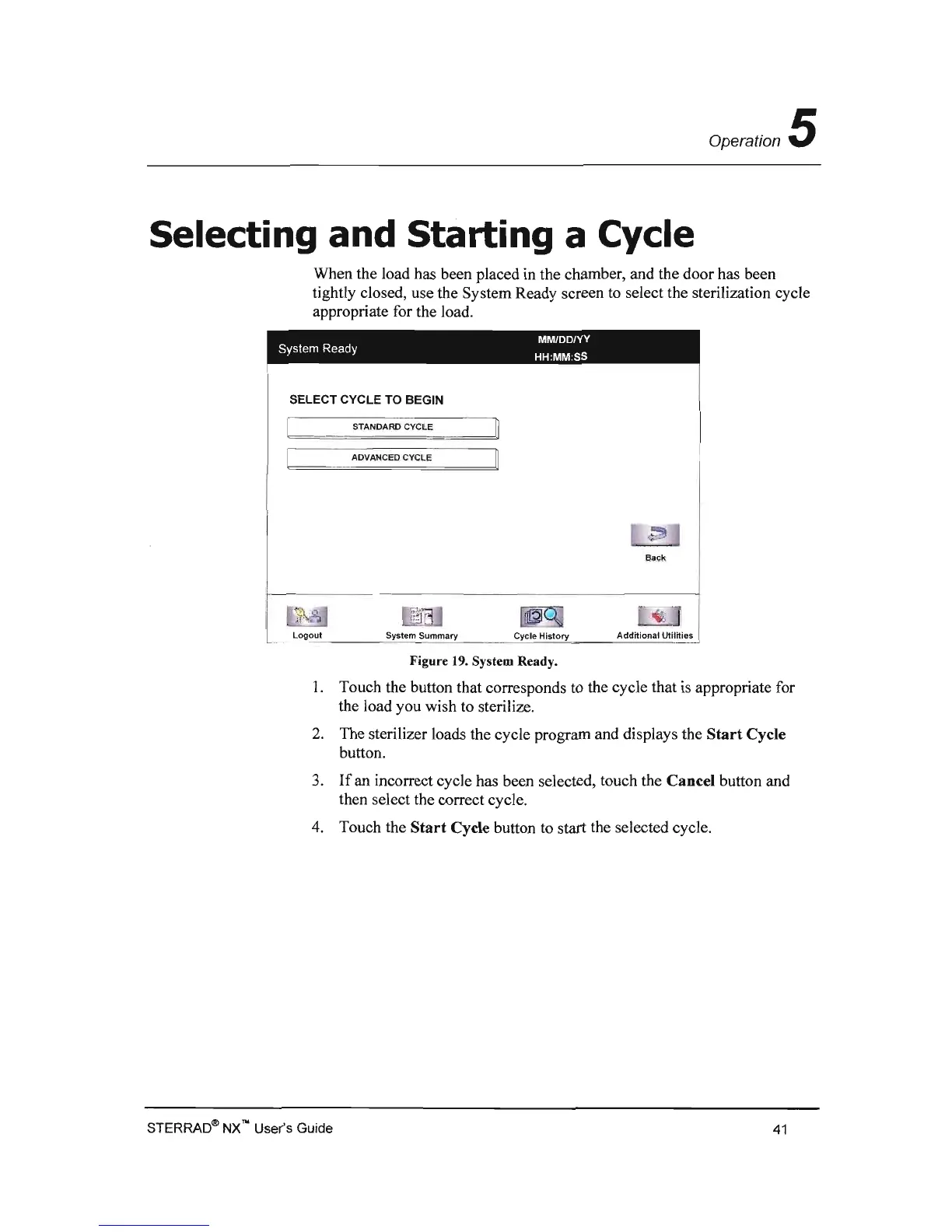
When the load has been placed
in
the chamber, and the door has been
tightly closed, use the System Ready screen to select the sterilization cycle
appropriate for the load.
MMIDD/YY
System Ready
HH:MM
:SS
SELECT
CYCLE TO BEGIN
STANDARD CYCLE
~
ADVANCED CYCLE
Back
logout
System Summary
Cycle
History
Add~lonal
~tll~i.S
I
Figure 19. System Ready.
1.
Touch the button that corresponds to the cycle that
is
appropriate for
the load you wish to sterilize.
2.
The sterilizer loads the cycle program and displays the
Start
Cycle
button.
3.
If
an incorrect cycle has been selected, touch the Cancel button and
then select the correct cycle.
4.
Touch the
Start
Cycle button to start the selected cycle.
STERRAD(!!l
NX
no User's Guide
41



 To Next Page