USER manual 61 of 216
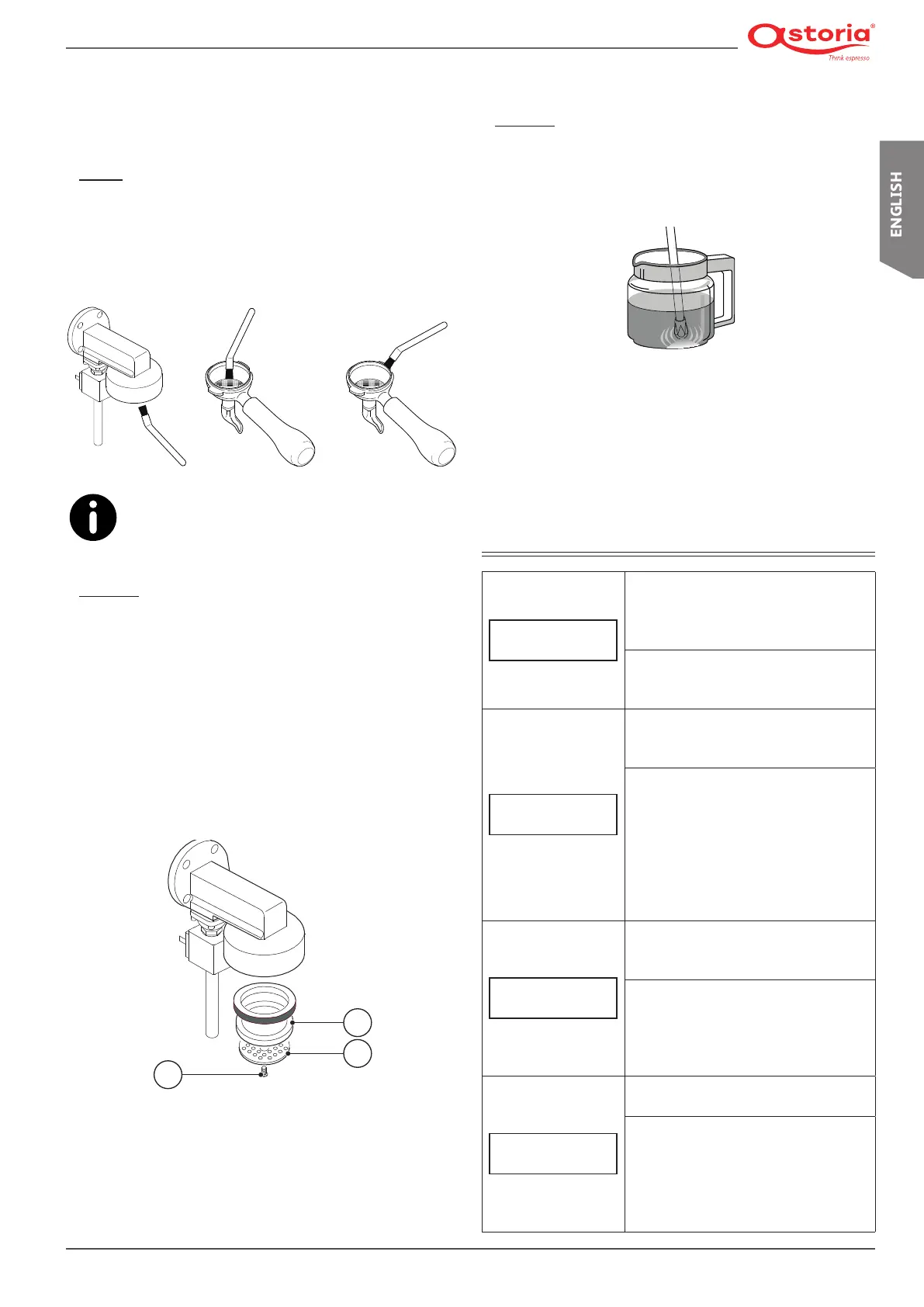
7.5.5 Cleaning the group shower screen,
shower screen containment ring
and lter holder
Daily
Cleanthedispensinggroupandlterholdershowerscreens
with the supplied brush on a daily basis.
Thoroughly clean the inside of the coupling ring and lter
holder,aswellastheedgeandthewingsofthelterholder,
so as to eliminate any accumulated coffee residues.
Use the special brush supplied (see the Spare Parts
Catalogue).
Weekly
Clean the shower screen and shower screen containment ring
as follows:
• Loosen the screw using a screwdriver (1).
• Remove the shower screen (2) and the shower screen con-
tainment ring (3).
• Carefully wash the two components with hot water.
• Reposition the shower screen and shower screen contain-
ment ring in their original position and lock everything in
place with the screw.
1
2
3
7.5.6 Cleaning the steam nozzle
Weekly
Clean the steam nozzle as follows:
• Insertthesteamwandintoajugwithwaterandaspecic
cleaner, in accordance with the manufacturer's instruc-
tions.
• Heat the solution with the steam nozzle.
• Let the nozzle cool down whilst keeping it immersed in the
solution for at least 5 minutes, so that cleaner can rise in-
side the nozzle due to the cooling effect.
• Repeat the operation 2 or 3 times until no more milk resi-
due is dispensed.
8. DISPLAY WARNINGS
1.0 BAR 120°C
HEAT. UNIT FILL.
Cause
Filling the heating unit with water when
using the machine for the rst time or
when relling to restore the water level.
Description/Action
Wait for the heating unit to be com-
pletely lled.
1.0 BAR 120°C
FILLING TIME LIMIT
Cause
Time for lling the heating unit with
water longer then expected.
Description/Action
Make sure the water mains tap is
opened.
Switch the machine off and back on
again.
If the warning persists after several
attempts, turn off the machine and
contact the Technician.
DOSER ALARM
Cause
Malfunction of the volumetric elec-
tronic control
Description/Action
Stop the dispensing by pressing the
dose button.
Turn off the machine and contact the
Technician.
REG. WATER
SOFTENER
Cause
Water softener regeneration prompt
Description/Action
Carry out the water softener regener-
ation.
To delete the message, press the 4
display keys for 5 seconds: ENTER,
MODE, (+), (-).











 To Next Page