ASUS RS540-E9-RS36-E
5-21
Mass Storage Devices
AMI Virtual CDROM0 / Floppy0 / HDisk0-1 1.00 [Auto]
Allows you to select the mass storage device emulation type.
Congurationoptions:[Auto][Floppy][ForcedFDD][HardDisk][CD-ROM]
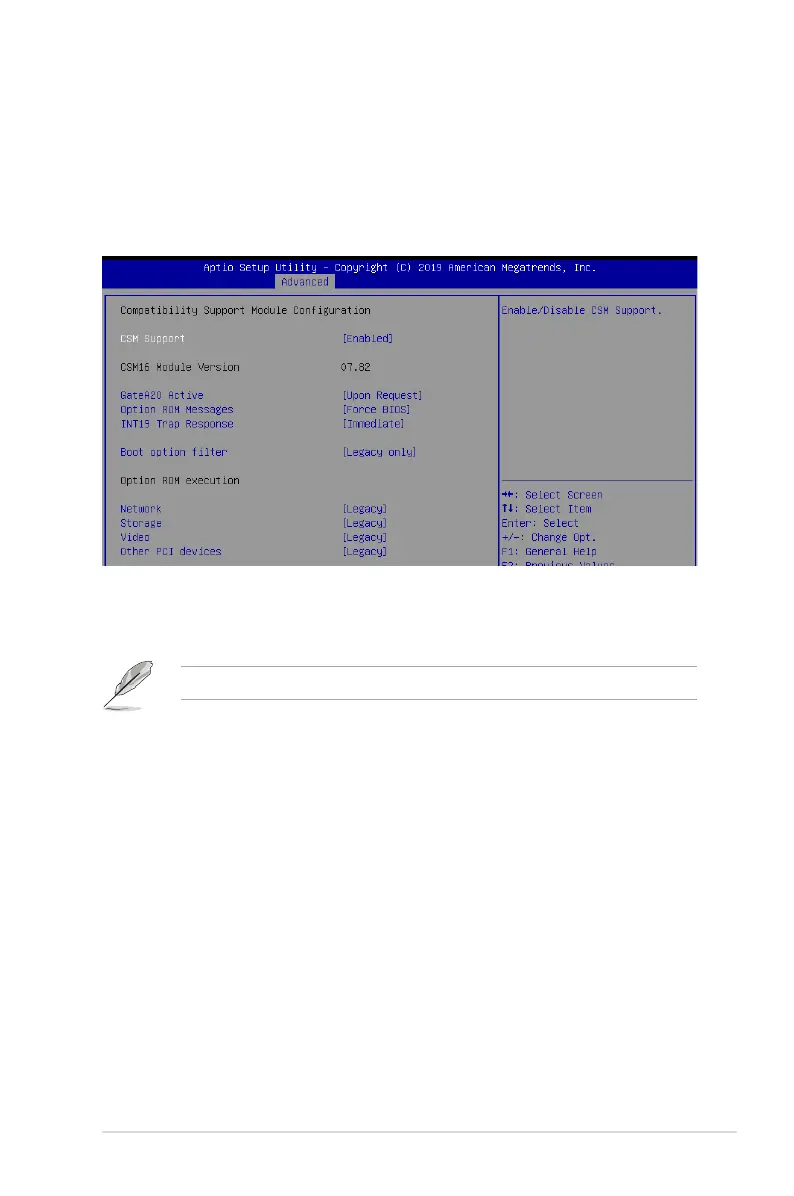
5.5.10 CSM Configuration
CSM Support [Enabled]
This option allows you to enable or disable CSM Support.
Congurationoptions:[Disabled][Enabled]
The following item appears only when
CSM Support
is set to
[Enabled]
.
GateA20 Active [Upon Request]
ThisallowsyoutosettheGA20option.
Congurationoptions:[UponRequest][Always]
Option ROM Messages [Force BIOS]
This allows you to set the display mode for option ROM.
Congurationoptions:[ForceBIOS][KeepCurrent]
INT19 Trap Response [Immediate]
[Immediate] Executethetraprightaway.
[Postponed] Executethetrapduringlegacyboot.
Boot Option filter [Legacy only]
This option allows you to control the Legacy/UEFI ROMs priority.
Congurationoptions:[UEFIandLegacy][Legacyonly][UEFIonly]
Network / Storage / Video [Legacy]
ThisoptionallowsyoutocontroltheexecutionofUEFIandLegacyPXE/Storage/
Video OpROM.
Congurationoptions:[UEFI][Legacy]













 To Next Page