Chapter 2: Hardware Information
2-2
2.1 Chassis cover
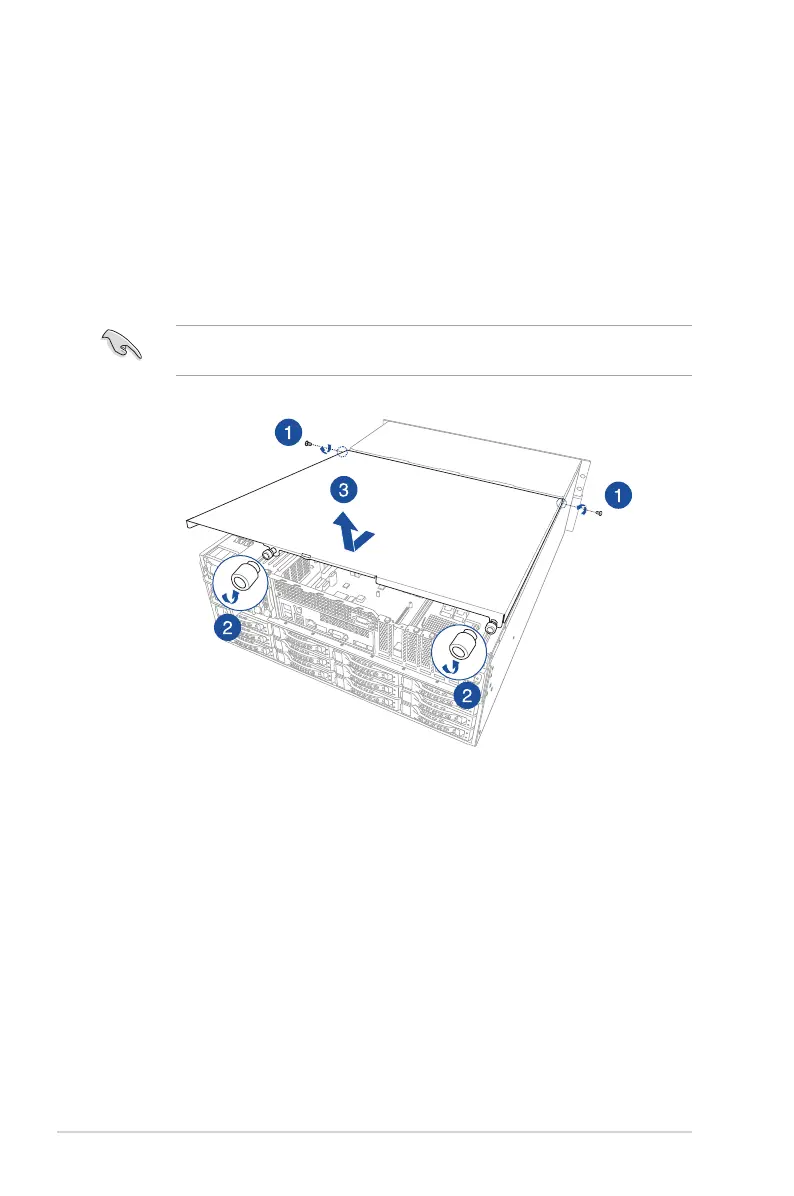
2.1.1 Removing the rear cover
1. Remove the screw from each side of the rear cover.
2. Loosen but do not remove the two thumbscrews on the rear panel.
3. Firmly hold the rear cover and slide it towards the back panel for about half an inch to
the front cover, then remove the rear cover from the chassis.
The chassis is covered with a layer of lm. Before starting up the system, remove the lm
to avoid overheating.













 To Next Page