2-29
ASUS RS540-E9-RS36-E
2.8.1 System fans
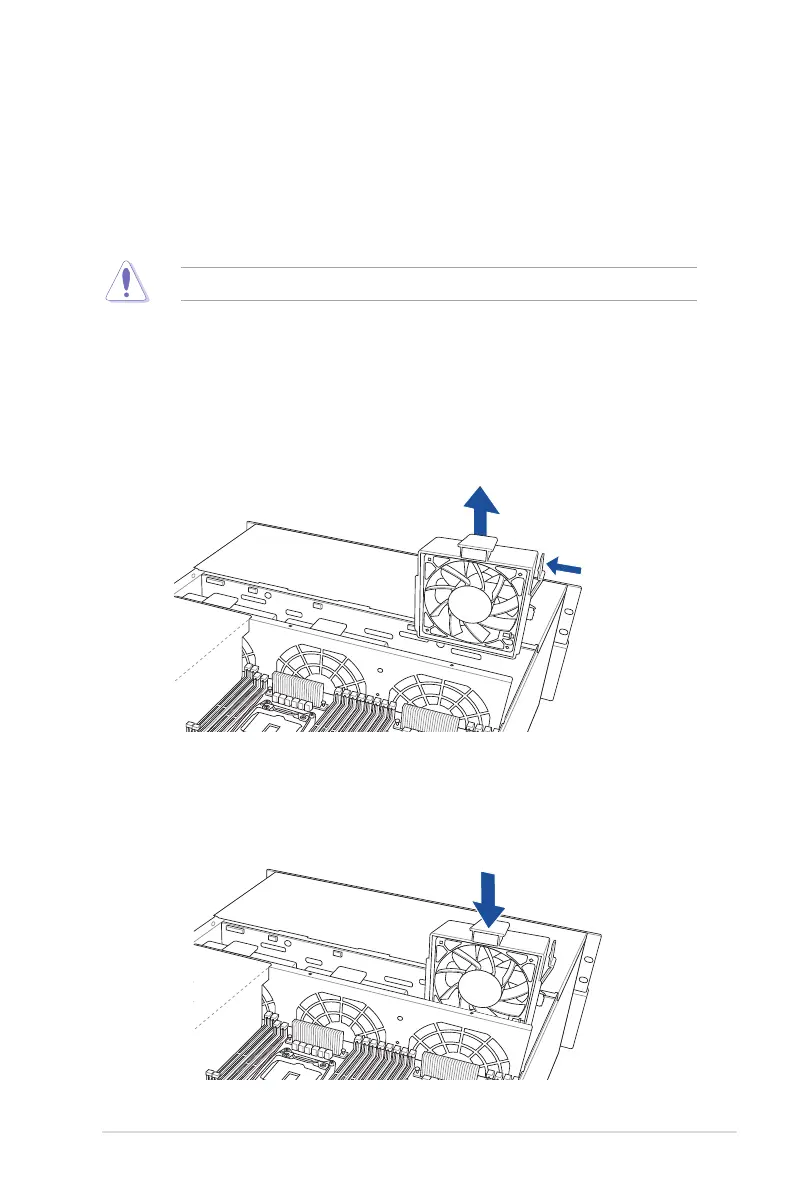
To uninstall the system fans:
1. Press and hold the lever on the side of the fan, then lift the fan to remove.
2. Repeat step 1 to uninstall the other system fans.
To reinstall the system fans
Insert the fan into the fan cage. The airow directional arrow on the fan side should point
towards the CPU heatsink.
2.8 Removable/optional components
This section explains how to install optional components into the system and covers the
following components:
1. System fans
2. Redundant power supply module (optional)
Ensure that the system is turned off before removing any components.













 To Next Page