ASUS RS540-E9-RS36-E
5-39
5.12 Tool menu
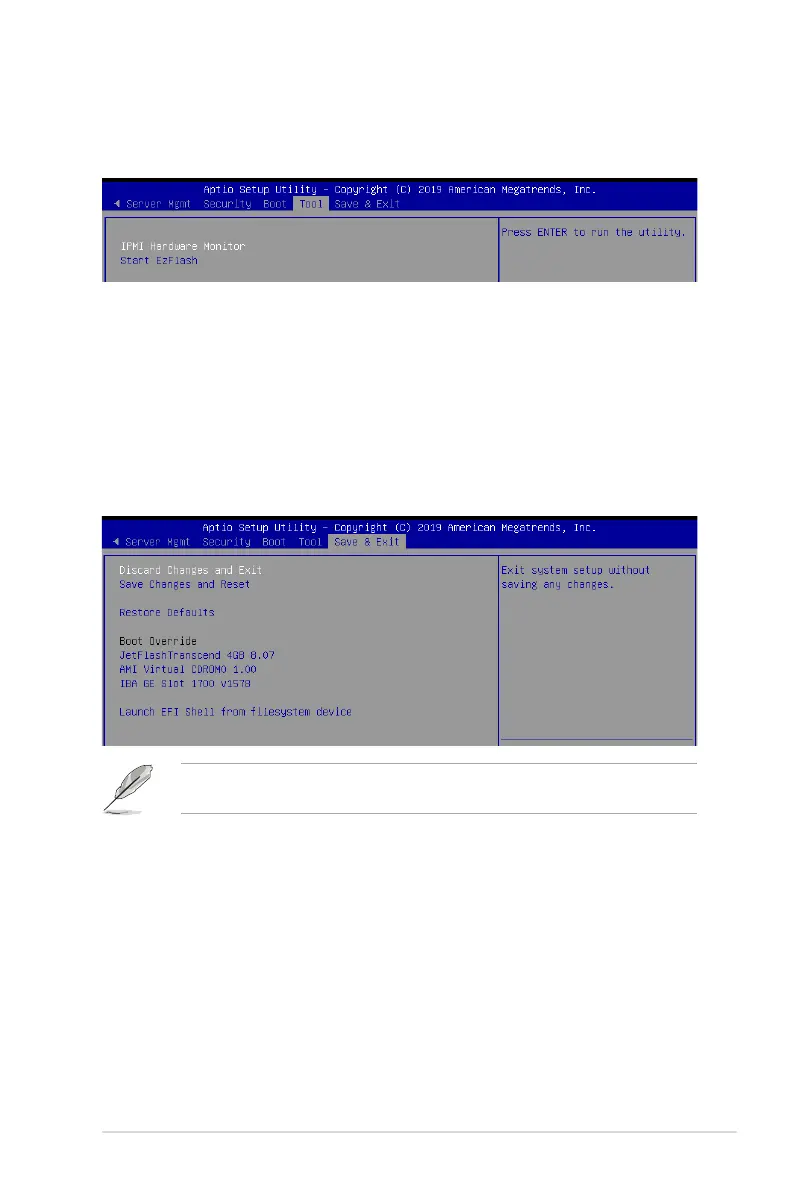
TheToolmenuitemsallowyoutocongureoptionsforspecialfunctions.Selectanitemthen
press <Enter> to display the submenu.
IPMI Hardware Monitor
Allows you to run the IPMI hardware monitor.
Start EZ Flash
Allows you to run ASUS EZ Flash BIOS ROM Utility when you press <Enter>. Refer to the
ASUS EZ Flash Utility section for details.
Pressing <Esc> does not immediately exit this menu. Select one of the options from this
menuor<F10>fromthelegendbartoexit.
Discard Changes & Exit
Exit System setup without saving any changes.
Save Changes & Reset
Exit System setup after saving the changes.
Restore Defaults
Restore/load default values for all the setup options.
Boot Override
These items displays the available devices. The device items that appears on the screen
dependsonthenumberofdevicesinstalledinthesystem.Clickanitemtostartbootingfrom
the selected device.
5.13 Save & Exit menu
The Save & Exit menu items allow you to save or discard your changes to the BIOS items.













 To Next Page