5-26
Chapter 5: BIOS Setup
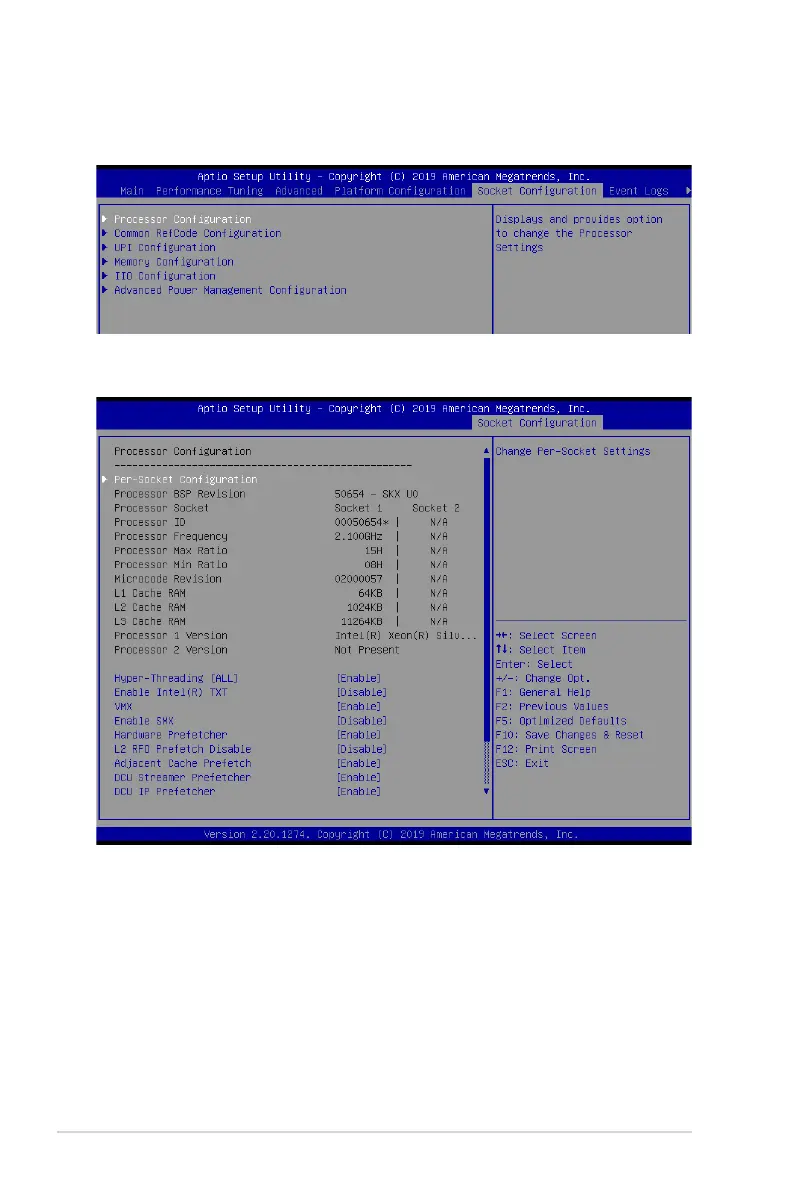
5.7 Socket Configuration menu
TheIntelRCSetupmenuitemsallowyoutochangethesocketsettings.
5.7.1 Processor Configuration
Hyper Threading [ALL] [Enabled]
AllowsyoutoenableordisabletheHyper-ThreadingTechnologyfunction.Whendisabled,
only one thread per activated core is enabled.
Congurationoptions:[Disabled][Enabled]
Enable Intel(R) TXT Support [Disabled]
ForcestheXDfeaturelogtoalwaysreturn0whendisabled.
Congurationoptions:[Disabled][Enabled]
VMX [Enabled]
EnablestheVanderpoolTechnology.Takeseffectafterreboot.
Congurationoptions:[Disabled][Enabled]













 To Next Page