Chapter 2: Hardware Information
2-30
2.8.2 Redundant power supply module
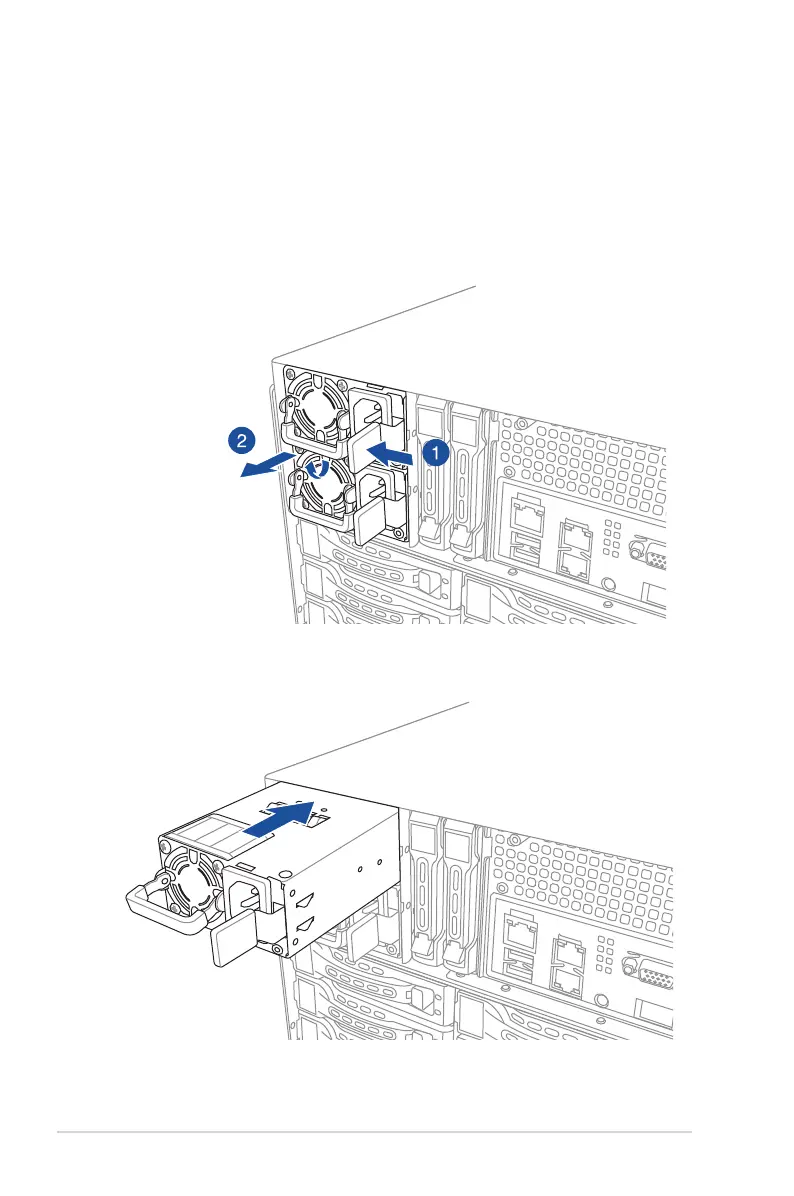
To replace a failed redundant power supply module:
1. Press the secure tab to the left using your thumb, then lift and hold the power supply
module lever using other ngers.
2. Pull the power supply module out of the system chassis.
3. Insert the replacement power supply module into the chassis.













 To Next Page