Chapter 2: Hardware Information
2-20
2.5.2 Installing ASUS Pike II cards
You can install an ASUS PIKE II card on the provided PCI-E slot onboard depending on the
number of CPUs installed.
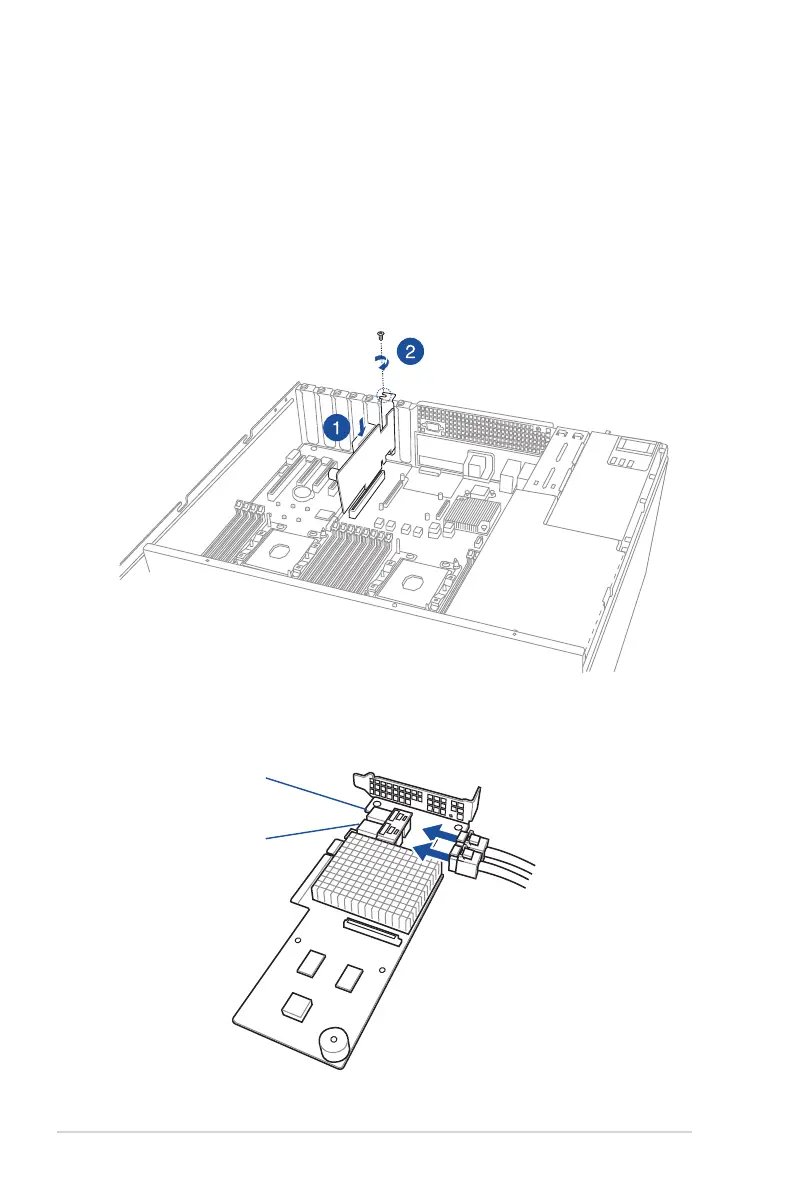
To install an ASUS PIKE II card when 1 (one) CPU is installed:
1. Insert the expansion card into the PCIE6 slot. Ensure that the golden ngers are totally
inserted into the slot.
2. Secure the ASUS PIKE II card with a screw and reinstall the bracket.
3. Connect the two mini-SAS HD cables to the ASUS PIKE II card.
connector 1
connector 2













 To Next Page