5-22
Chapter 5: BIOS Setup
Other PCI devices [Legacy]
ThisitemdeterminestheOpROMexecutionpolicyfordevicesotherthanNetwork,
Storage, or Video.
Congurationoptions:[UEFI][Legacy]
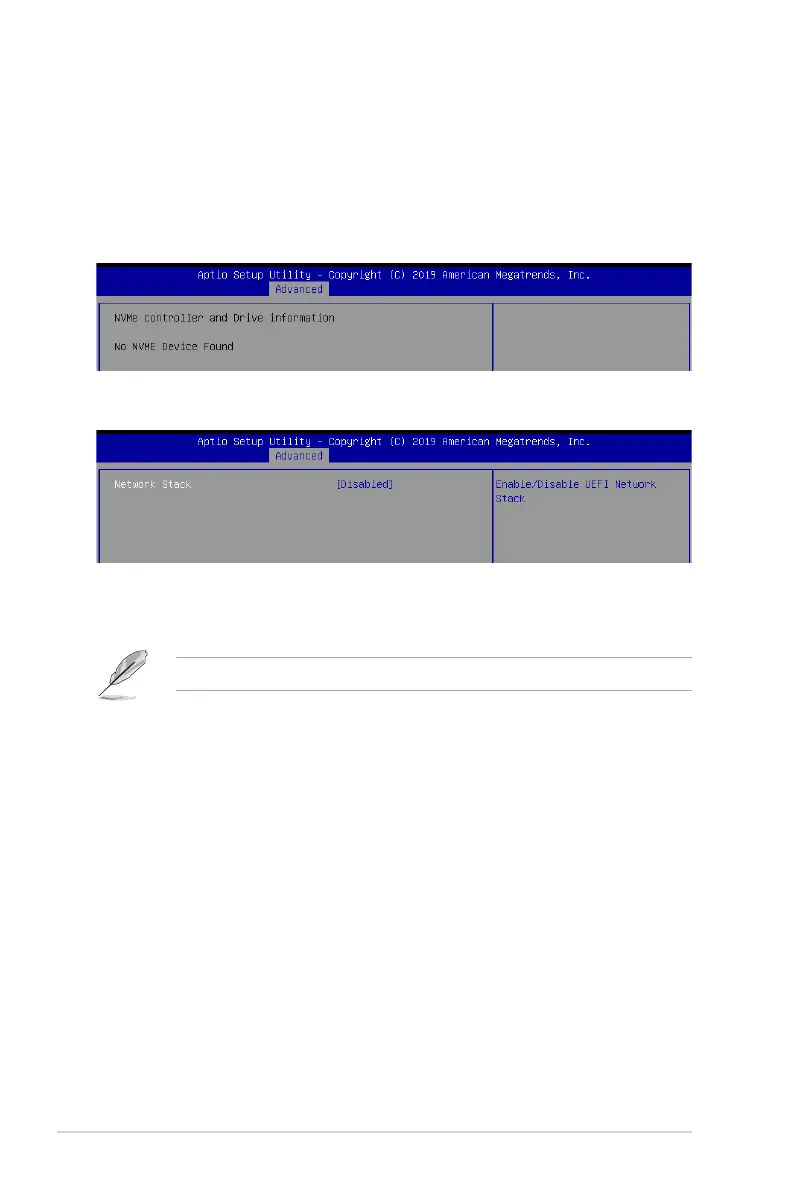
5.5.11 NVMe Configuration
This page will display the NVMe controller and drive information.
Network stack [Disabled]
Enablesordisablesthenetworkstackfeature.
Congurationoptions:[Disable][Enable]
The following item appears only when
Network stack
is set to
[Enabled]
.
Ipv4 PXE Support [Disabled]
EnablesordisablestheIpv4PXEBootSupport.Ifdisabled,Ipv4PXEbootoptionwill
not be created.
Congurationoptions:[Disabled][Enabled]
Ipv4 HTTP Support [Disabled]
Enables or disables the Ipv4 HTTP Boot Support. If disabled, Ipv4 HTTP boot option
will not be created.
Congurationoptions:[Disabled][Enabled]
Ipv6 PXE Support [Disabled]
EnablesordisablestheIpv6PXEBootSupport.Ifdisabled,Ipv6PXEbootoptionwill
not be created.
Congurationoptions:[Disabled][Enabled]
Ipv6 HTTP Support [Disabled]
Enables or disables the Ipv6 HTTP Boot Support. If disabled, Ipv6 HTTP boot option
will not be created.
Congurationoptions:[Disabled][Enabled]
5.5.12 Network Stack Configuration













 To Next Page