Chapter 2: Hardware Information
2-22
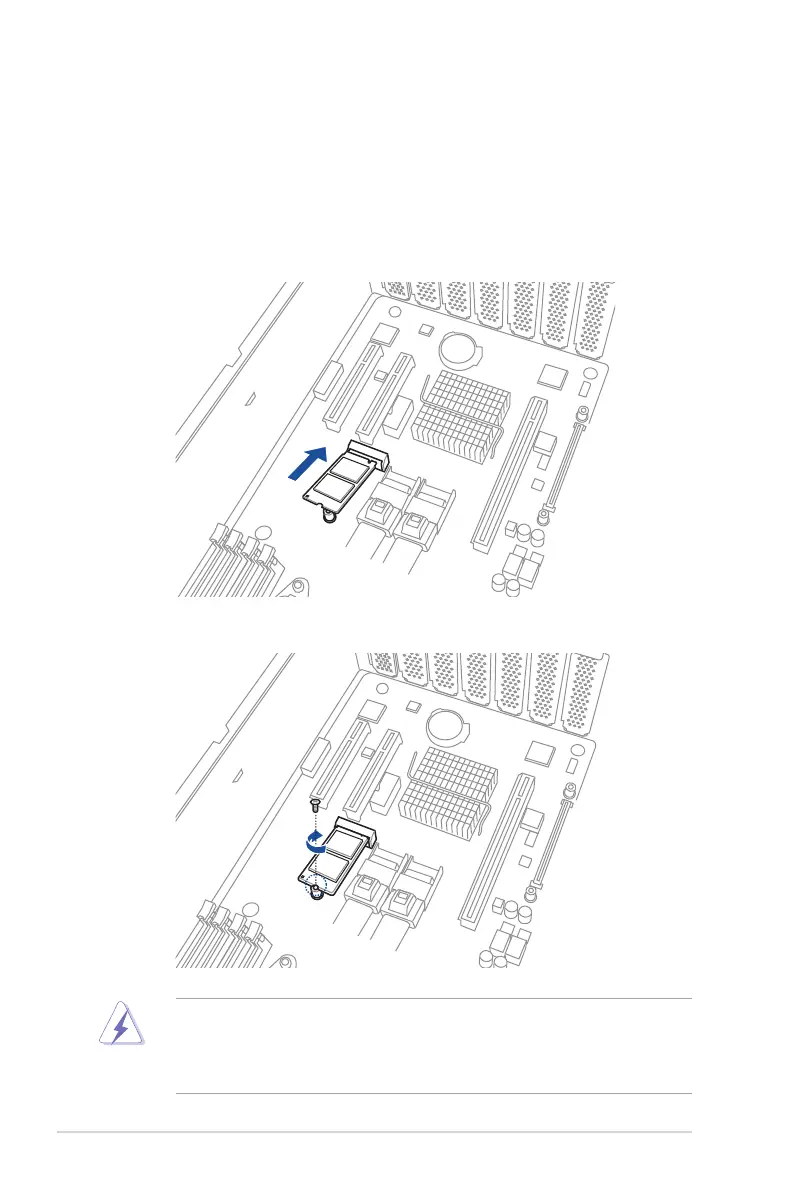
2.5.3 Installing an M.2 expansion card
You can install an M.2 expansion card on the provided M.2 slot onboard.
To install an M.2 expansion card:
1. Remove the screw on the M.2 socket and put it aside.
2. Prepare your M.2 expansion card.
3. Align and insert the M.2 card into the M.2 slot onboard as shown.
4. Secure the M.2 card with a screw to complete the installation.
• Please pay attention when removing the screw, the stand screw might be removed
together with it.
• Ensure that the M.2 card is positioned between the screw and the stand screw before
securing it.













 To Next Page