2-23
ASUS RS540-E9-RS36-E
2.5.4 Installing a Mezzanine card
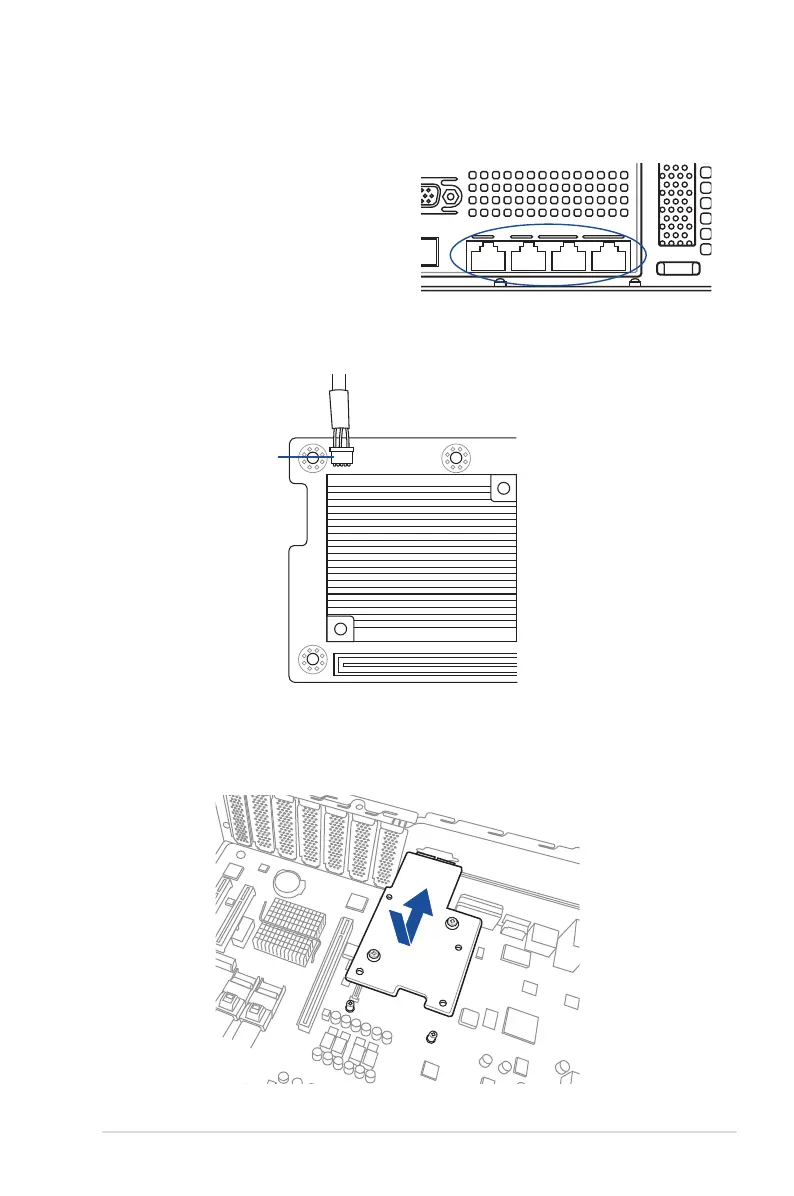
You can install a supported Mezzanine card on the onboard slot.
To install a Mezzanine card:
1. Remove the slot bay from the Mezzanine
card expansion slot.
3. Match and insert the four (4) screw holes on the Mezzanine card into the four (4) stand
screws on the chassis, then insert the Mezzanine card to the slot on the motherboard.
AUXLED_CON1
2. Prepare your Mezzanine card and the signal cable. Connect the signal transmission
end (white) to the AUXLED_CON header on the card.













 To Next Page