2-17
ASUS RS540-E9-RS36-E
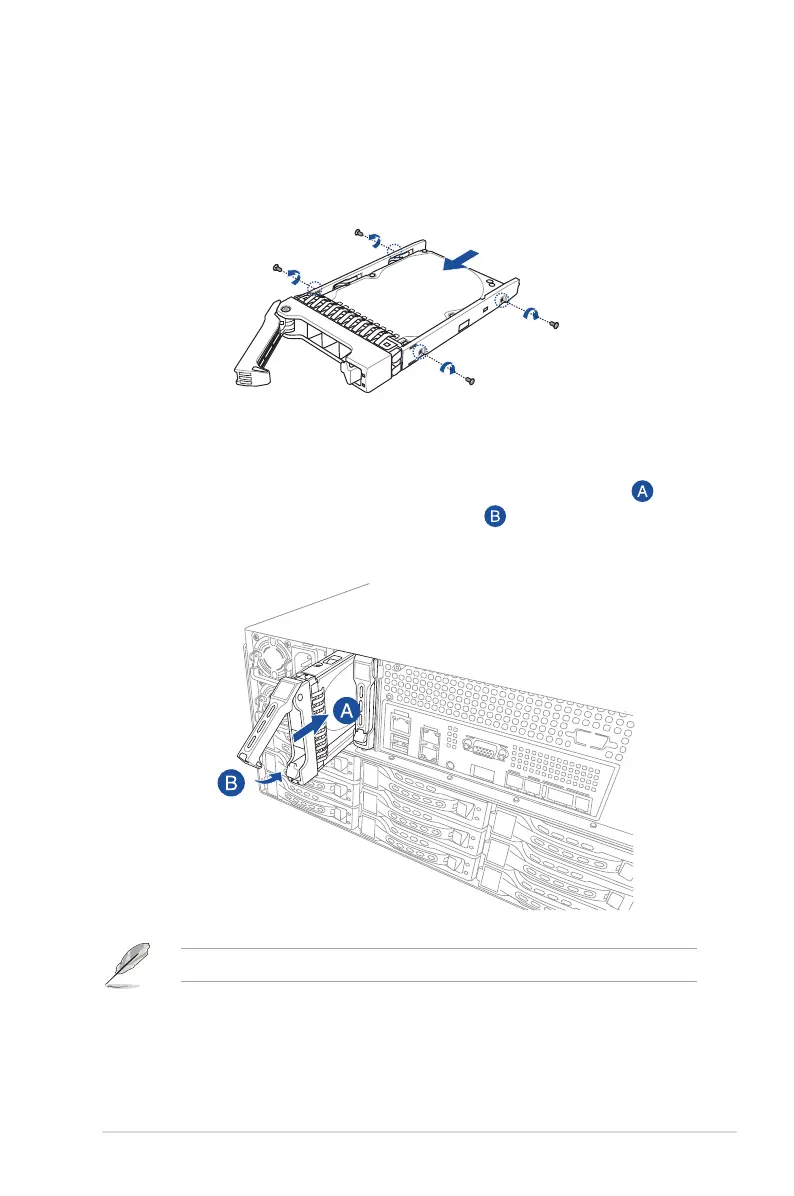
4. Orient and place the SSD into the tray.
Ensure that the SSD is tted rmly inside the drive tray and that the four screws of the
SSD matches the four screws holes of the drive tray.
5. Carefully insert the drive tray and push it all the way to the depth of the bay ( ).
Lock the secure tab to secure the drive tray in place ( ).
When installed, the connector on the drive connects to the connector on the backplane.
6. Repeat steps 1 to 5 to install other 2.5-inch storage devices.













 To Next Page