Model X High Speed Sublimation printer
25
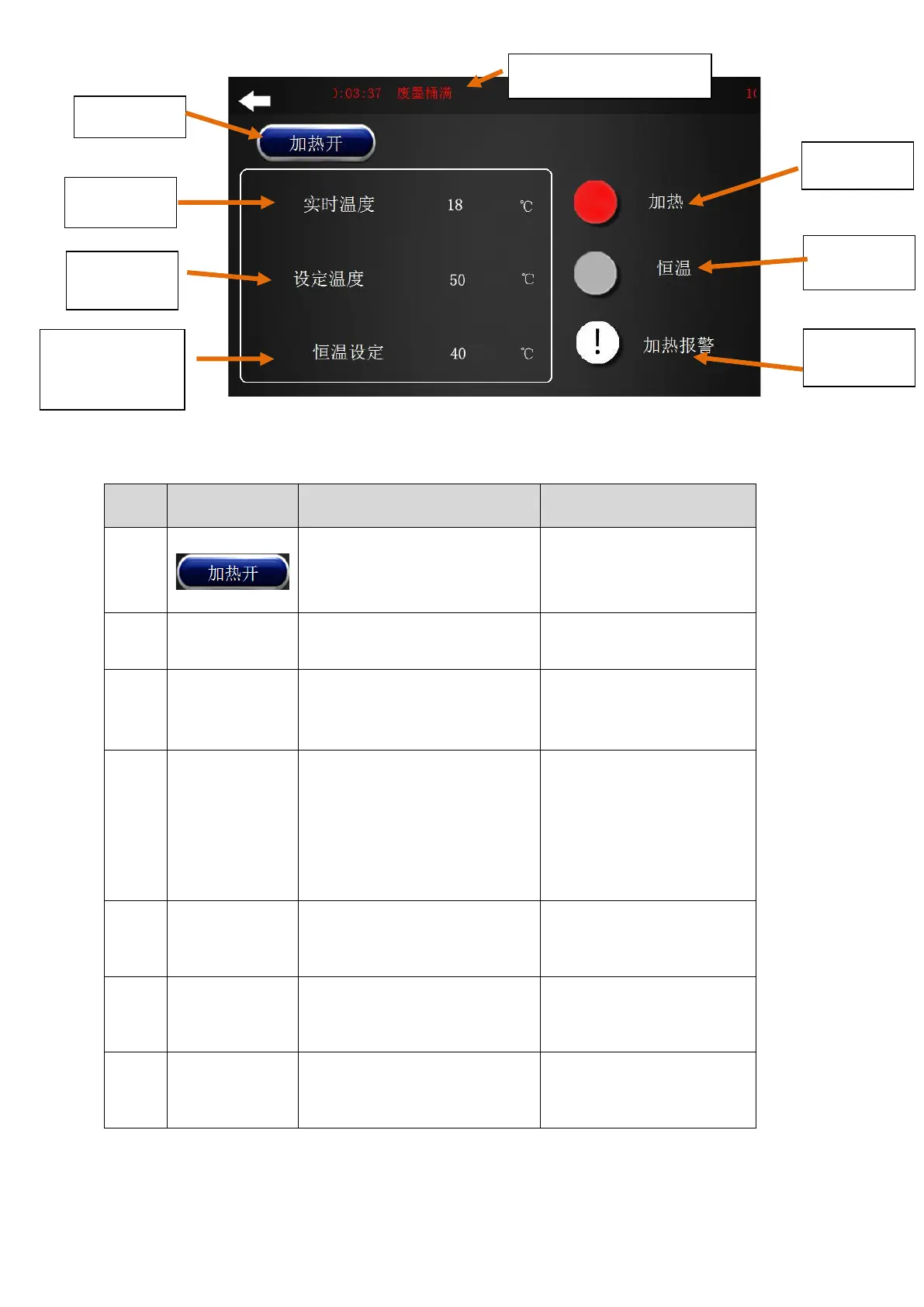
Figure 2-9 Drying work in progress’ heating
Drying heating button switch
Display blue: drying is
working.
Display gray: drying is off.
Actual temperature of current
drying
During the printing process, the
temperature reached by drying.
The temperature required for
drying can be set according to the
printing material,
Constant
temperature
setting
The printer stops working, drying
maintain the temperature
It is used for long time pauses,
in order to solve the problem
that the drying time from the
initial temperature rise to the
set temperature is too long,
which affects the printing
efficiency.
"Heating"
indicator light
After the heating is turned on, the
indicator light is on when the
printer is working.
"Constant
temperature"
indicator light
After the heating is turned on, the
indicator light is on when the
printer is not working.
"Heating alarm"
indicator light
When the drying temperature
exceeds the set temperature by
10 °C, the alarm light will be on.
Constant
temperature
setting



 To Next Page