Model X High Speed Sublimation printer
33
choose. The function of the wave mode is mainly
to improve the printing connection between
PASS and PASS.
Note: The function in this panel will not
take effect until you click the "Apply" "OK"
button below.
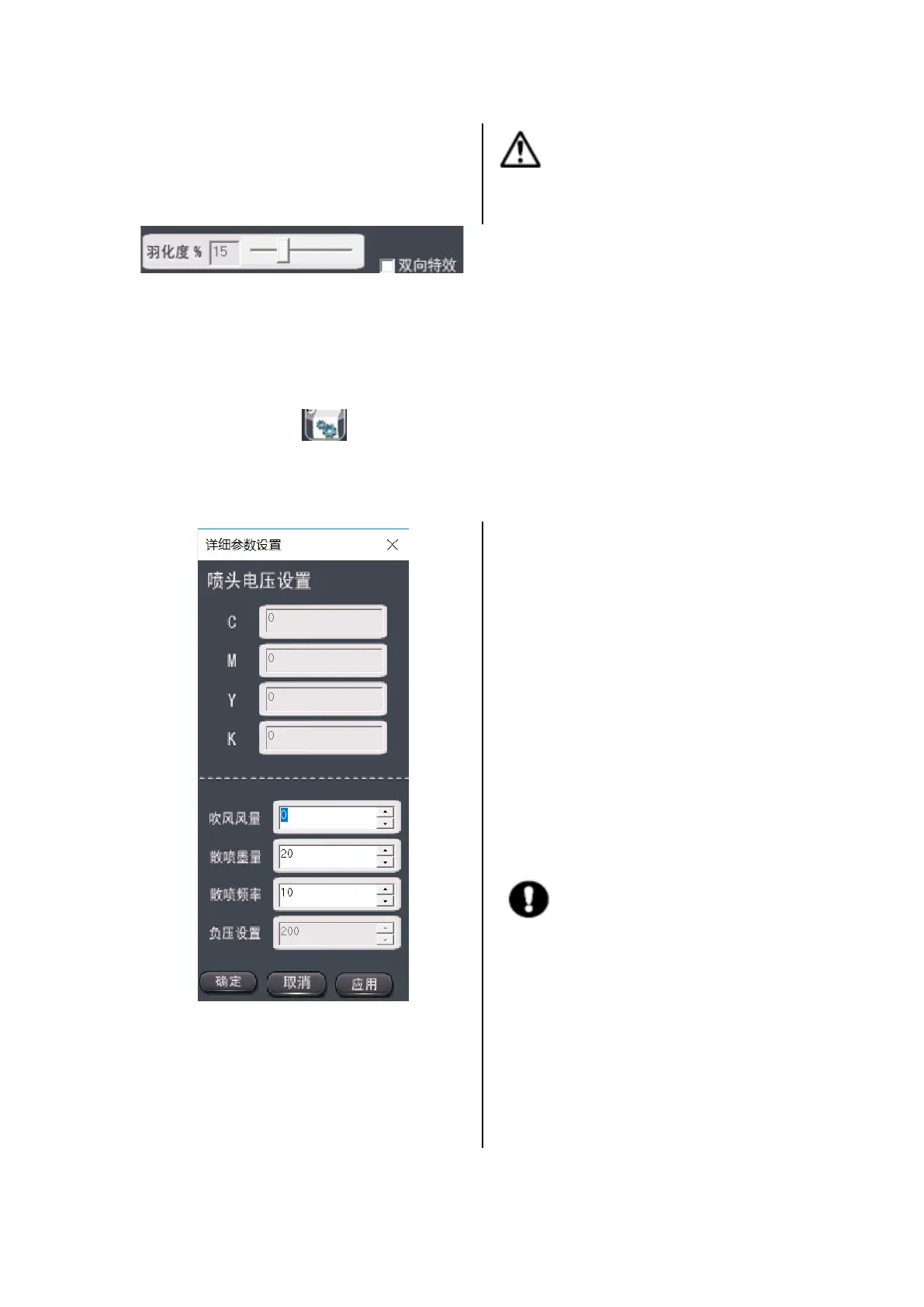
Feathering degree: When the wave mode selects custom feathering, adjust the degree of feathering, you
can choose (0~50%)
Two-way effects: Improves the bidirectional print chromatic aberration of some images.
3.2.2 Voltage settings
Left-click the icon and the menu will jump to this page, which is used for nozzle voltage
setting, blow air volume, scattered ink ejection amount, scattered spray frequency and negative
pressure setting.
Figure 3-4 Detailed parameter settings
l Nozzle voltage setting
This feature is not required for this model.
l Spray setting
a. Blow air volume:
The blown air volume setting value is 0~255, and
the blown air volume is adjusted according to
different material. The larger the value, the larger
the air volume.
b. Scattered ejection amount:
This option is the number of ink jet dots per
orifice before each image is printed.
c. Scattered spray frequency:
This option is the interval between the time the
printer automatically floats each time and the
nozzle is in the cleaning position. The larger the
value, the larger the interval (the default setting is
10).
Tip: The function in this panel will not
take effect until you click the "Apply" "OK"
button below.
d. Negative pressure setting:
This feature is not required for this model.



 To Next Page