Model X High Speed Sublimation printer
27
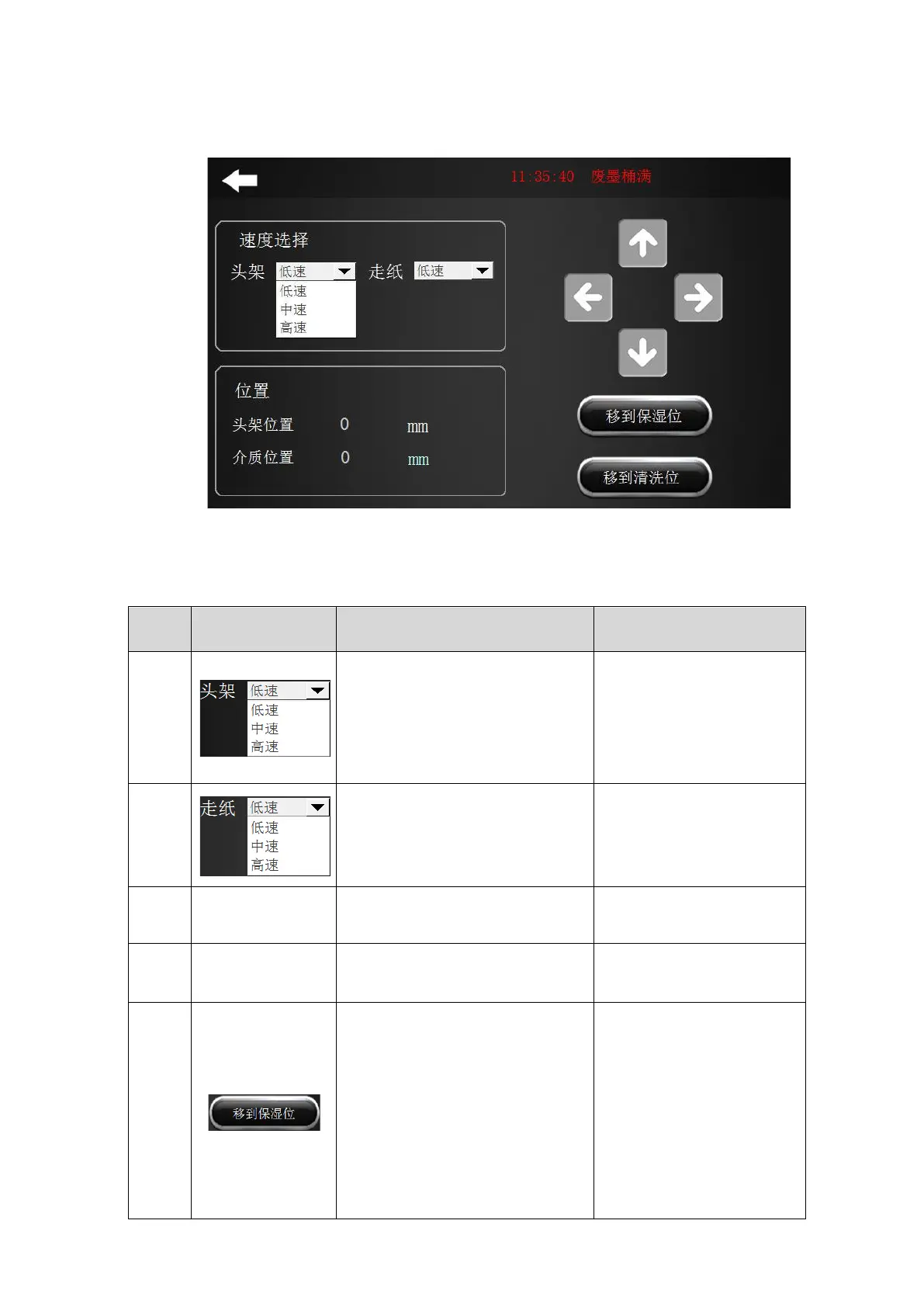
2.7 “Mobile machine” menu
Figure 2-10 Machine movement
After clicking, the drop-down menu
appears, there are low speed,
medium speed and high speed. By
selecting different parameters, the
moving speed of the nozzle carriage
is also different.
Select different parameters,
the head frame moves at
different speeds
After clicking, the drop-down menu
appears, which are “low speed”,
“medium speed” and “high speed”..
Select different parameters,
the paper moving speed is
also different
Display the position of the
headstock in the current state
Display the location of the material
in the current state
This feature is not yet open.
Click this option to move the nozzle
carriage to the moisturizing position.
a. When the nozzle car is in
any position, click the “Move
to moisturizing position”
option, to automatically
move the nozzle carriage to
the moisturizing position.
b. Please do not perform
other operations on the
machine while the nozzle
carriage is moving.



 To Next Page