Model X High Speed Sublimation printer
60
55 ~ 70%).
2. Check if the negative pressure is correct, if there is ink hanging, and if there is air in the
pipeline.
3. Check whether the nozzle has rubbed into the medium and process in time.
4. Check whether the blade is worn or deformed and replaced in time.
5. Print a whole test strip, the width is 0.2cm, and observe the clogged condition in time.
6. Problem of nozzle itself (temperature out of control, scratch).
7.9 Medium fouling
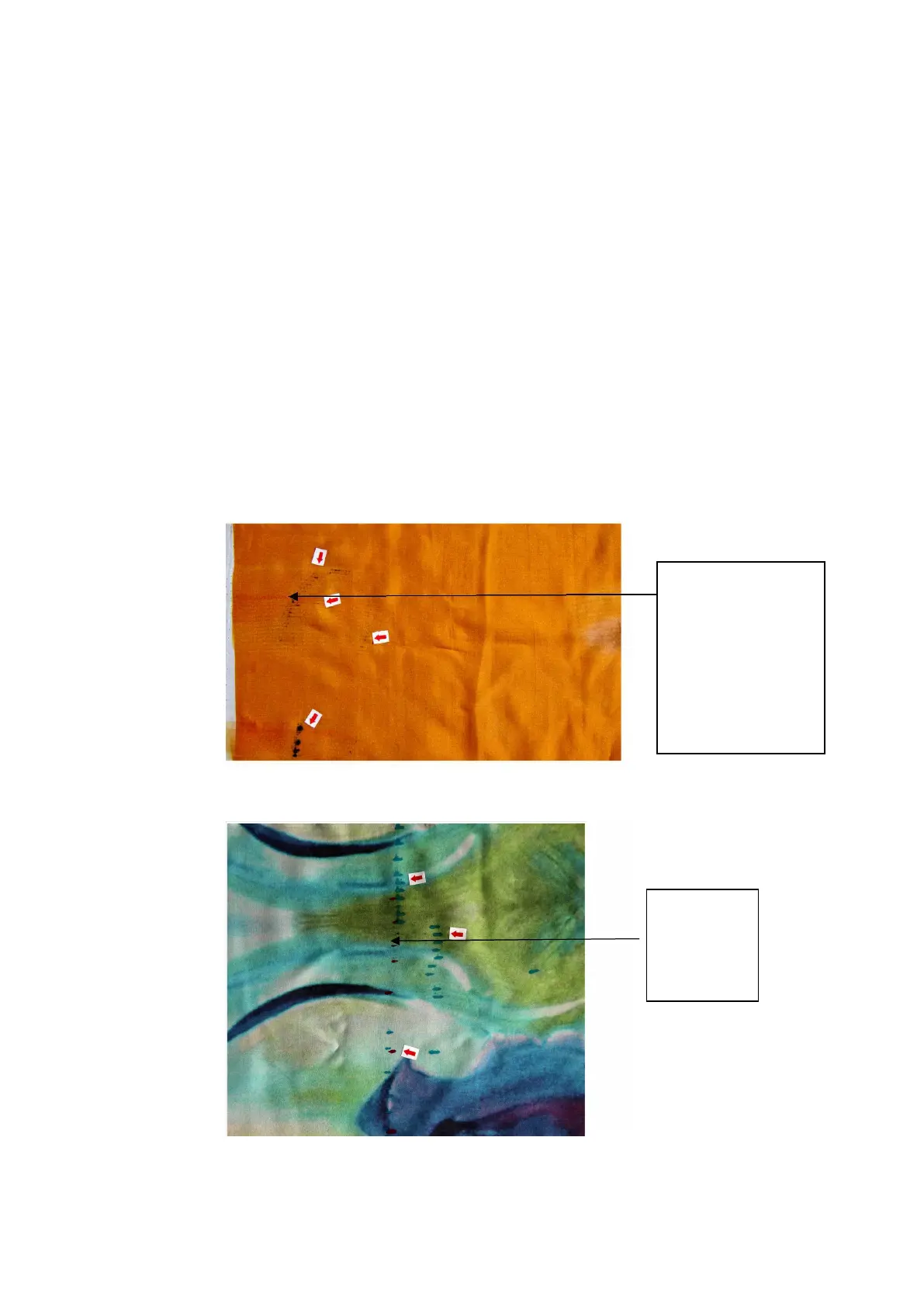
(1) Rubbing nozzle: mainly caused by wrinkles on the medium during printing. At present,
all machines have limited high protection devices. When the medium is wrinkled, the
machine will automatically stop printing after the height limit is touched. The pattern
can be continued after processing.
Figure 7-5
(2)Dropping ink
Figure 7-6
The black dot
indicated by the
arrows is the nozzle
rubbing against the
printing surface
The arrows
point to the
ink drop on
the paper.



 To Next Page