Model X High Speed Sublimation printer
32
In the interface of Figure 3-1, use the left mouse button to click on the icon, the menu jumps to this page.
The print parameter settings include horizontal accuracy, ink path ink, print mode, single, two-way
printing mode, wave mode, print gap, etc. parameters.
A.
Channel settings:
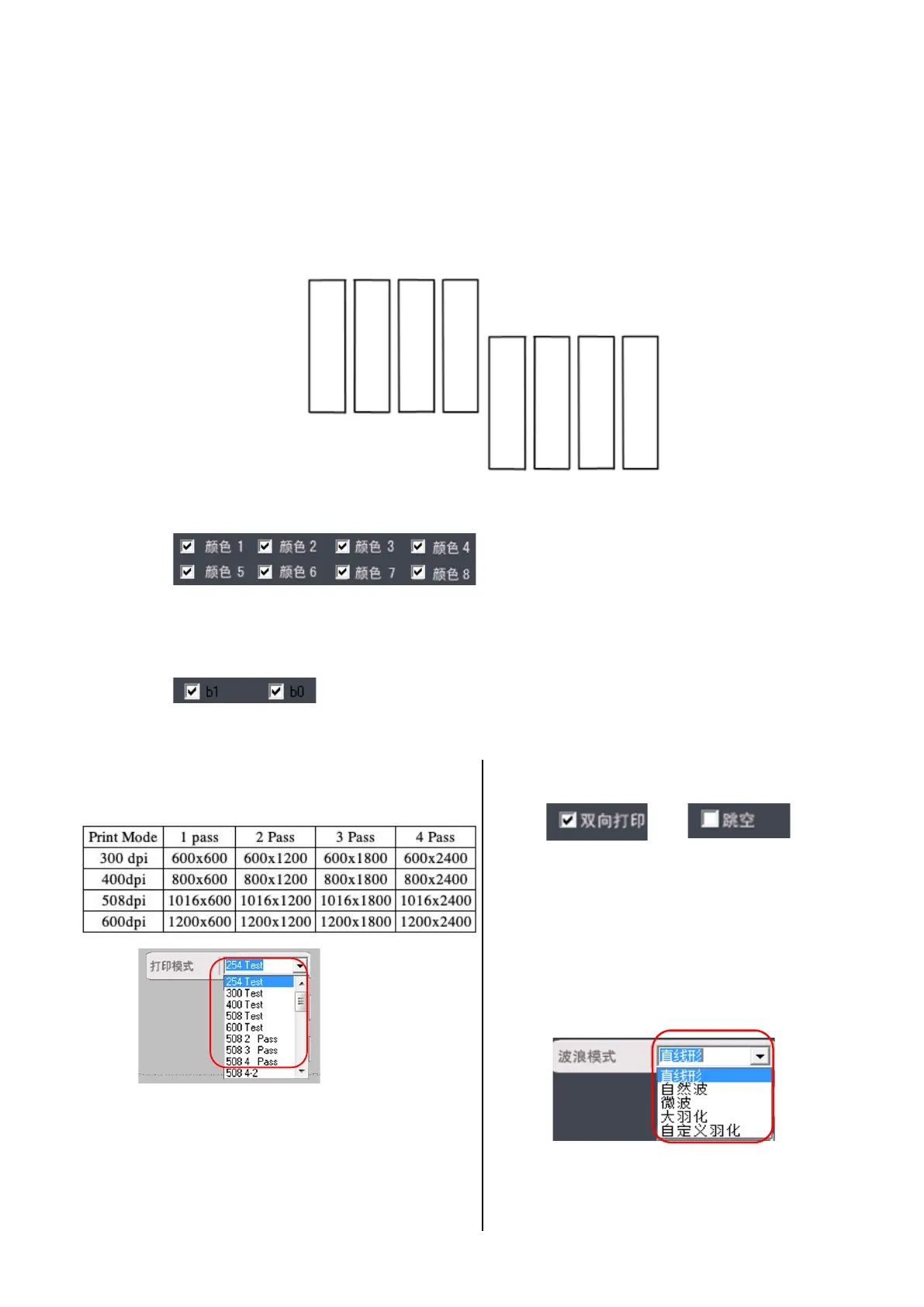
Figure 3-3 Arrangement of the nozzles
l
The colors 1 to 8 correspond to the 8 channels of the nozzle. Check the color 1-8 to open the ink path;
uncheck the box to close the ink path. When printing, this ink path will not be inked. This model has 8
channels in double rows.
l
Control large, medium and small points, the default is all checked when printing; no ink when not
checked. If you need to modify the large, medium, and small points, modify them in the RIP settings.
B.
Printing settings
(1)Printing mode:
Left-click on the drop-down menu to select the
printing mode. Different print material have
different printing modes (only for TRY software, the
printing mode needs to be changed in the Rip settings).
Wave compensation, in
cluding linear, natural
wave, microwave, large feathering, custom
feathering, those are the five modes for users to
(2
)Two-way printing
Tw
o-way printing: two-way printing
when checked, one-way printing
when unchecked.
Skip: Prints a blank when checked.
When unchecked, the blank is printed
in the normal image mode.
(3)Wave mode
:



 To Next Page