Model X High Speed Sublimation printer
35
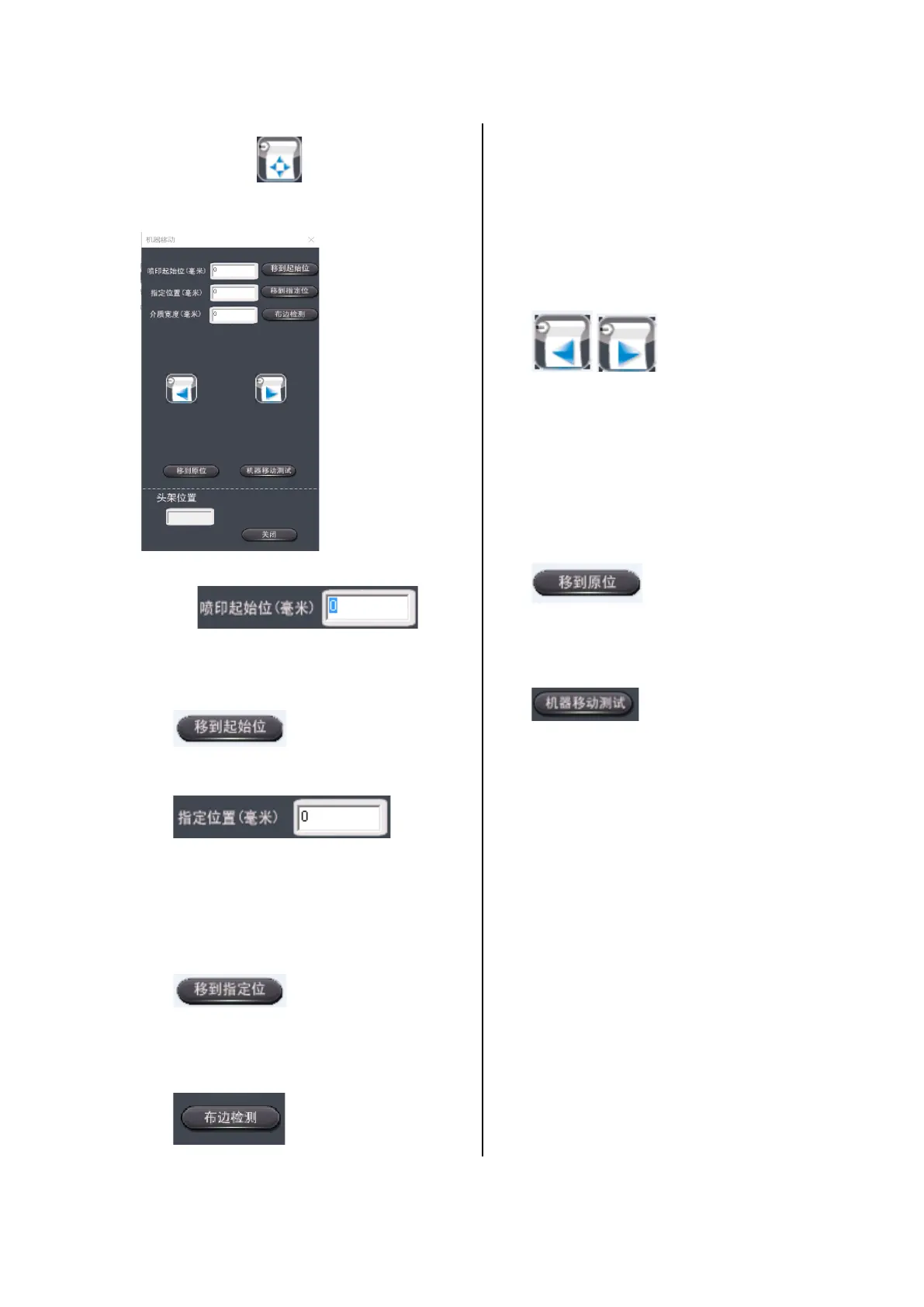
Click the icon to enter the machine
interface.
Figure 3-7 Machine
interface : Users
can enter the value here to determine the
starting position of the printed image according
to different needs.
l : Left-click to move the
carriage to the cleaning position.
: Users can
enter a value on this interface to confirm the
specified location. After entering the specified
position, you can move the mouse to the
specified position with the left mouse button.
l : Click this button to move
the nozzle carriage to the specified position.
l : The edge detection
function is mainly used to detect the position
of the material from the original state, and
can be used to automatically set the print
start position and determine the width of the
l : The left/right shift
button is mainly used to control the
movement of the nozzle carriage, which is
convenient for the user to set the starting
position and check the condition of the
carriage.
l : Left-click the button and
the carriage moves to the cleaning
position.
l : Not used temporarily.



 To Next Page