Multi Med ia Interface
Menus and symbols
15
@)
1
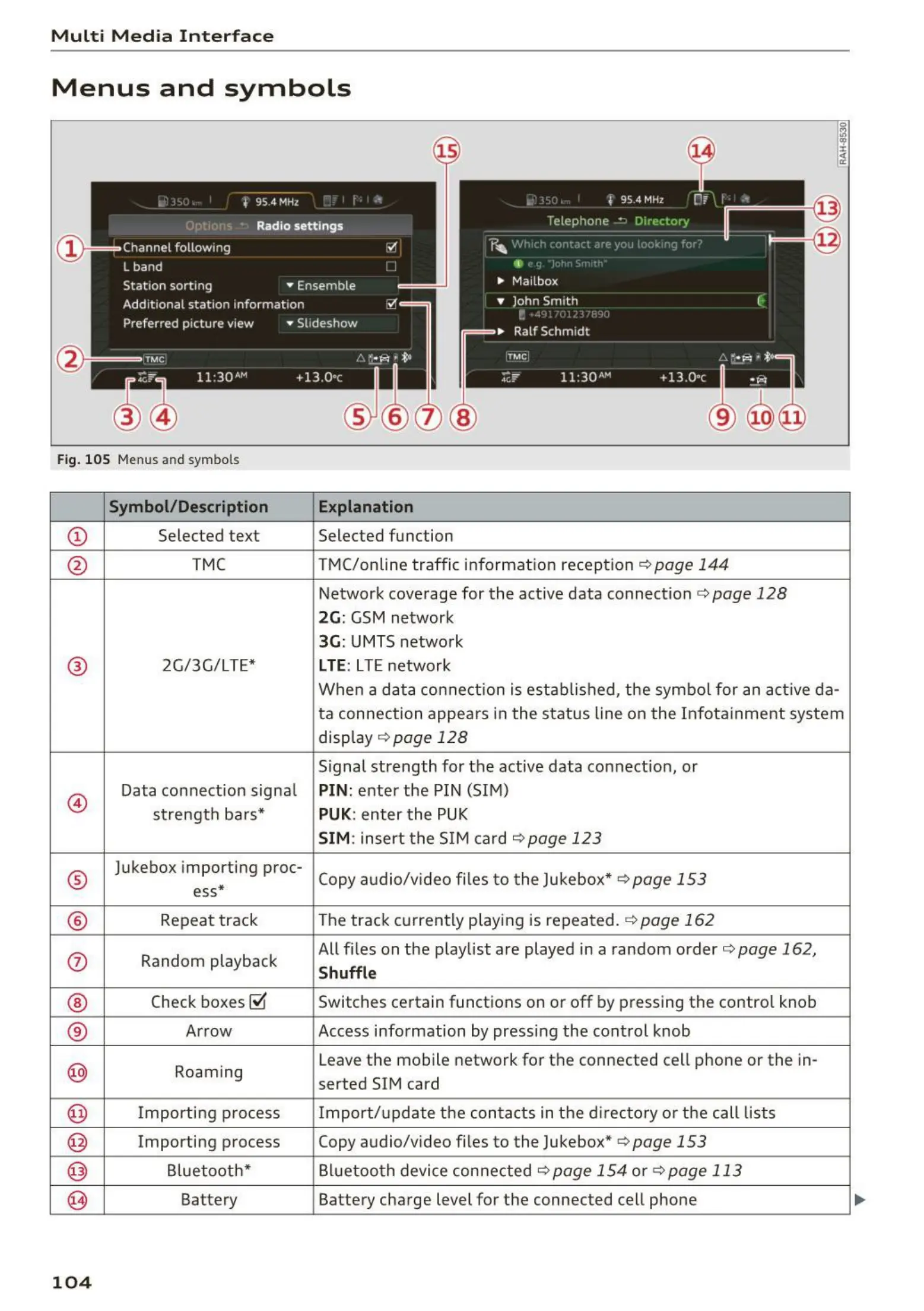
Fig. 105 Menus and symbols
Symbol / Description Explanation
CD
Selected text Selected function
@
TMC TMC/online traffic information reception <=> page 144
Network coverage for the act ive data connection c:> page 128
2G: GSM network
3G: UMTS network
®
2G/3G/LTE* LTE: LTE netwo rk
When a data con nection is estab lished, the symbo l for an active da-
ta connection appears in the status line on the Infota inment system
disp lay
<=>page 128
Signal strength for the active data connection, or
@
Data connect ion signa l PIN: enter the PIN (SIM)
strengt h ba rs*
PUK: enter the PUK
SIM: insert the SIM card <=:>page 123
®
Jukebox importing proc-
Copy audio/v ideo files to t he Jukebox*
r=> page 153
ess*
®
Repeat track
The track currently playing is repeated.
<=>page 162
<i)
Random playback
All files on the playlist are played in a random order
c:> page 162,
Shuffle
®
Check boxes~
Switches certain functions on or off by pressing the contro l knob
®
Arrow Access information by pressing the control knob
@
Roaming
Leave the mobile network for the connected cell phone or the in-
serted SIM card
@
Importing process Import/ update the conta cts in the d irectory or the call lists
@
Importing process Copy audio/v ideo files to the Jukebox* r=> page 153
@
Bluetoot h*
Bluetoo t h device connected
c:> page 154 o r <=> page 113
@
Battery Battery charge level for the connected cell phone
104



 To Next Page