System settings
Ringtone volume: you can adjust the volume of
the selected ringtone by turning the contro l
knob.
Message volume: you can adjust the volume of
the notificatio n for an incoming text message by
turning the control knob.
Microph. input level: you can adjust the volume
of a phone call dur ing a phone call by turning the
control knob.
Navigation
Applies to: vehicles with navigation system
Voice guidance: c::> page 139, Navigation
prompts.
Voice guidance during phone call: c::> page 139,
Navigation prompts.
Voice guidance volume: you can adjust the voice
gu idance volume during active route guidance by
tur ning t he control knob.
Entertainment fader : the volume of aud io play-
back can be temporarily lowered when the park-
ing system or voice gu idance is active.
Voice recognition system
Applies to: vehicles with voice recogn ition system
Short dialog : prompts in a shorte r format can be
sw itched on or off.
Speech dialog system volume : you can adjust
the volume of the promp t s by turning the con t rol
knob.
Parking aid*
You can adjust the s ignal tone vol ume by turning
the control knob .
- Adjusting the Front volume : select and con-
firm
High, Medium or Low.
- Adjusting
the Rear volume: select and confirm
High, Medium or Low.
MMI touch*
You can adjust the volume of the prompts for the
MMI touch* by turning the contro l knob.
Audi Heartbeat
You can adjust t he volume of Aud i Heartbeat by
turning the control knob.
172
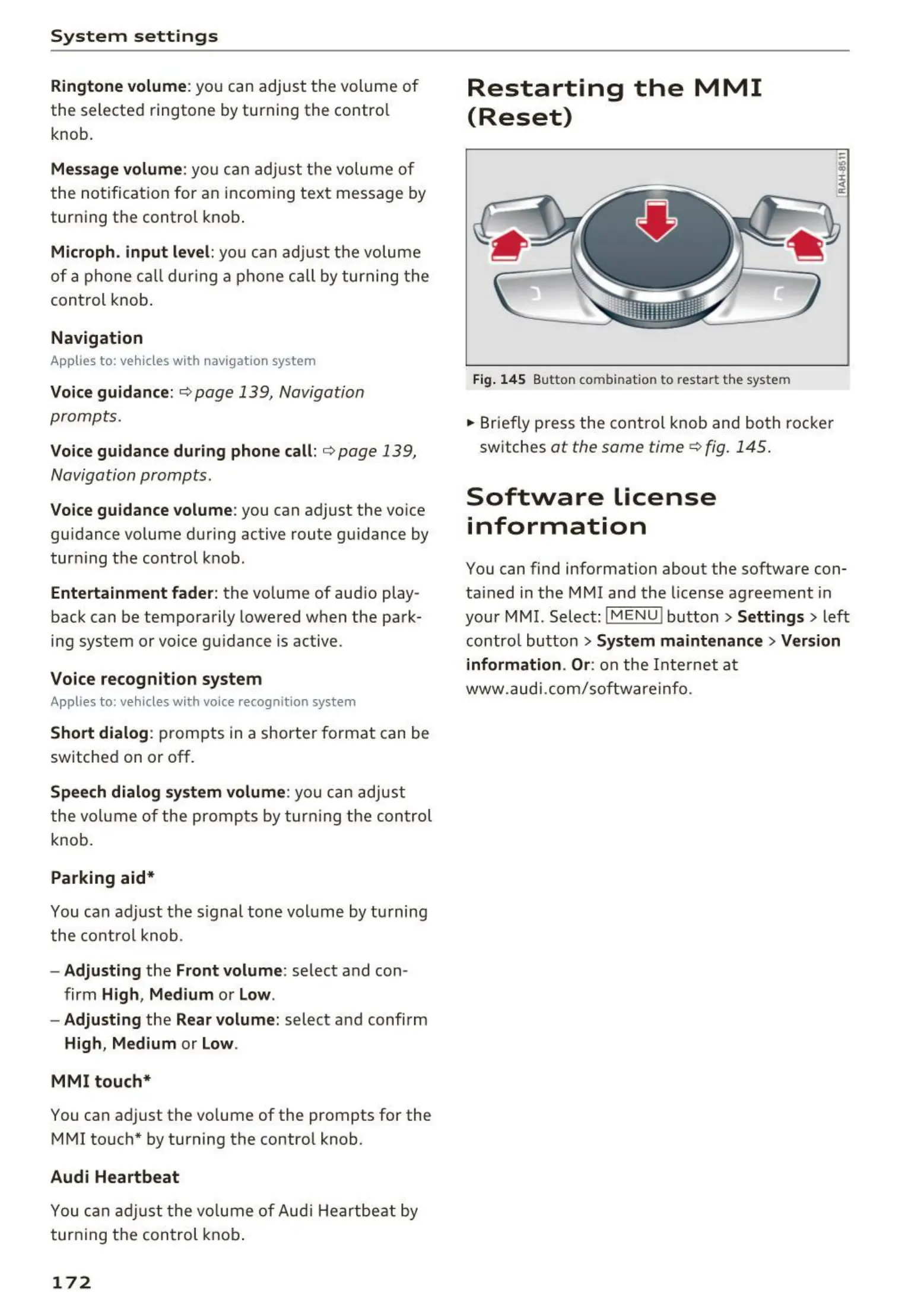
Restarting the MMI
(Reset)
Fig. 145 Button comb ination to restar t the system
.. Briefly press the control knob and both rocker
switches
at the same time c::> fig. 145 .
Software License
information
You can find information about the software con-
ta ined in the MMI and the license agreement in
your MMI. Select:
I MENU ! button > Settings > left
contro l butto n
> System maintenance > Version
information . Or:
on the Inte rnet at
www.audi.com/softwareinfo.



 To Next Page