Navigation
~
Select: right contro l button > Show alternative
routes.
Up to three route suggestions and their proper -
ties are displayed on the map when this function
is switched on
c:;, fig. 122.
If available, the following information will ap-
pear on the route suggestions:
- Route type (fast
(D, fast a lternative @ , eco-
nomic route @ )
- Distance to the destination and the calculated
arrival time
- Traffic congestion along the route including
time delays
Map
Operating the map
Applies to : vehicles with navigat ion system
Escondido Fwy
Escondido
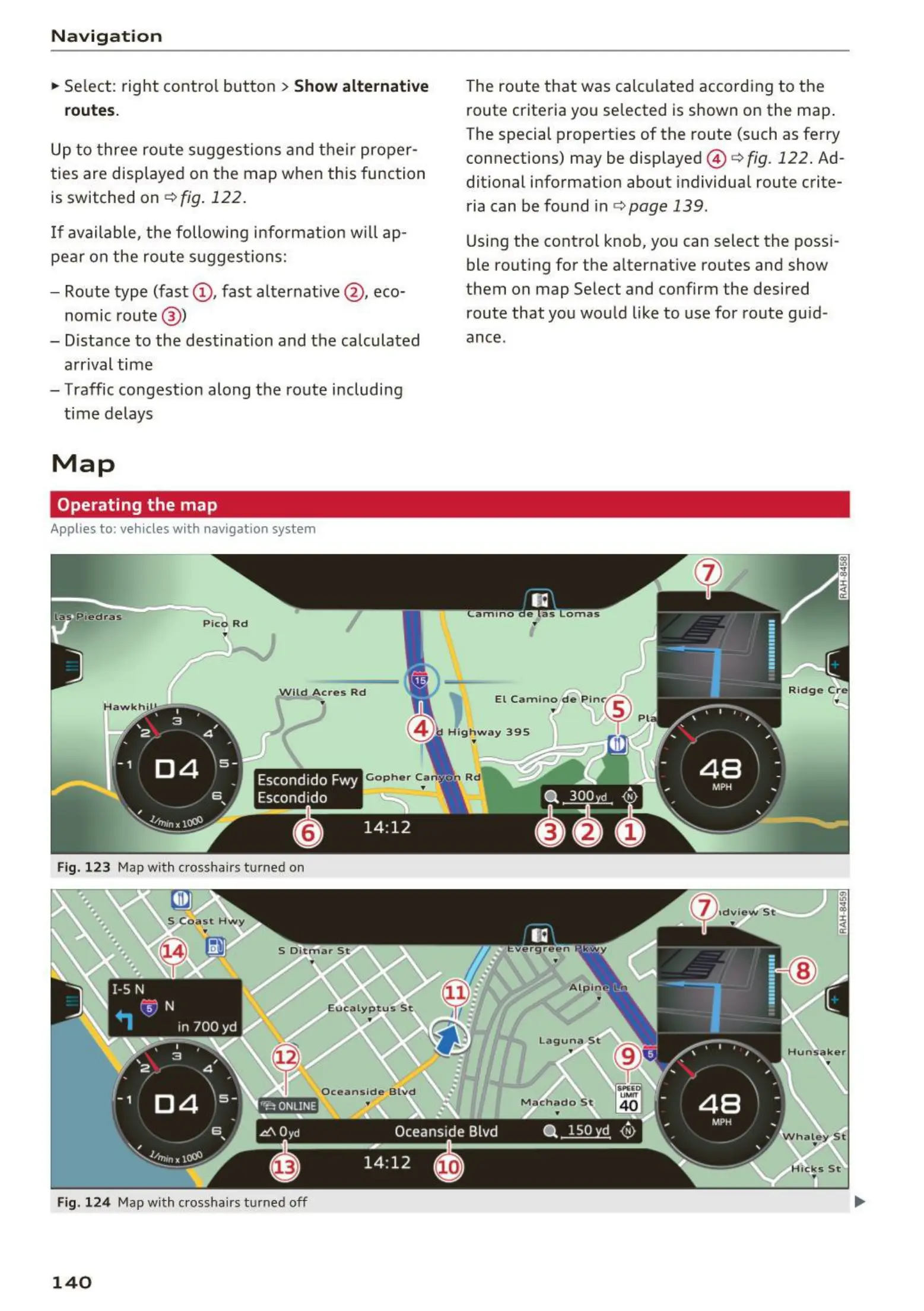
Fig. 123 Map with crosshairs t urned on
Fig. 124 Map w ith crosshairs t urned off
140
The route that was calculated according to the
route criteria you selected is shown on the map.
The special properties of the route (such as ferry
connections) may be displayed
© r:::> fig. 122. Ad-
ditional information about individual route crite-
ria can be found in c:;, page 139 .
Using the control knob, you can select the poss i-
ble routing for the alternative routes and show
them on map Select and confirm the desired
route that you would like to use for route guid -
ance.



 To Next Page