Voice recognition system
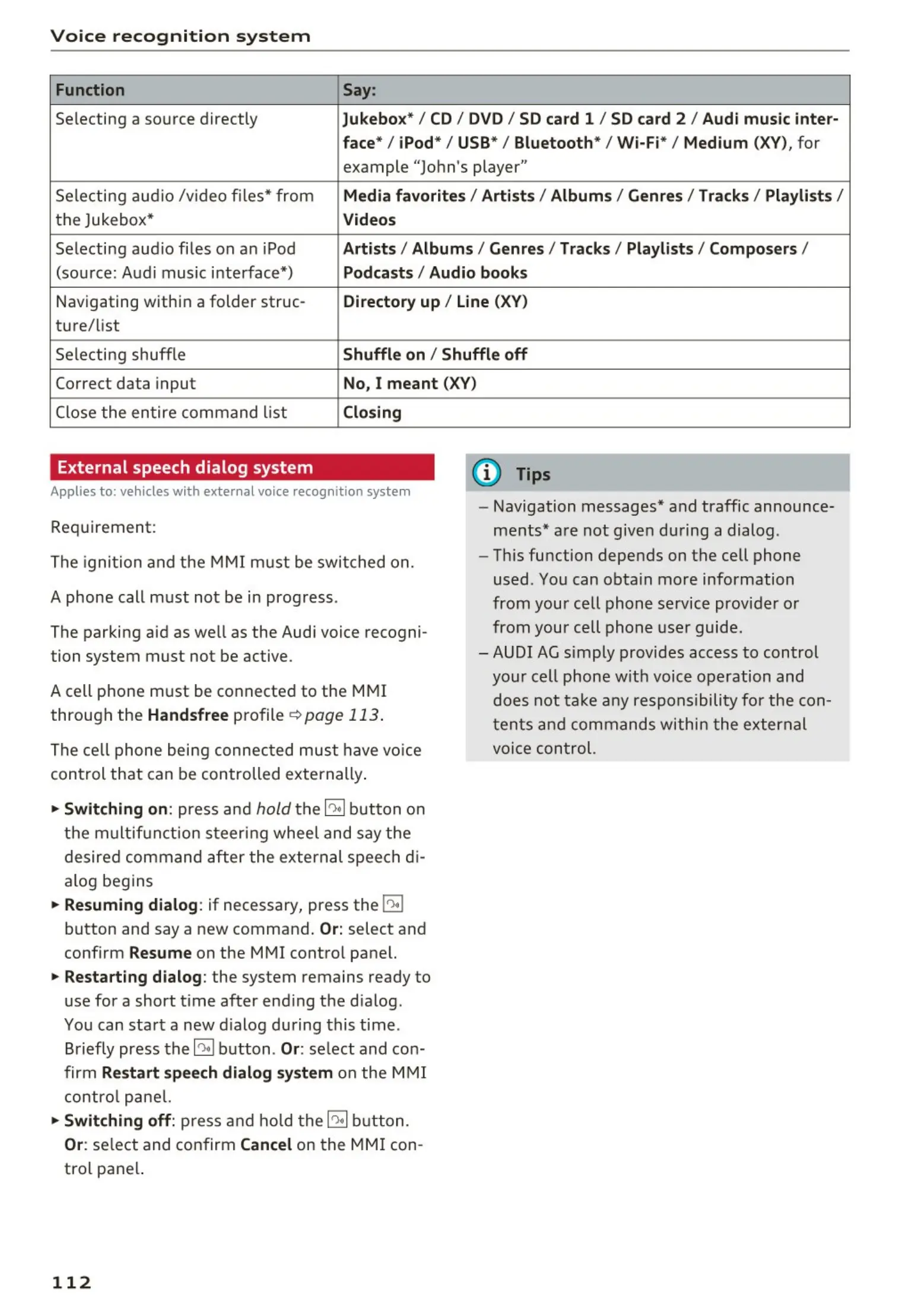
Function Say:
Selecting a source directly Jukebox*/ CD / DVD / SD card 1 / SD card 2 / Audi music inter ·
face*/ iPod* / USB* / Bluetooth * / W i-Fi* / Medium
(XV), for
example "John's player"
Selecting aud io /v ideo files* from
Media favorite s/ Arti sts/ Album s/ Genres I Tracks/ Playlist s /
the Jukebox* Videos
Selecting aud io files on a n iPod Artists / Albu mis / Genres / Tracks / Playlists / Composers /
(sou rce: Audi music interface*) Podcast s / Audio books
Navigating withi n a folder struc- Directory up / Line (XV)
tu re/list
Selecting shuffle
Shuffl e on / Shuffle off
Correct data input No, I meant (XV)
Close the entire command list Closing
External speech dialog system
Applies to: vehicles with external voice recognition system
Requirement:
The ignit ion and t he
MMI m ust be switc hed on.
A phone call must not be in progress .
The parking aid as well as the Audi voice recogni-
tion system must not be active .
A cell phone must be connected to the
MMI
through the Handsfree profile ¢ page 113 .
The ce ll phone being connec t ed must have voice
control that can be controlled externally .
~
Switching on: press and hold the 10,I button on
the multif unction st eering whee l and say the
desired command after the external spee ch di-
alog begins
~
Resuming dialog : if necessary, press the j0,I
button and say a new command .
Or: select and
confirm
Resume on the MMI control panel.
~
Restarting dialog : the system remains ready to
use for a short t ime after end ing the d ialog.
You can start a new d ialog during this time.
Briefly press the~ button . Or: se lect and con-
firm Restart speech dialog system on the MMI
contro l pane l.
~
Switching off: p ress and ho ld t he ~ button.
Or: se lect and confirm Cancel on the MMI con -
tro l pane l.
112
(D Tips
- Navigation messages * and traffic announce-
ments * are not given during a dialog.
- This function depends on the cell phone
used. You can obta in more information
from your cell phone service provider or
from your cell phone user guide.
- AUDI AG simply provides access to control
your cell phone w it h voice operation and
does not ta ke any respons ibilit y for the con-
ten t s an d commands withi n t he external
voice con t rol.



 To Next Page