page 4 – 3
D-16 / Feb 2003
PHONE SECTION
The off air caller feed source can be any signal appearing at a
console input connector, any of the four main buses, or either of the
general purpose mix-minus buses. The caller feed will never contain
the caller’s own voice.
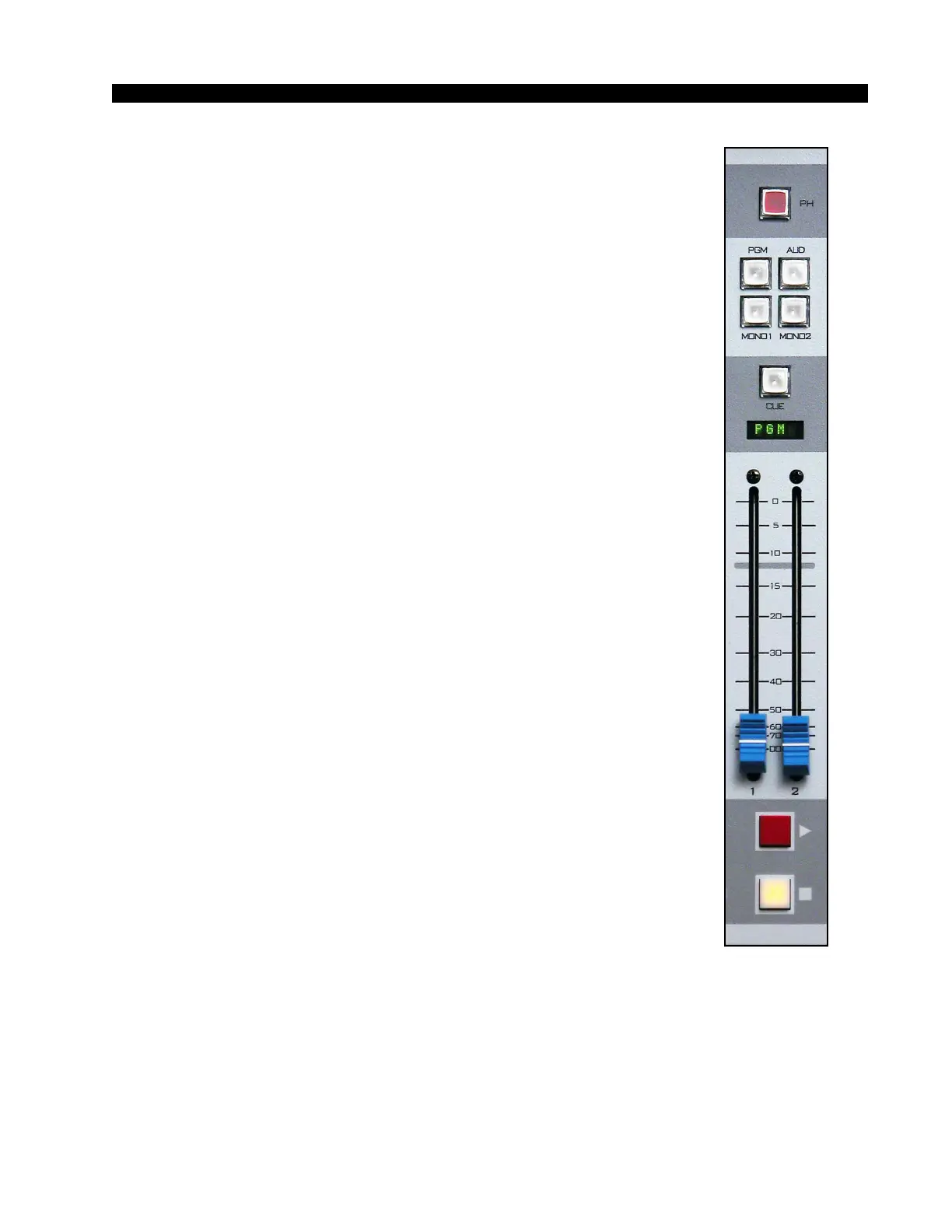
BUS ASSIGN BUTTONS - assign callers to any combination of
the console’s four outputs: two stereo outputs - PGM (program) and
AUD (audition); and two mono outputs - MONO1 and MONO2.
Pressing any of the four BUS ASSIGN BUTTONS causes the audio
of both callers to be included in the output mix for that bus, at a level
dependent on the FADER setting for the individual caller, as long as the
phone section is ON. The button will be lit when the phone is assigned
to its respective bus. To remove the phone from a bus to which it is
currently assigned, press the button again; the light will go off to
indicate that the phone is no longer assigned to that bus.
CUE BUTTON - includes the caller in the console’s cue bus, where
it may be heard on the meterbridge mounted cue speaker. With the
phone section in cue, any console sources assigned to the talkback (TB)
bus will be included in the caller feed.
DISPLAY - the four character display shows the caller feed source.
As the phone is turned ON or OFF, the display will change to show the
on air feed or the off air feed, as appropriate. The display can also be
made to show the current status of the combined caller voice signal with
regard to its presence in the caller feed or mix-minus outputs.
FADER - long-throw fader sets the signal level.
ON AND OFF BUTTONS - determine if the phone is ON or OFF.
The lighted buttons show that status.
If the phone is OFF, caller signal will not be present in any main bus
output, regardless of the status of the BUS ASSIGN BUTTONS or the
position of the FADER. If the phone is OFF its signal will still be
present in the cue output if it has been assigned to cue. Presence of the
signal in the mix-minus buses depends on the phone mix-minus status.
Caller 1 will hear Caller 2’s voice at a level that depends on the
setting of the Caller 2 FADER, whether the phone FADER is ON or
OFF. Caller 2 will hear Caller 1’s voice in a similar fashion.
All audio input and output signals are made via a multi-pin DB-25
connector mounted on the rear of the console.



 To Next Page