90 AutoFarm GPS AutoSteer
Starting the Calibration Procedure
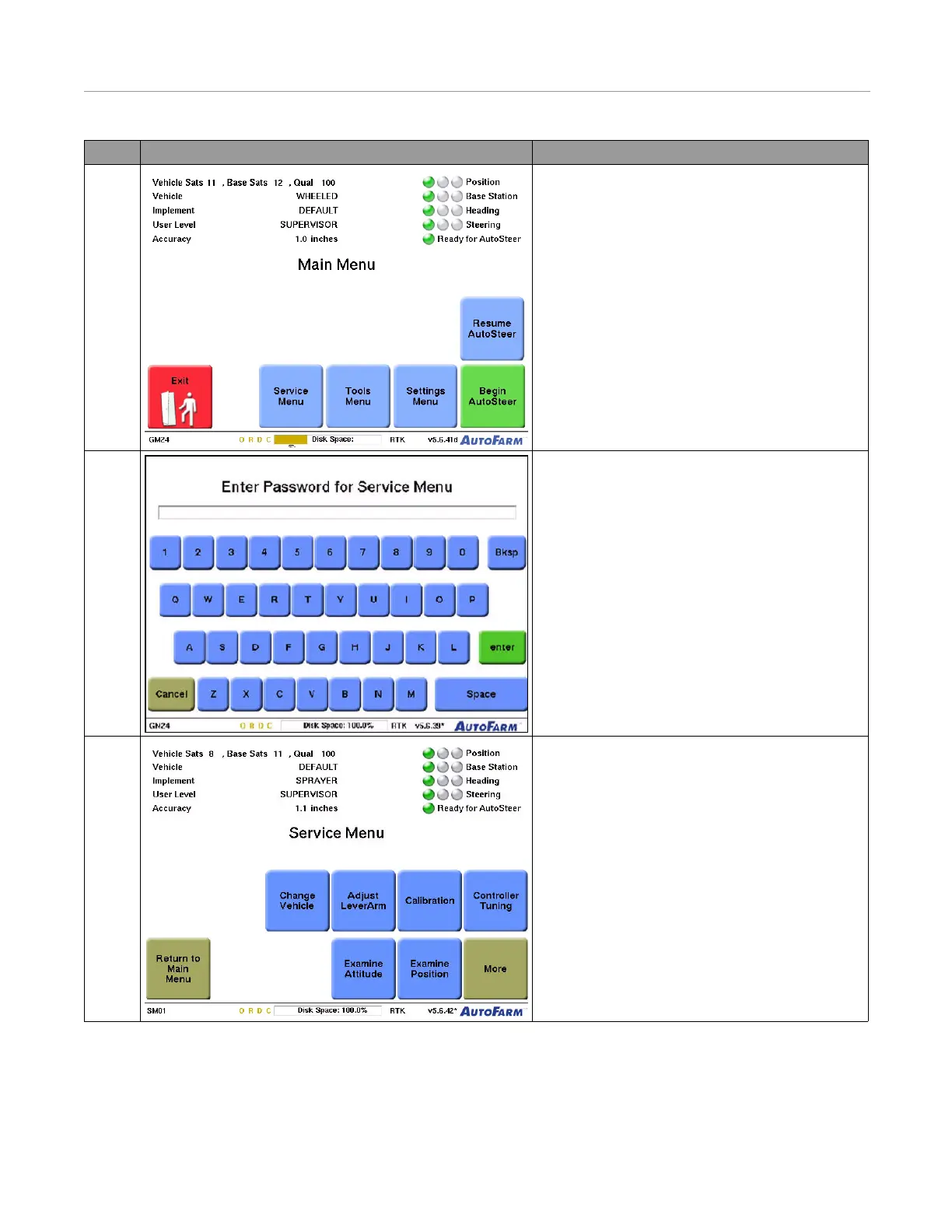
10. From the Main Menu screen, press the Service
Menu button.
11. Type the Service Menu password, and then press the
enter button.
12. Press the Calibration button from the Service
Menu screen.
Note: You must create a new vehicle prior to this
step. The vehicle type should be “wheeled
Standard.”
Step Screen Action



 To Next Page