Hardware Installation Guide 89
Starting the Calibration Procedure
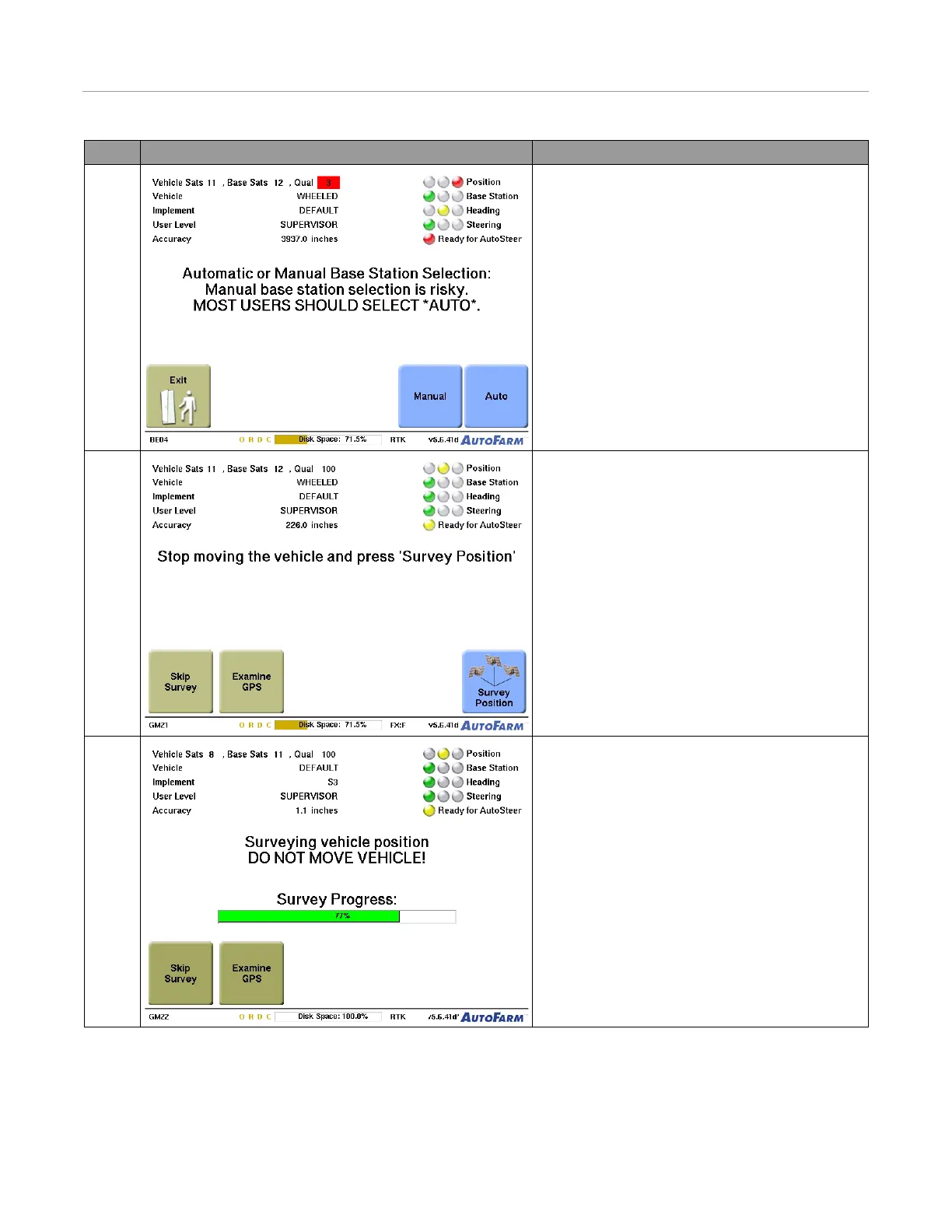
7. Press the Auto button to select your base station.
• This procedure selects an existing site that is not
near other existing base station sites.
8. Stop the vehicle and press the Survey Position
button.
Note: Do not change vehicle position in any way
including raising or lowering implements.
9. The green status bar indicates survey progress. In
most geographical areas, a typical survey takes 4-15
minutes. When the survey is complete, the Main
Menu appears.
•Press the Examine GPS button to get more
information on GPS status.
• If your desired operation does not require GPS
position (for example: if you are adding a new
implement), press the Skip Survey button.
Step Screen Action



 To Next Page