88 AutoFarm GPS AutoSteer
Starting the Calibration Procedure
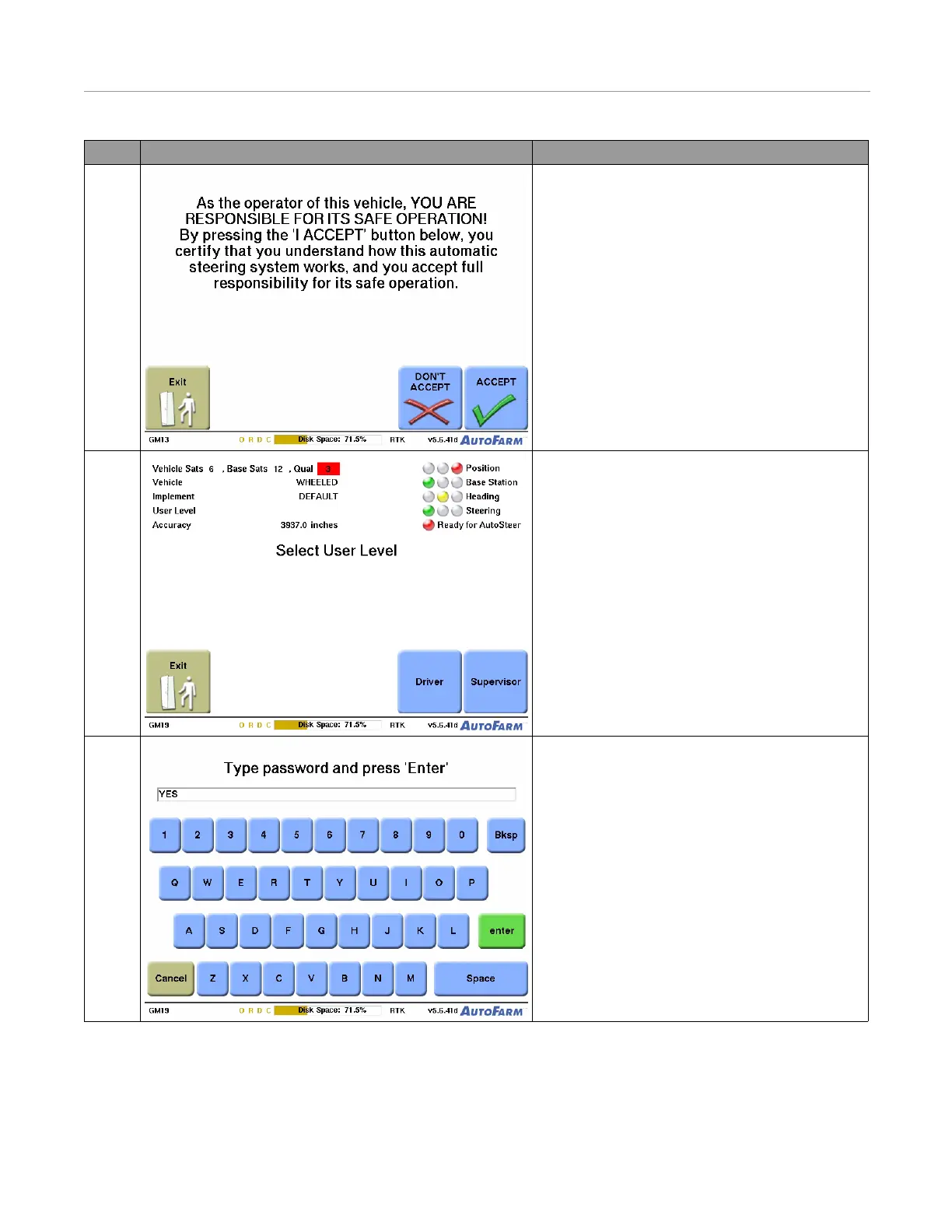
4. Press the Accept button.
• If you do not meet the requirement listed on the
screen, press the Don’t Accept button and exit
the system.
5. Press the Supervisor button.
• After setting up a field and job, you can switch
back to Driver mode from the Settings menu.
• To skip this step, set a default user level.
6. Type the password, and then press Enter. The
password is “YES”.
• This step is skipped if the default user level is
set to Supervisor.
Step Screen Action



 To Next Page