Hardware Installation Guide 87
Starting the Calibration Procedure
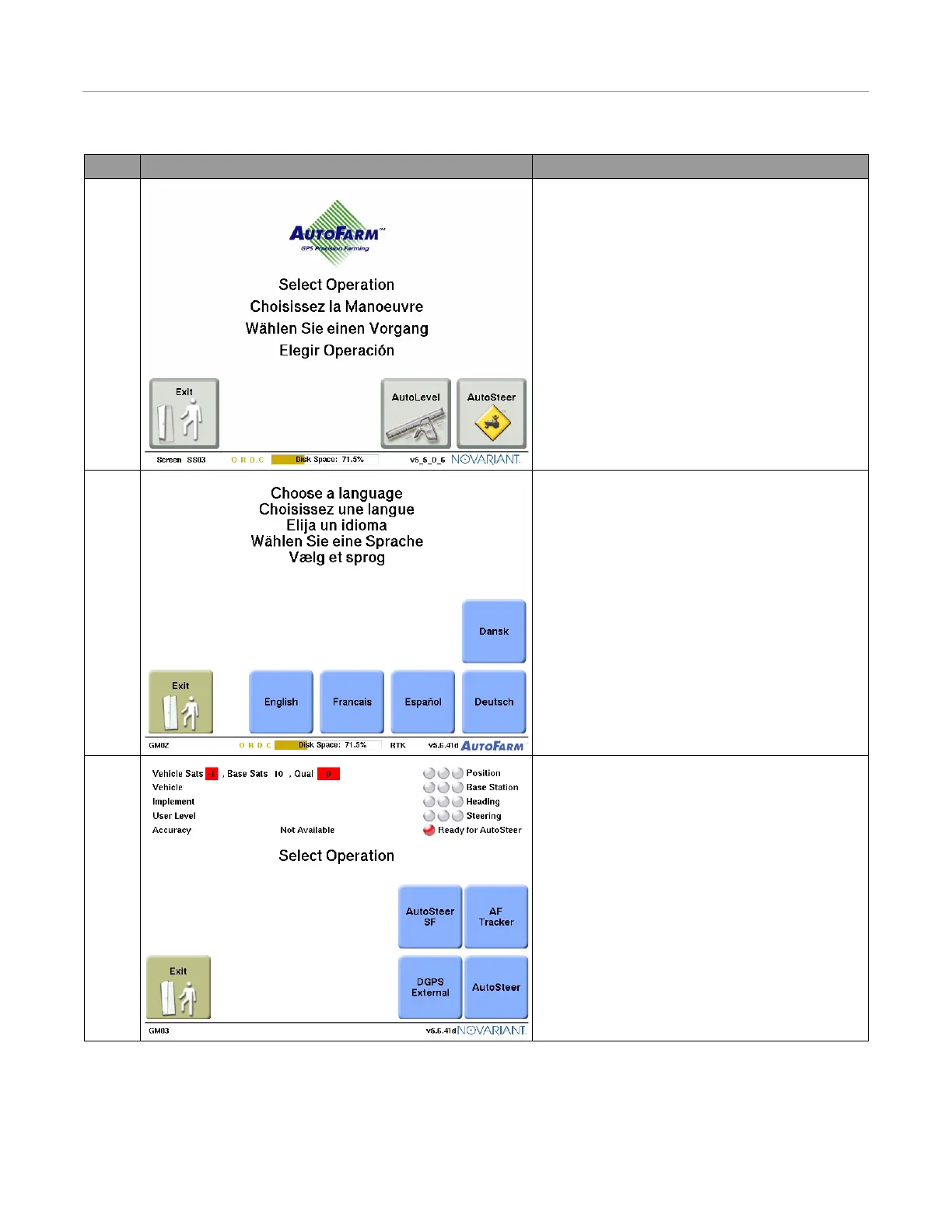
Table 10-1 Starting the Calibration Procedure
Step Screen Action
1. Turn the User Terminal on, and then press the
Autosteer button.
Note: If you only have the AutoSteer module
activated on your user terminal, this step is skipped.
2. Select your language.
• To skip this step, set a default language.
3. Select your operation.
Note: This step is skipped if you only have a single
module activated.



 To Next Page