AS1635-MT-EN-03
p. 12/46
4. HUMAN MACHINE INTERFACE (HMI)
The Human Machine Interface, which is integrated onto the AS1635 circuit board, provides a simplified way to:
– Issue passage authorisations via the AS1635 push-buttons
– Display error codes;
– Display the counters and reset them;
– Change the operating modes in the A and B directions;
– Indicate the version of the embedded software.
The web interface is more convenient to use than the HMI, and also provides access to all the functions, but its connection
requires IT hardware.
4.1. manual passage autHorisations
In Standby mode, the Up arrow (= SW4) and Down arrow (= SW5) buttons are used to issue passage authorisations (in controlled
mode) in the A and B directions, respectively. This feature is useful during maintenance to allow the troubleshooting personnel
to carry out passage tests.
4.2. tHe leds
The following are the main LEDs of the diagnostic system:
Power LED, green (LD1, middle left on the circuit board): The LED is lit when the board is powered on.
Watchdog LED, green (LD21, lower left on the circuit board): The LED flashes when the watchdog is active.
Software LED, green (LD6, upper right on the circuit board): The LED flashes when the program is running.
Red LED (LD2, at the top of the circuit board): The LED lights up if there is a major error.
Yellow LED (LD3, at the top of the circuit board): The LED lights up if there is a minor error.
Green LED (LD38, top right on the circuit board): The LED flashes when the CAN bus is active.
4.3. tHe Hmi
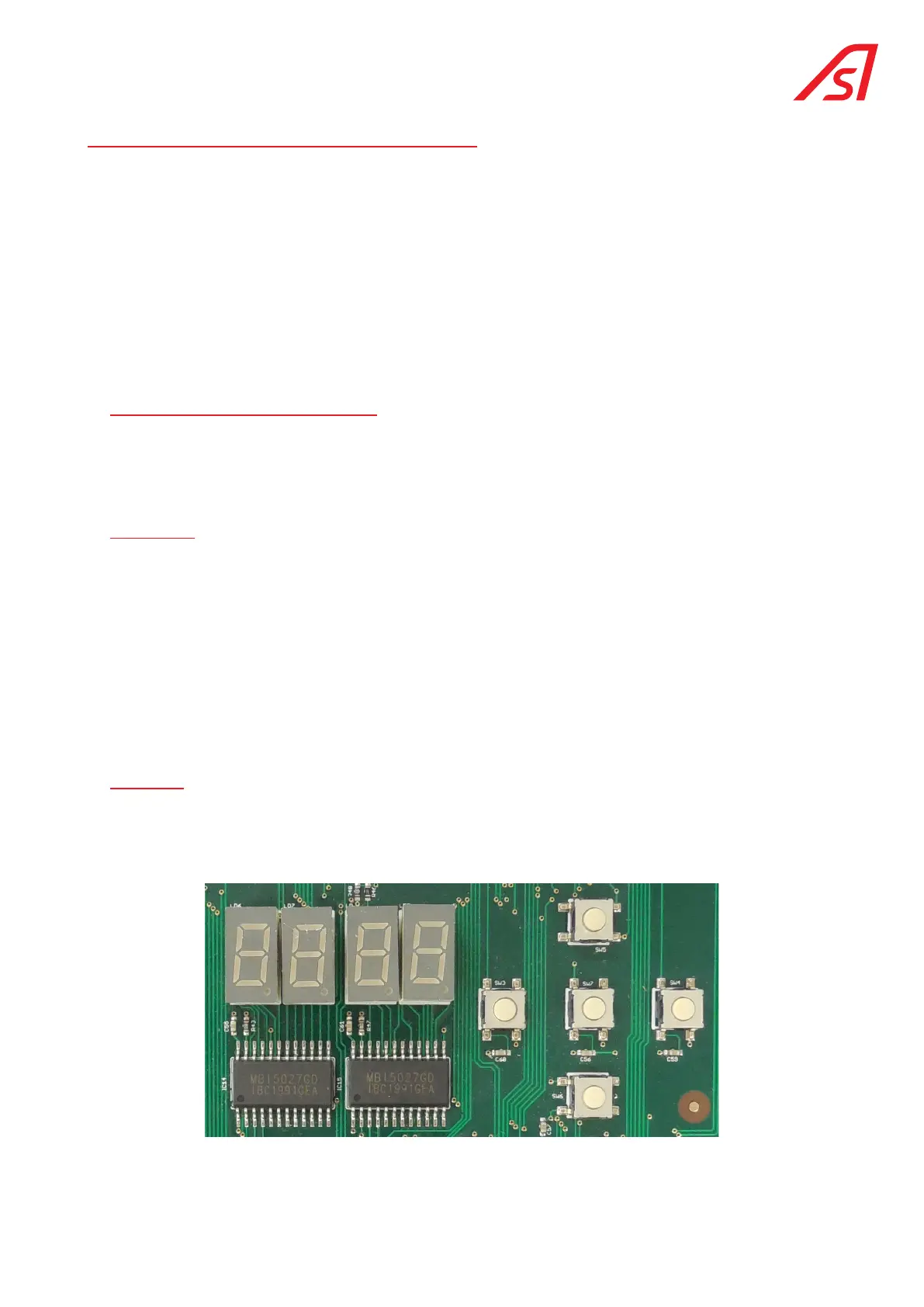
The Human Machine Interface, which is standard integrated onto the AS 1635 circuit board, consists of 5 push-buttons
(SW2 SW6) and 4x 7-segment displays (LD8 LD11):
The information contained in this document is the property of Automatic Systems and is confidential. The recipient shall refrain from using this information for any purpose other
than the use of the products or the execution of the project to which it refers and from communicating it to third parties without prior written agreement of Automatic Systems. The
document is subject to change without notice.



 To Next Page