AS1635-MT-EN-03
p. 31/46
13. CONFIGURATION PAGE
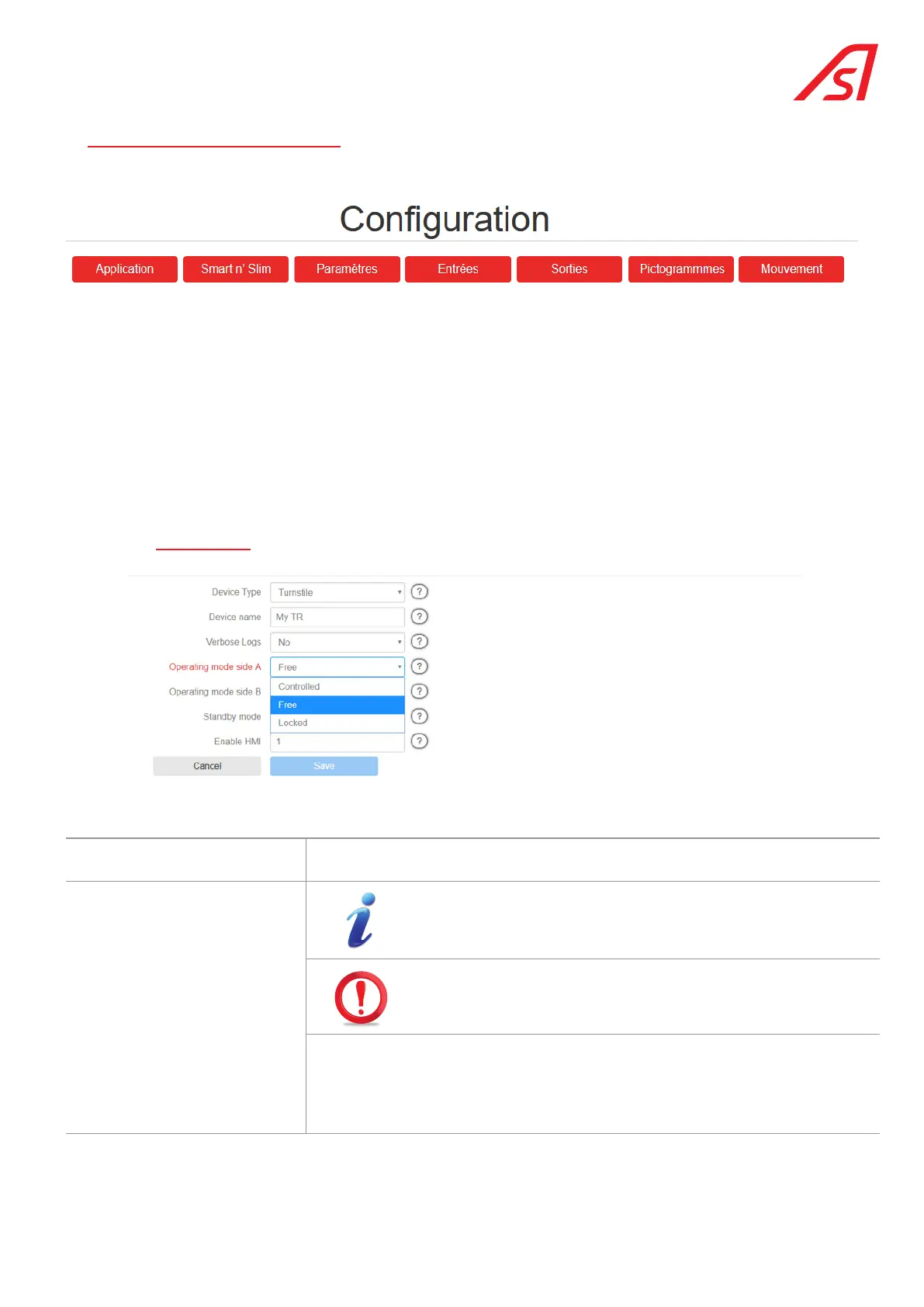
This page will allow you to view and modify all the operating parameters of the equipment.
From this page, you will be able to:
• Configure the equipment via the Application button;
• Define various parameters in connection with the supervision via the Smart n’ Slim button;
• Change the values of the various timers and the parameters linked to the passage via the Parameters button.
• Configure the inputs via the Inputs button:
• Configure the outputs via the Outputs button:
• Adjust the parameter setting of the motor movements (if the motorisation option has been selected) via the Movement
button.
13.1. application
Device name Allows a meaningful name to be given to the equipment. This name will also be used
when generating log files.
Verbose logs
The optional Ethernet extension card, AS1622, is required for saving
the logs, because it contains the slot for the memory card used for
saving.
Do not change this parameter!
Only an AS technician is authorised to do so.
Allows you to define the level of detail of the event log:
– Yes = The software saves more information on the SD card, if present. This setting
has no effect without this SD card.
– No = Only the major events are saved.
The information contained in this document is the property of Automatic Systems and is confidential. The recipient shall refrain from using this information for any purpose other
than the use of the products or the execution of the project to which it refers and from communicating it to third parties without prior written agreement of Automatic Systems. The
document is subject to change without notice.



 To Next Page