AS1635-MT-EN-03
p. 22/46
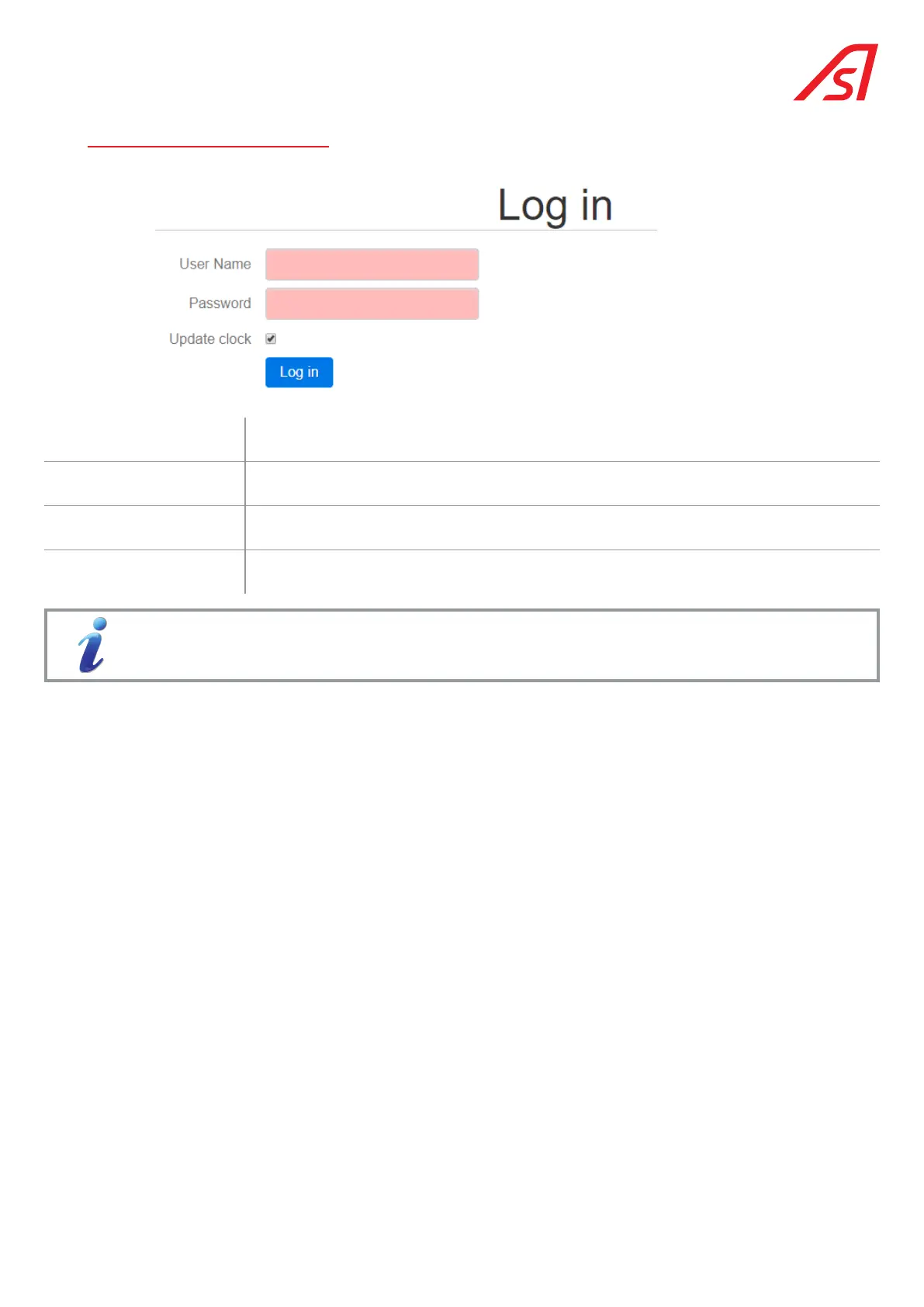
7. IDENTIFICATION PAGE
User name
Entry field for the user access code (case sensitive). Access is restricted to technicians that
have been trained on this product by AS.. Consult your representative if necessary.
Password Entry field for the password associated with the User Name (case-sensitive).
Update clock
Synchronisation of the date and time of the CPU with that of the computer accessing the
maintenance interface.
Log in Validation of the data entered in the fields and access to the Status page.
The correct indication of the time is very useful for the logs (cf. 15. System page, page 38). The battery is
essential to maintain the hourly update in the event of a power outage.
The information contained in this document is the property of Automatic Systems and is confidential. The recipient shall refrain from using this information for any purpose other
than the use of the products or the execution of the project to which it refers and from communicating it to third parties without prior written agreement of Automatic Systems. The
document is subject to change without notice.



 To Next Page