AS1635-MT-EN-03
p. 26/46
10. COUNTER PAGE
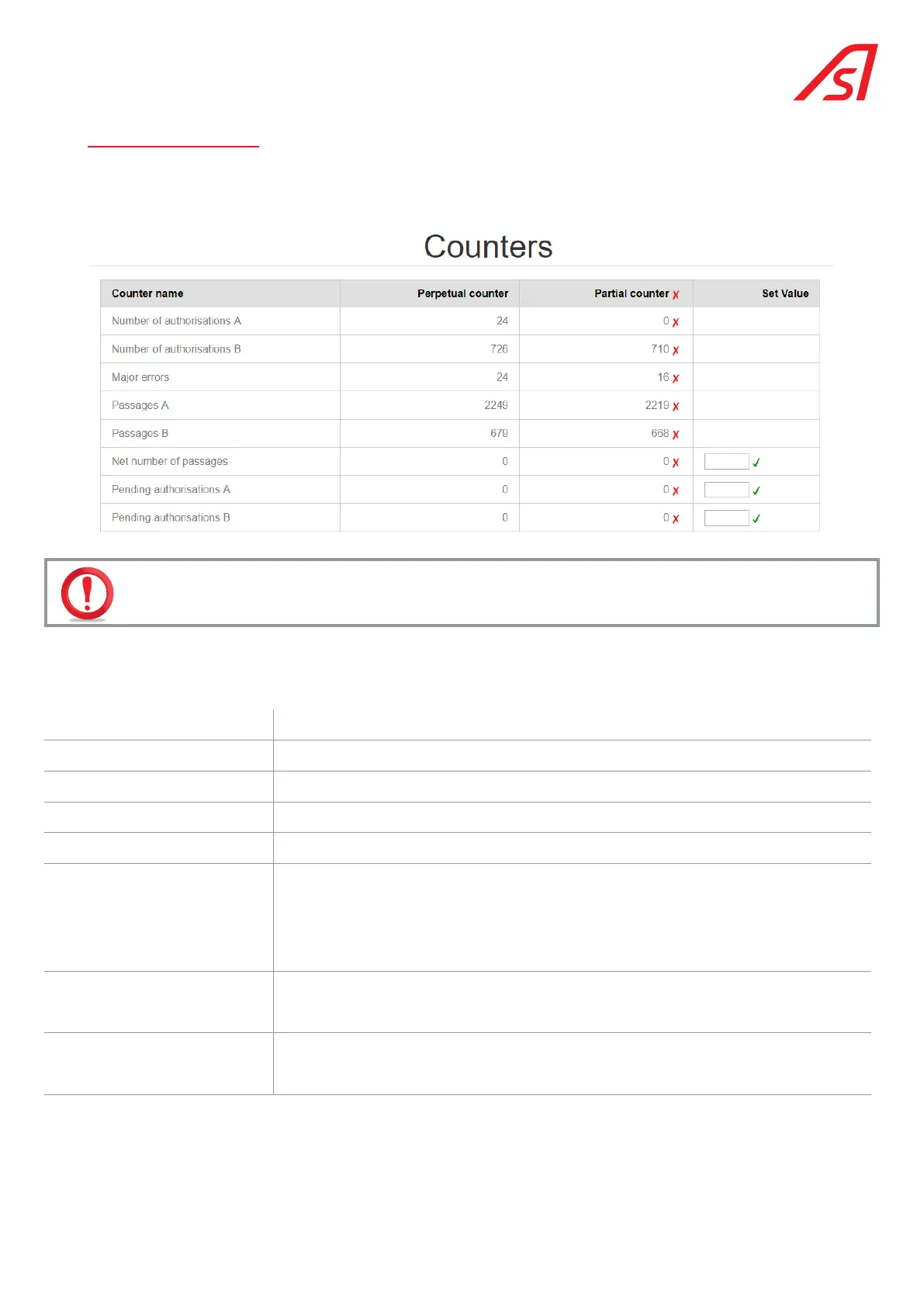
The Counter page lists the various available counters:
Permanent counters cannot be reset to zero.
Partial counters can be reset to zero by clicking on the corresponding cross. The cross at the top of the column allows you to
reset all the partial counters in a single operation.
Click on "refresh" in the right column to update the counters.
Number of authorisations A Number of passage authorisations received in direction of passage A.
Number of authorisations B Number of passage authorisations received in direction of passage B.
Major errors Number of major errors stored
Passages A Number of effective passages (with rotation of the turret) in direction A.
Passages B Number of effective passages (with rotation of the turret) in direction B.
Net number of passages Difference between the number of effective passages in direction A and direction B. This
count is always positive (because the number of passages in the entry direction (A) must
be equal to or greater than the number of exit passages).
The "new value" column is used to force a starting value, based on the number of people
actually present in the controlled area.
Pending authorisations A If the storage of passage authorisations is possible, this counter indicates the number
of authorisations in progress in direction A. The "new value" column allows a specific
number of passage authorisations to be entered.
Pending Authorisations B If the storage of passage authorisations is possible, this counter indicates the number of
current authorisations in direction B. The "new value" column allows a specific number of
passage authorisations to be entered.
The information contained in this document is the property of Automatic Systems and is confidential. The recipient shall refrain from using this information for any purpose other
than the use of the products or the execution of the project to which it refers and from communicating it to third parties without prior written agreement of Automatic Systems. The
document is subject to change without notice.



 To Next Page