AS1635-MT-EN-03
p. 37/46
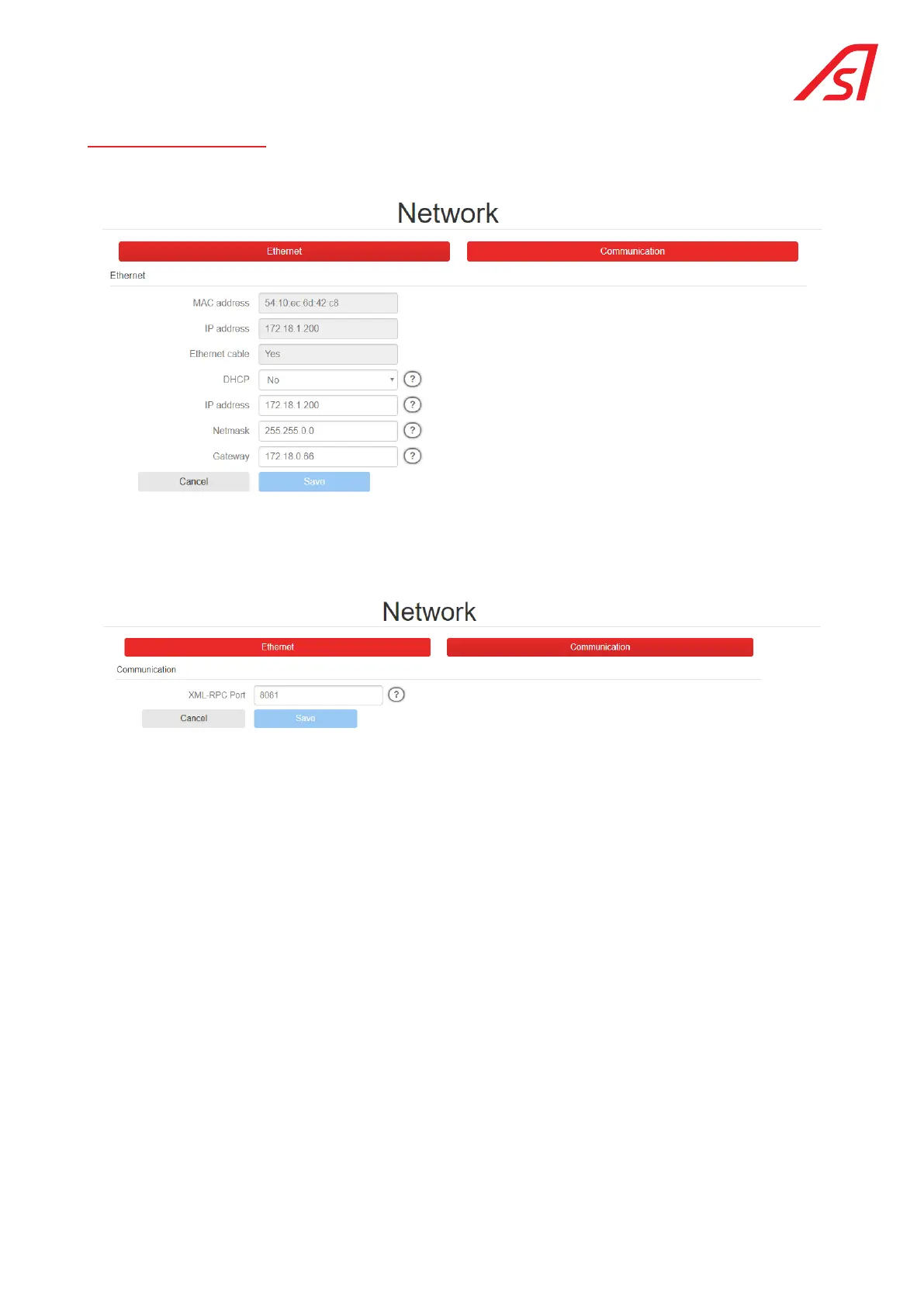
14. NETWORK PAGE
This page allows the user to configure the device so that it can be recognised by the network to which it is connected.
The Communication section is used to determine the Modbus communication parameters. (Reserved for developers)
The information contained in this document is the property of Automatic Systems and is confidential. The recipient shall refrain from using this information for any purpose other
than the use of the products or the execution of the project to which it refers and from communicating it to third parties without prior written agreement of Automatic Systems. The
document is subject to change without notice.



 To Next Page