AS1635-MT-EN-03
p. 27/46
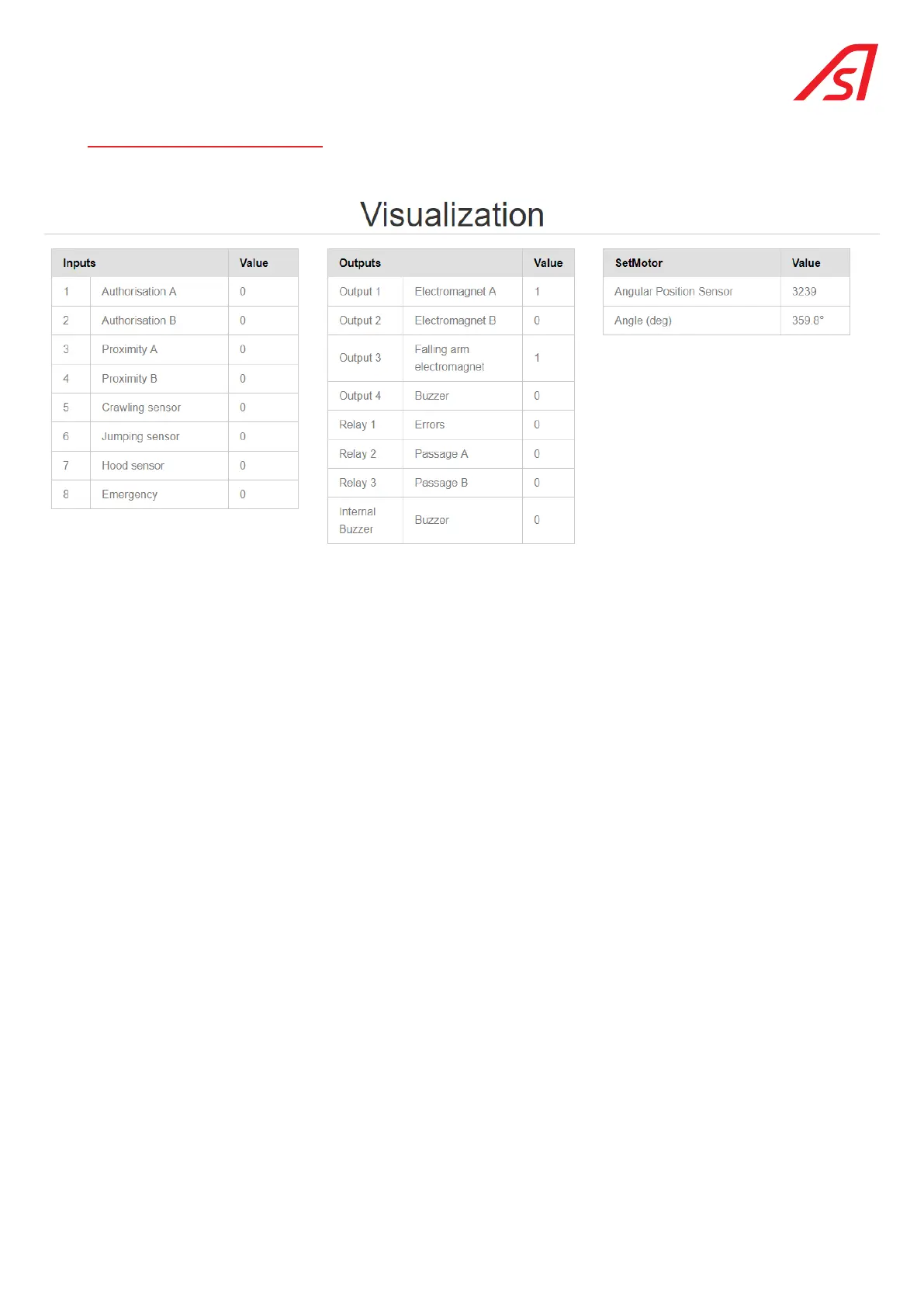
11. VISUALISATION PAGE
This page allows the user to view the status of the various inputs and outputs.
The assignment of the inputs and outputs depends on the selected options: TOF camera, under-the-hood pressure sensors,
falling arms, etc.
In Technician mode, this screen allows operations to be performed on the equipment while keeping it in its normal operating
state.
The information contained in this document is the property of Automatic Systems and is confidential. The recipient shall refrain from using this information for any purpose other
than the use of the products or the execution of the project to which it refers and from communicating it to third parties without prior written agreement of Automatic Systems. The
document is subject to change without notice.



 To Next Page