AS1635-MT-EN-03
p. 28/46
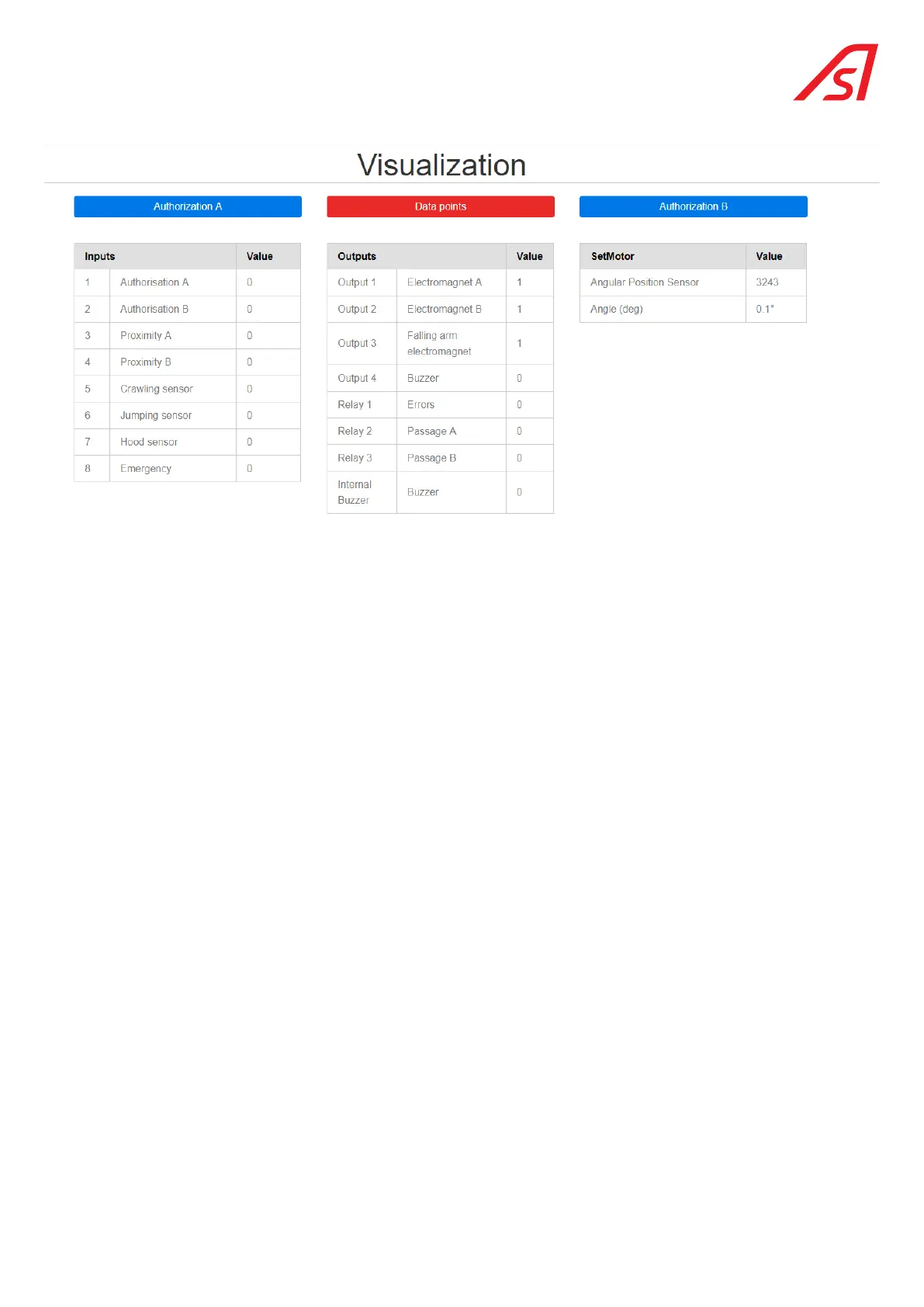
The values are updated by clicking the Refresh button ( on the left side of the screen) if the check box in the Home menu has not
been activated (Ch.7. IDENTIFICATION PAGE, page 22).
The active entries are highlighted.
If the status of a the inputs or outputs is abnormal, the corresponding line will be shown in red.
The errors are detailed on the Status(9. Status page, page 25) page.
The Authorisation A, Authorisation B buttons (blue colour) allow passage authorisations to be entered via the Ethernet line.
The data point tab creates an Excel file (reserved for diagnostic work relating to the turret position control).
The information contained in this document is the property of Automatic Systems and is confidential. The recipient shall refrain from using this information for any purpose other
than the use of the products or the execution of the project to which it refers and from communicating it to third parties without prior written agreement of Automatic Systems. The
document is subject to change without notice.



 To Next Page