AS1635-MT-EN-03
p. 16/46
E-02
: Motor board operating error
E-03
: Motor blocked.
MINOR error(s)
Error code Error description:
E-11
: No input configured (which makes the turnstile inoperative).
The display shows rUn when the error disappears.
4.3.3. Configuration mode
Press the central OK button (= SW6) for 2 seconds to switch to the Configuration mode. To exit this mode, press the OK
button again for 2 seconds or wait for 1 minute.
The configuration mode functions as a multi-level menu. Menus that have sub-menus always end with a dot. Use the
Up (= SW4) and Down (= SW5) buttons to navigate through the menu. Use the Right button (= SW3) to enter into a sub-
menu. The Left button (=SW2) is used to exit the sub-menu.
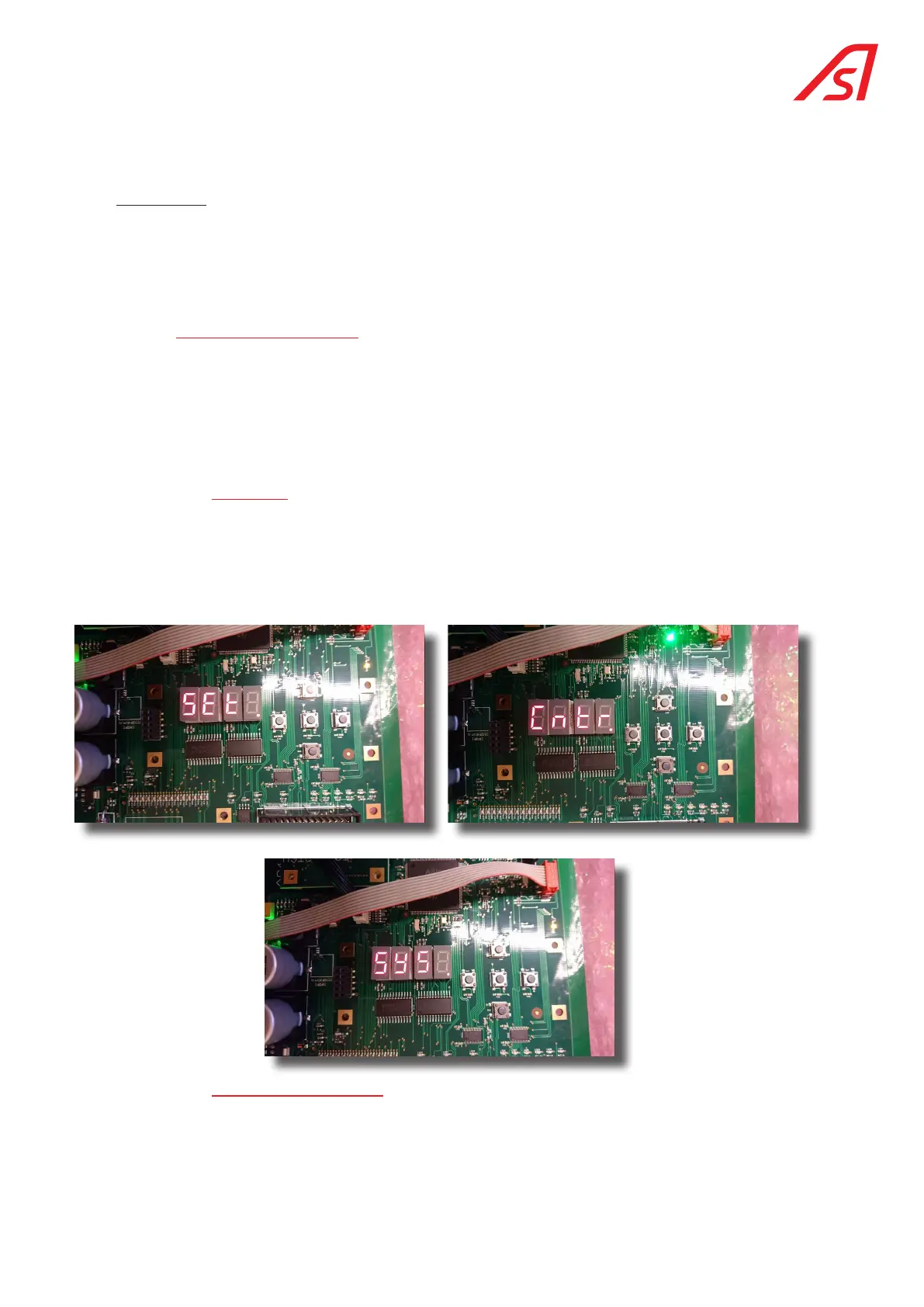
4.3.3.1. first level:
SEt.
: Parameters View and change certain parameters.
Cntr.
: Counters Display and reset the counters.
SYS.
: System Display system information.
4.3.3.2. operating mode parameters
Briefly press the Right button (SW4) to display the sub-menu, beginning with md-A.
Use the Up (= SW4) and Down (= SW5) buttons to navigate within the sub-menu and access md-b and then Stby.
Press the right button (SW4) again to display the contents of the parameters CLOS , FrEE or CtrL .
The information contained in this document is the property of Automatic Systems and is confidential. The recipient shall refrain from using this information for any purpose other
than the use of the products or the execution of the project to which it refers and from communicating it to third parties without prior written agreement of Automatic Systems. The
document is subject to change without notice.



 To Next Page