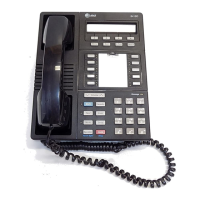
8410D User’s Guide
17 of 37
If your 8410 does not have a display or if Prog is not available on your
display, press
Program
or Dial the AD Program access code * 0
[dial tone]
4
Dial the Personal List number (1, 2, or 3) [dial tone]
5
Dial the list item (1, 2, 3...) [dial tone]
6
Dial the number you want to store (up to 24 digits)
Note: If your 8410 has a display, you may be able to use the softkeys to
add special functions such as Pause, Mark, or Wait into the telephone
number programmed on the AD button.
If you are programming an outside number, be sure to include a trunk
code [9], if applicable.
7 Press # [confirmation tone]
• Number is stored
• Repeat Steps 5 through 7 if you want to program additional
items on the same list; press
Drop and begin again at Step 1 if
you want to program items on another list
8 Hang up or press Drop to end programming
Note: Record your personal list items on the Abbreviated Dialing list in
the back of this guide; group, system, and enhanced lists can be
obtained from your system manager.
Note: You may also contact your system administrator with number
that you would like programmed into Abbreviated Dial Lists.
To place a call using an
AD list button or code
1 Press Pers List or Grp List or Sys List
or Dial the appropriate AD List code:
• List 1 __________
• List 2 __________ [dial tone]
• List 3 __________
Note: An
Enhcd List may also be available; see your system manager.
2
Dial the desired list item (1, 2, 3...)
• Call is automatically dialed [ringback tone]


 To Next Page