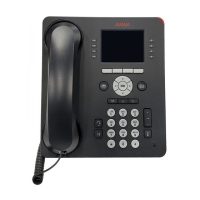
8410D User’s Guide
6 of 37
(On some 8410 voice
terminals, this can be used
as a Speaker/Reset Spkr
button)
If your 8410 has the Reset Spkr label under the
Speaker button, you
can also use the Reset Speakerphone feature. When you press Shift and
then Speaker (your voice terminal must be on-hook, and it must be set
for the Speakerphone feature), you hear a set of tones as the
speakerphone performs an acoustic test of the environment. When the
tones stop, your speakerphone has finished adjusting itself for optimal
performance and is ready for use.
10 Call appearances/feature
buttons
At least three of these 10 buttons are devoted to incoming and outgoing
calls (call appearances) and are labeled with an extension number; the
remaining buttons access features (feature buttons) and are labeled
with a feature name. Each has a red light telling you this is the line you
are using or this is the line you will get when you lift your handset. The
green status light next to each call appearance and feature button tells
you the line or feature is being used.
Test button
When the voice terminal is initially powered up, the green light next to
Test flashes if the link with the DEFINITY switch is not (or not yet)
operational. The light changes to steady green when the voice terminal
is able to communicate with the DEFINITY switch, and then goes off
after a short period of time. After the voice terminal is powered up, you
can press
Test to test the lights and the display (if applicable) on your
voice terminal.
Transfer button
For transferring a call to another voice terminal.
Volume control button
For adjusting the volume of the following:
• The speakerphone or speaker when a call is in progress using the 2-
way speakerphone or 1-way speaker
• The handset receiver level while a call is in progress using the
handset
• The tone ringer when the speaker is off and either the handset is
inactive or the tone ringer is active
Note: When the speaker is active, the ringer volume is automatically
reduced to a low setting. The volume is restored when the speaker is
turned off.
Remember: The Volume control button on your voice terminal does
not control the volume level of adjunct equipment.



 To Next Page