Manual upgrade of an existing S8300B and G700 to R3.1
696 Installing and Upgrading the Avaya G700 Media Gateway and Avaya S8300 Media Server
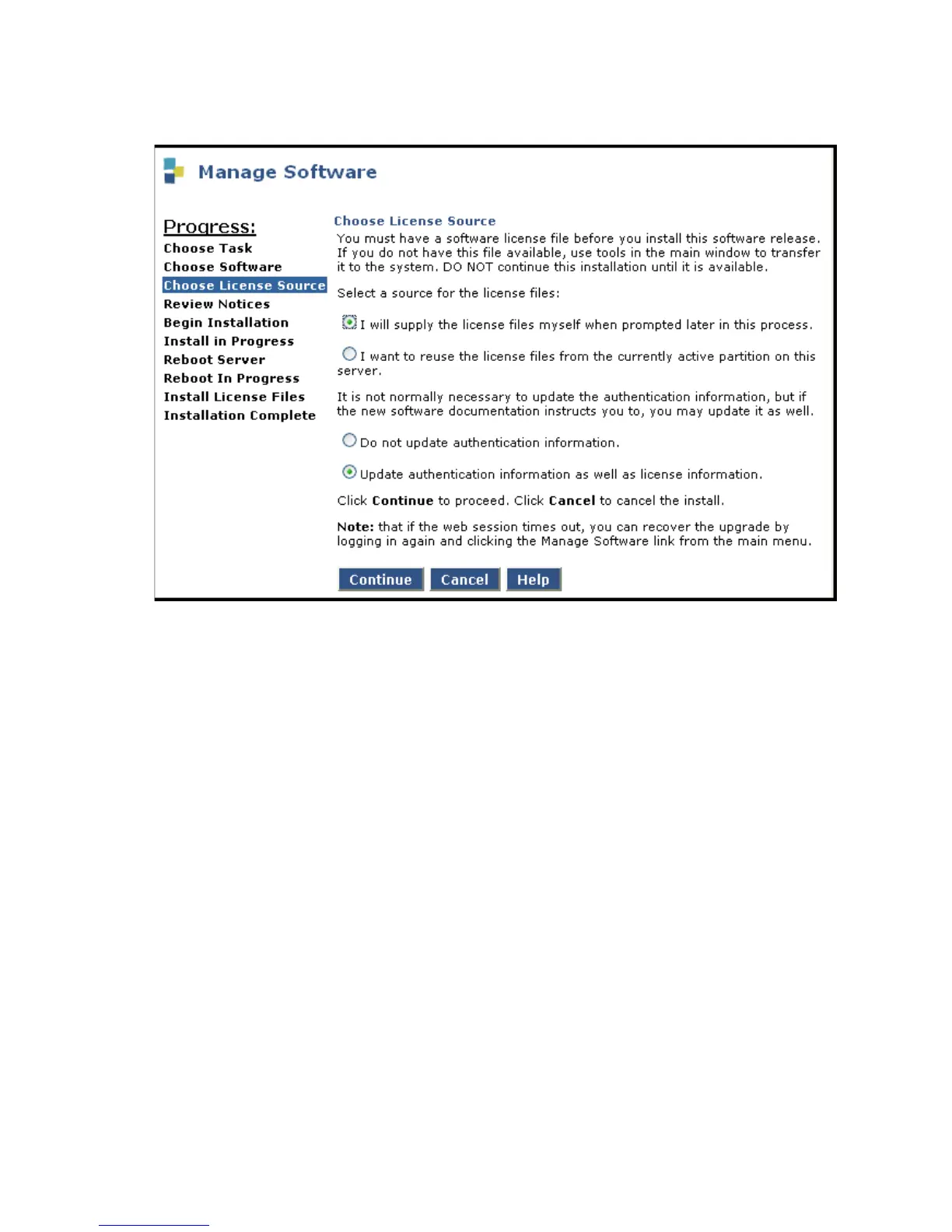
Choose License Source screen
2. If you have installed the license and authentication files, select the following:
- I want to reuse the license files from the currently active partition on this server.
- Do not update authentication information.
For a normal installation, the license and authentication files should have been installed at
this point. If these files have not been installed, select the following:
- I will supply the license/authentication files myself when prompted later in this process.
- Update authentication information as well as license information.
3. Click Continue.
The system displays the Review Notices screen.
4. For a new installation, or if you previously ran a backup, you do not need to run a backup at
this time.
If your planning documents instruct you to enable Tripwire, follow the instructions to reset
the signature database.
5. Click Continue.
The S8300 displays the Begin Installation screen, which summarizes the request you
have made.





 To Next Page